Conversations
Shared Inbox Manage chat, email, and QR conversations together. Website Live Chat Support visitors with an AI and human widget. Email SupportNew Manage connected mailboxes with AI-assisted replies. Smart QR Codes Connect stores, products, and packaging to support.
AI and Automation
Dolphin AI Answer from approved knowledge with human control. AI Sales AssistantNew Recognize intent and suggest approved actions. Commerce ActionsNew Help customers complete supported Shopify actions. Human Control Control approvals, handover, and sensitive actions.
Intelligence and Knowledge
Session Replay & AnalyticsNew Replay journeys and understand visitor behaviour. AI Insights & ReportsNew Turn customer activity into clear recommendations. Data Sources Connect websites, products, FAQs, and knowledge. Help Center One content base for self-service and AI answers.
Product intro
AskDolphin Platform Connect conversations, AI, knowledge, and insights.
By business
Ecommerce & Shopify Support shoppers before and after every purchase. Retail & Omnichannel Connect support with stores, products, and QR. Agencies Manage client enquiries, email, and websites. Service Businesses Present services, capture leads, answer questions. Freelancers & Individuals Manage client email and enquiries with AI. Small & Growing Teams Bring conversations and teamwork into one place.
By goal
Customer Support Answer questions across chat, email, and QR. Sales & Conversion Engage intent and guide customers to action. Website Intelligence Find friction through sessions and behaviour. Shared Email Use AI-assisted email without needing a website. In-store & QR Support Give customers help in physical locations. Post-purchase Support Support orders and customers after purchase.
Solutions intro
View all solutions Find the right workflow for your business.
Learn
Blog Practical ideas for support, AI, and ecommerce. Product Updates See new features and product improvements.
Company
About AskDolphin Learn what AskDolphin is building and why. Partners Explore agency and partnership opportunities. Security Review our security and privacy information.
Conversations
Shared Inbox Manage chat, email, and QR conversations together. Website Live Chat Support visitors with an AI and human widget. Email SupportNew Manage connected mailboxes with AI-assisted replies. Smart QR Codes Connect stores, products, and packaging to support.
AI and Automation
Dolphin AI Answer from approved knowledge with human control. AI Sales AssistantNew Recognize intent and suggest approved actions. Commerce ActionsNew Help customers complete supported Shopify actions. Human Control Control approvals, handover, and sensitive actions.
Intelligence and Knowledge
Session Replay & AnalyticsNew Replay journeys and understand visitor behaviour. AI Insights & ReportsNew Turn customer activity into clear recommendations. Data Sources Connect websites, products, FAQs, and knowledge. Help Center One content base for self-service and AI answers.
Product intro
AskDolphin Platform Connect conversations, AI, knowledge, and insights.
By business
Ecommerce & Shopify Support shoppers before and after every purchase. Retail & Omnichannel Connect support with stores, products, and QR. Agencies Manage client enquiries, email, and websites. Service Businesses Present services, capture leads, answer questions. Freelancers & Individuals Manage client email and enquiries with AI. Small & Growing Teams Bring conversations and teamwork into one place.
By goal
Customer Support Answer questions across chat, email, and QR. Sales & Conversion Engage intent and guide customers to action. Website Intelligence Find friction through sessions and behaviour. Shared Email Use AI-assisted email without needing a website. In-store & QR Support Give customers help in physical locations. Post-purchase Support Support orders and customers after purchase.
Solutions intro
View all solutions Find the right workflow for your business.
Learn
Blog Practical ideas for support, AI, and ecommerce. Product Updates See new features and product improvements.
Company
About AskDolphin Learn what AskDolphin is building and why. Partners Explore agency and partnership opportunities. Security Review our security and privacy information.

AI customer platform

Your website has AI support now.

AskDolphin is the AI customer platform that sees what every visitor is doing, starts the conversation, answers from knowledge you approve, and can take the sale all the way to checkout.

On your website. In your inbox. Anywhere you can print a QR code.

Install on Shopify Framer any website

The ones who leave quietly are the expensive ones.

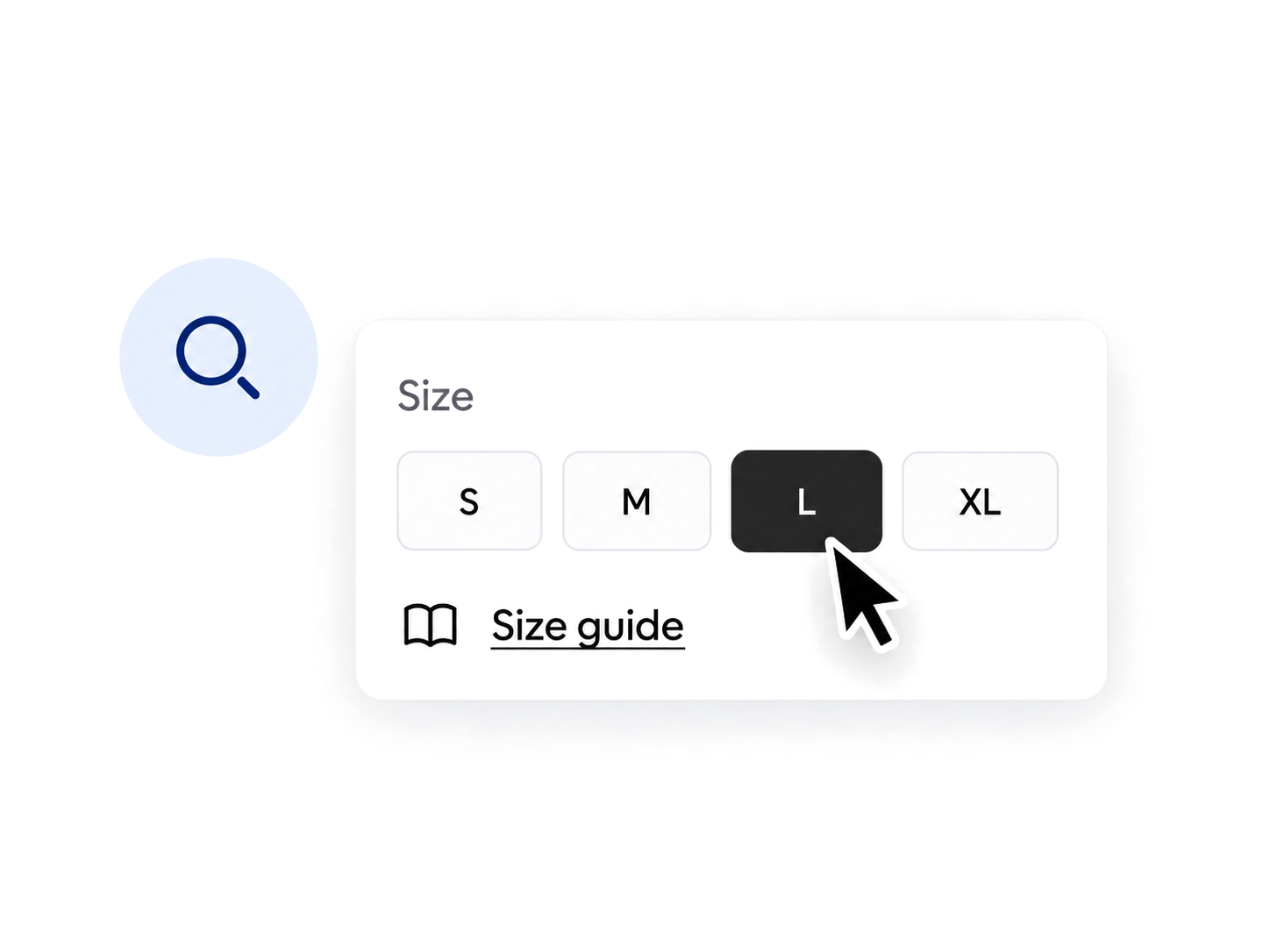
  • Size picker with L selected and the cursor near the Size guide link

    Someone couldn't find the size guide.

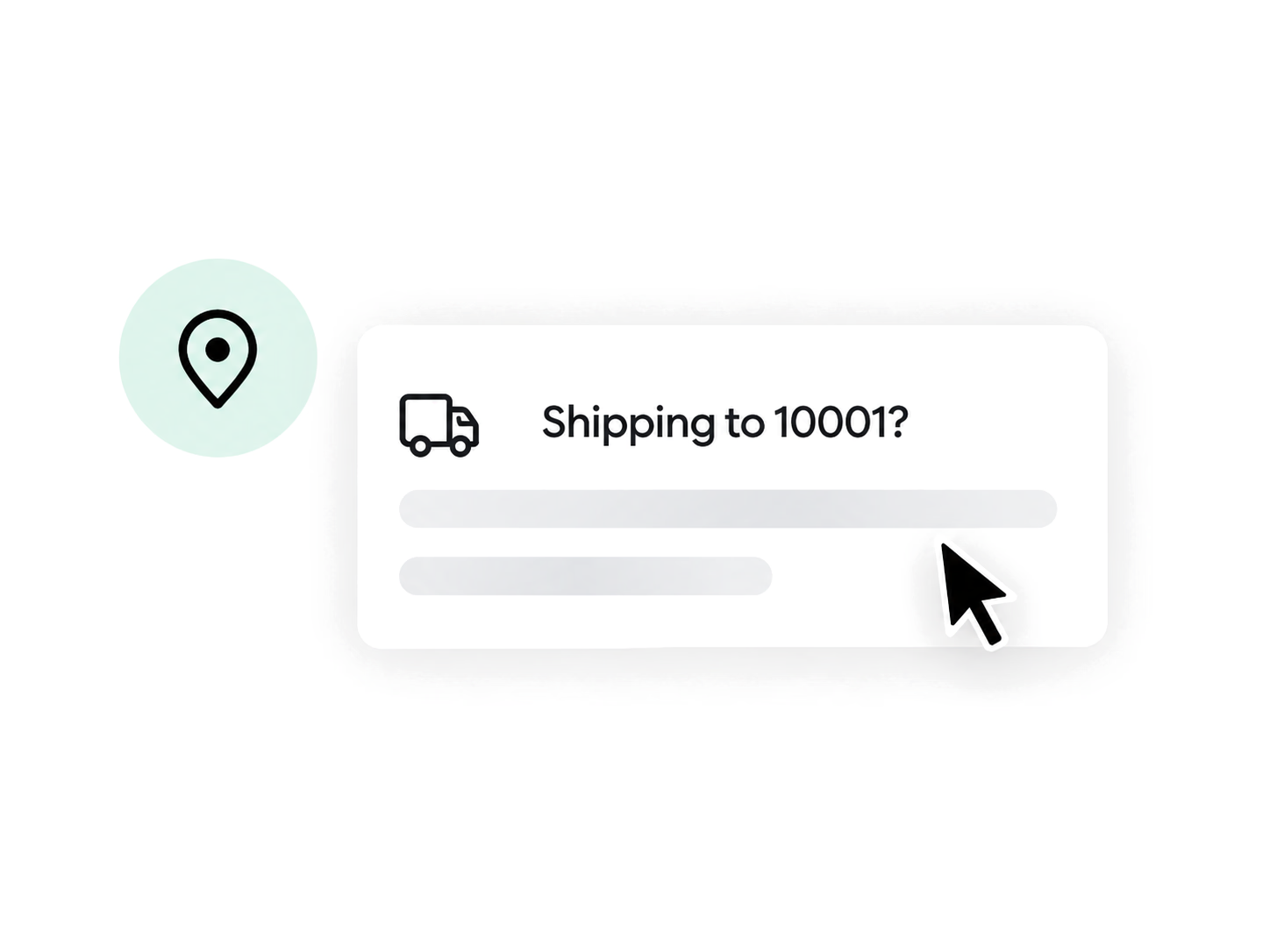
  • Shipping to 10001 check with the answer still loading

    Someone wasn't sure you covered their area.

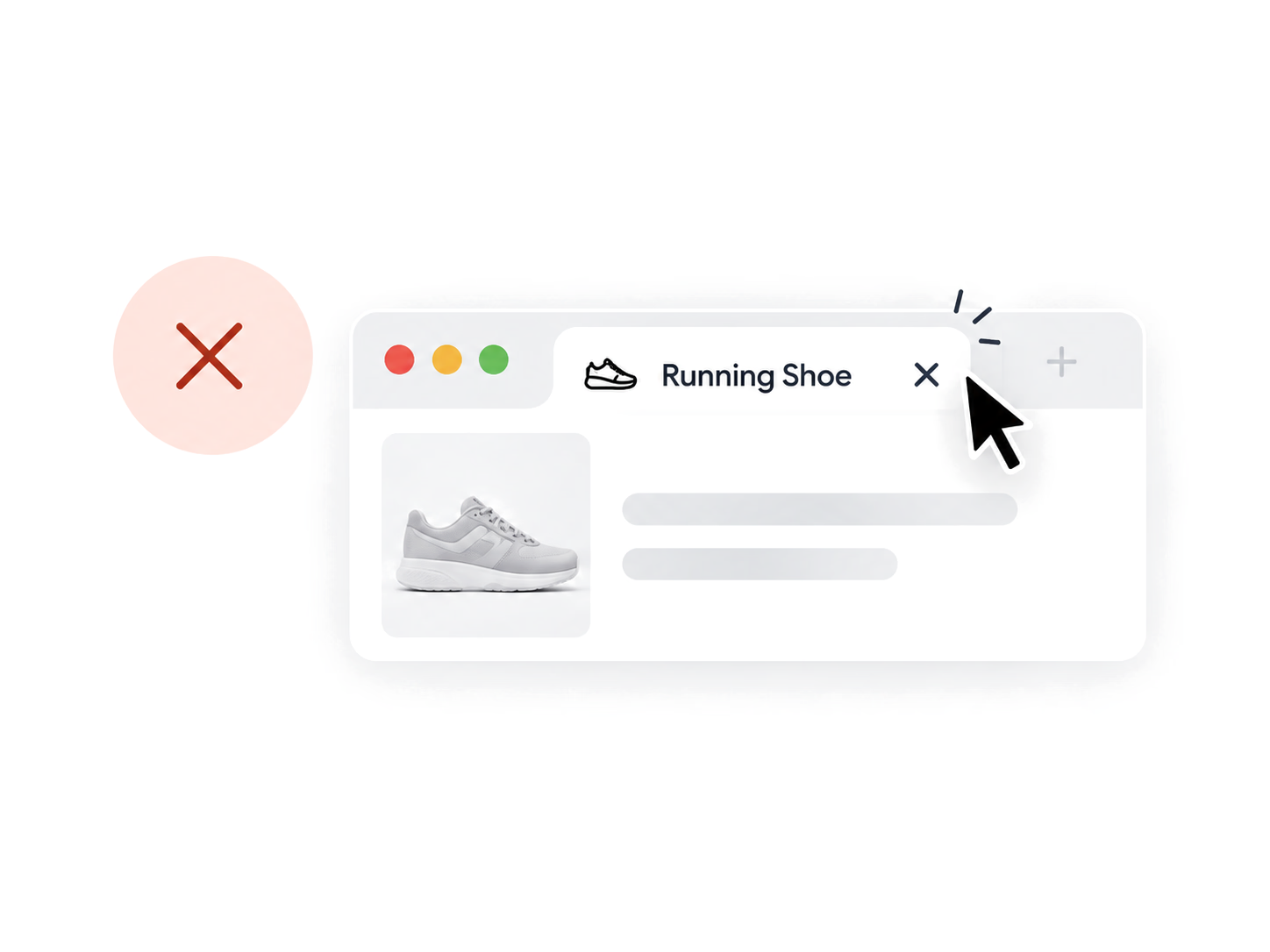
  • Running shoe product tab with the cursor clicking its close button

    Someone hesitated, then closed the tab.

None of them will email you. None of them will click the bubble in the corner. They just go, and you never hear about it.

Most support tools wait to be spoken to first. So they meet the few who complain, and miss the crowd who quietly gave up.

We built AskDolphin for the crowd.

So we taught it to speak first.

Not a pop-up on a timer. A conversation that starts because something actually happened.

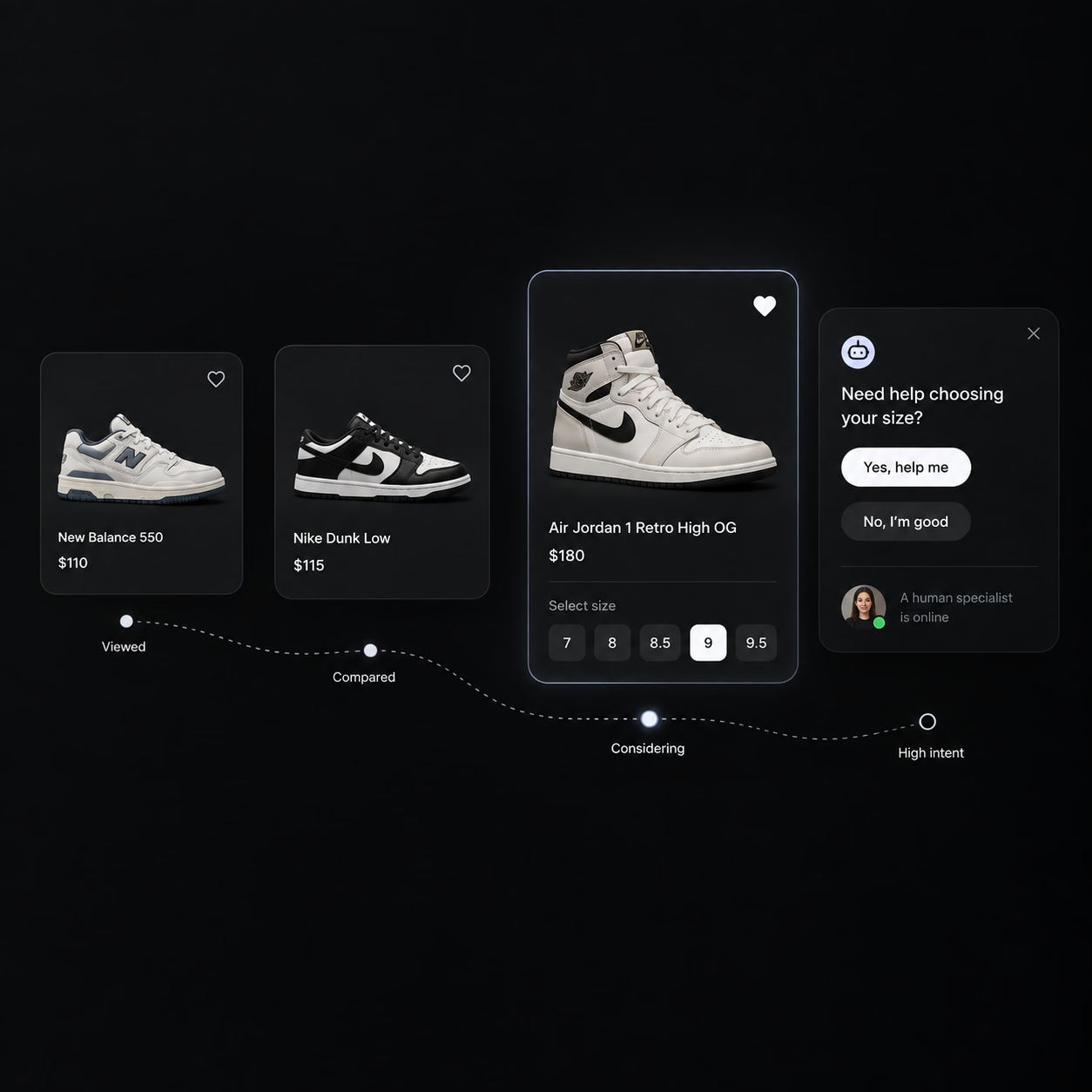
  • It watches the journey, not the clock. It opens with the real question, then hands to a human the moment it should.

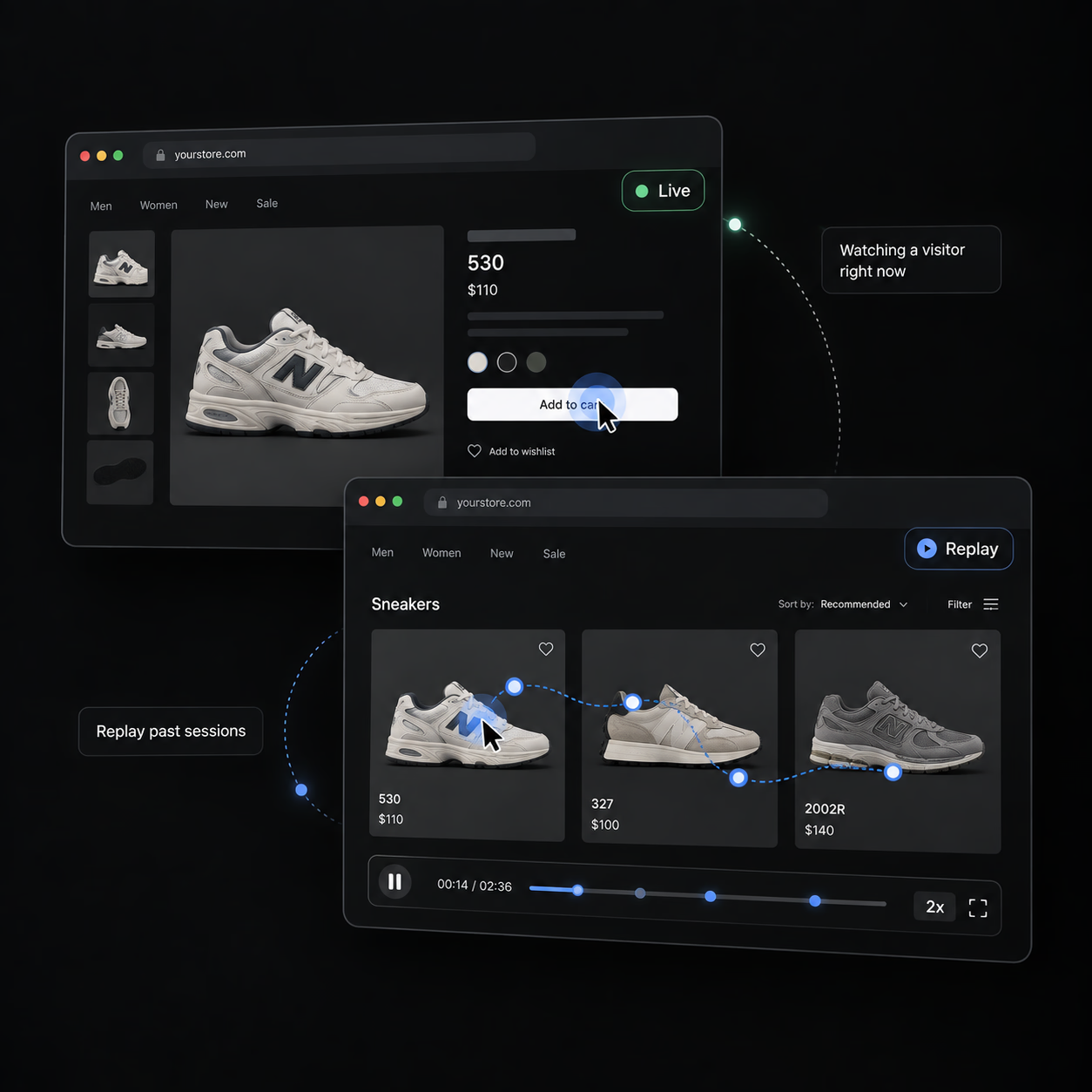
  • When something goes wrong, watch it happen — the frustrated clicking, the page everyone leaves from.

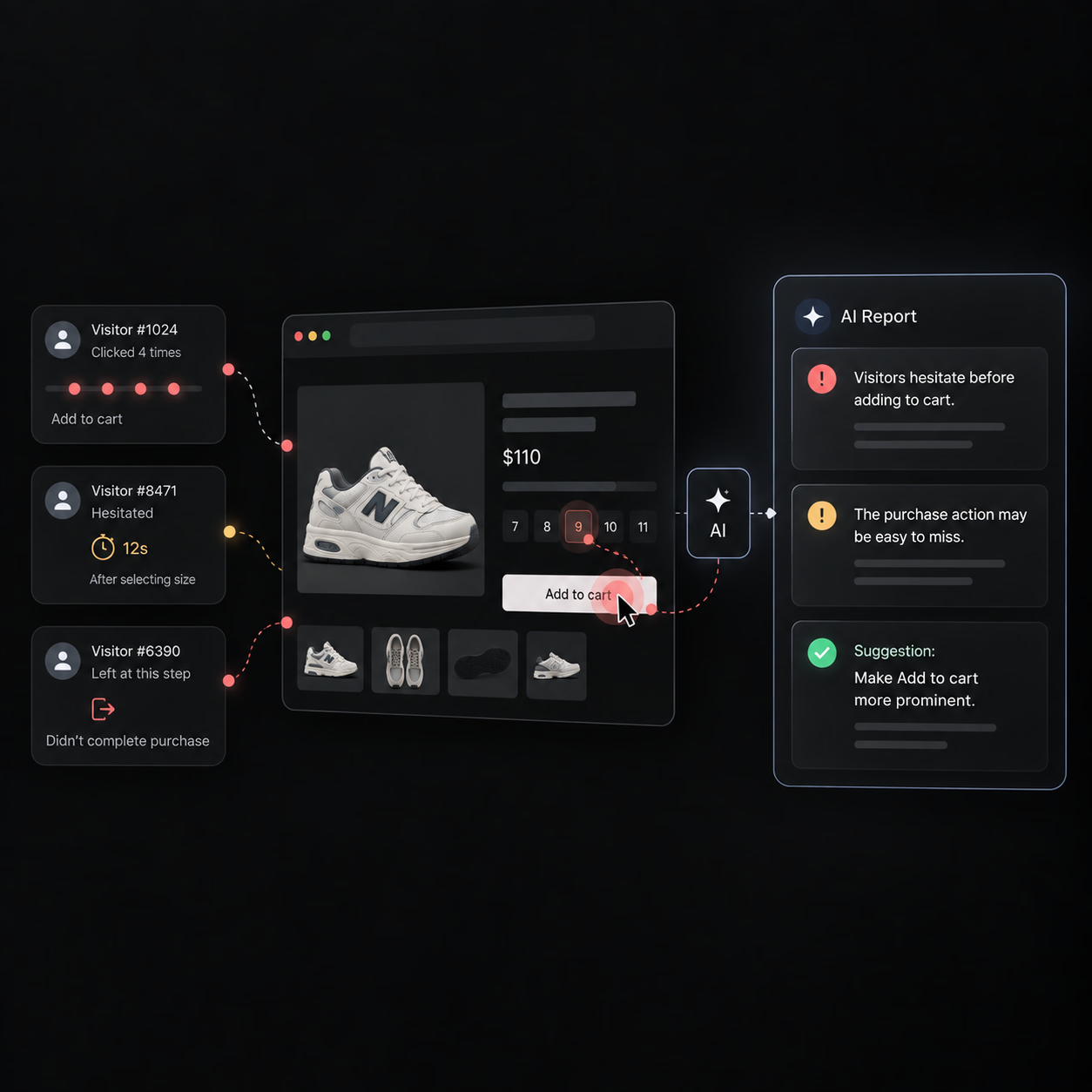
  • It tells you what yesterday actually meant, in a paragraph — not a dashboard you open twice and never again.

Trainers a shopper viewed, compared and considered, then a chat card offering size help, with a human specialist online.A visitor watched live on a trainer product page, above a replay of an earlier session's cursor path across the catalogue.Three visitors' clicks, pause and exit on a product page, summed up in an AI report that suggests a clearer Add to cart.

Customers start everywhere.

So do we.

Website Live Chat

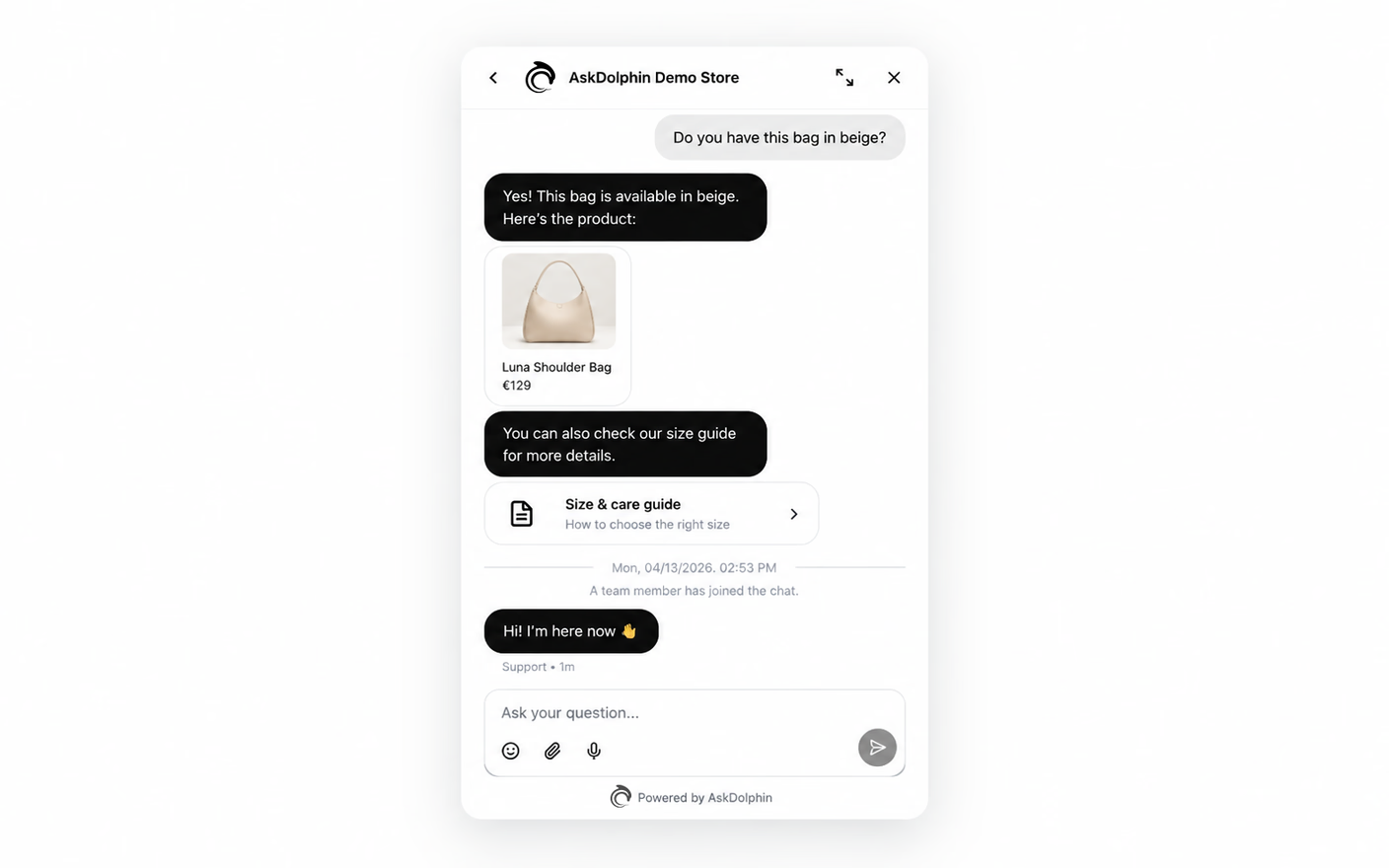
A chat widget that looks like you built it. Your colours, your products or services inside it, your help articles a tap away, ten languages. Dolphin AI takes the first message. Your team takes the ones worth taking.

A chat widget answering a colour question with a product card and size guide, then a team member joining the conversation.

Email Support

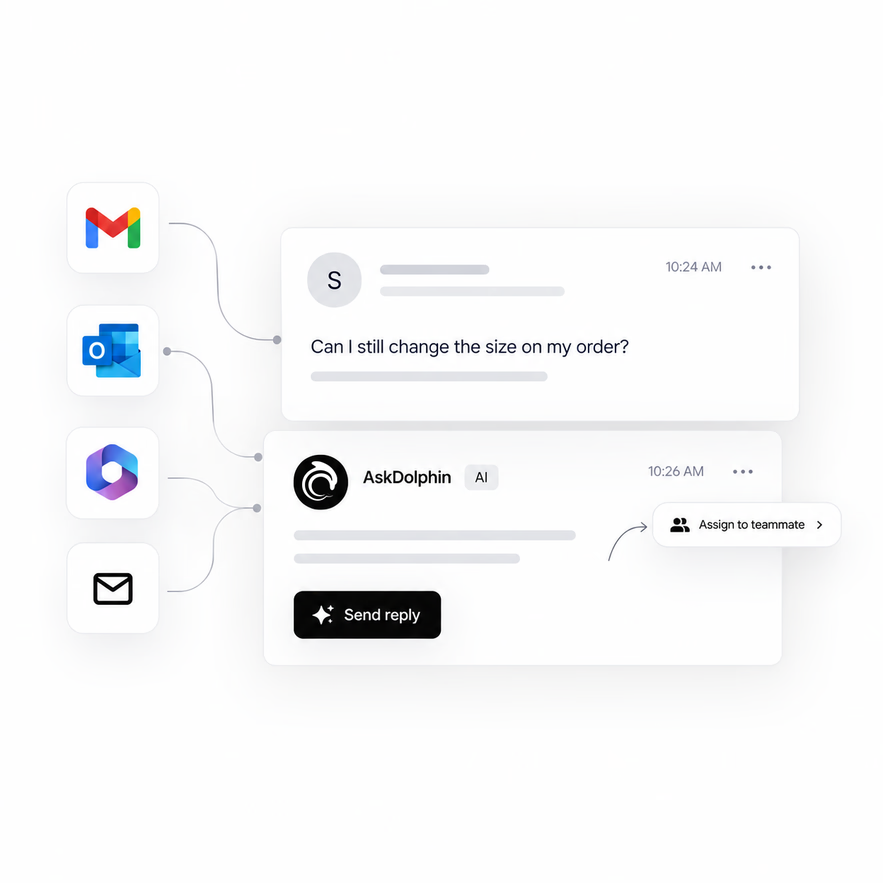
Gmail, Outlook, Microsoft 365, or your own address. Each mailbox gets its own AI, tone and knowledge. Hand one to a teammate without forwarding it. Answer it beside your chats.

Gmail, Outlook, Microsoft 365 and custom mailbox icons feeding one email thread, with an AI reply and Assign to teammate.

Off-screen

Smart QR Codes

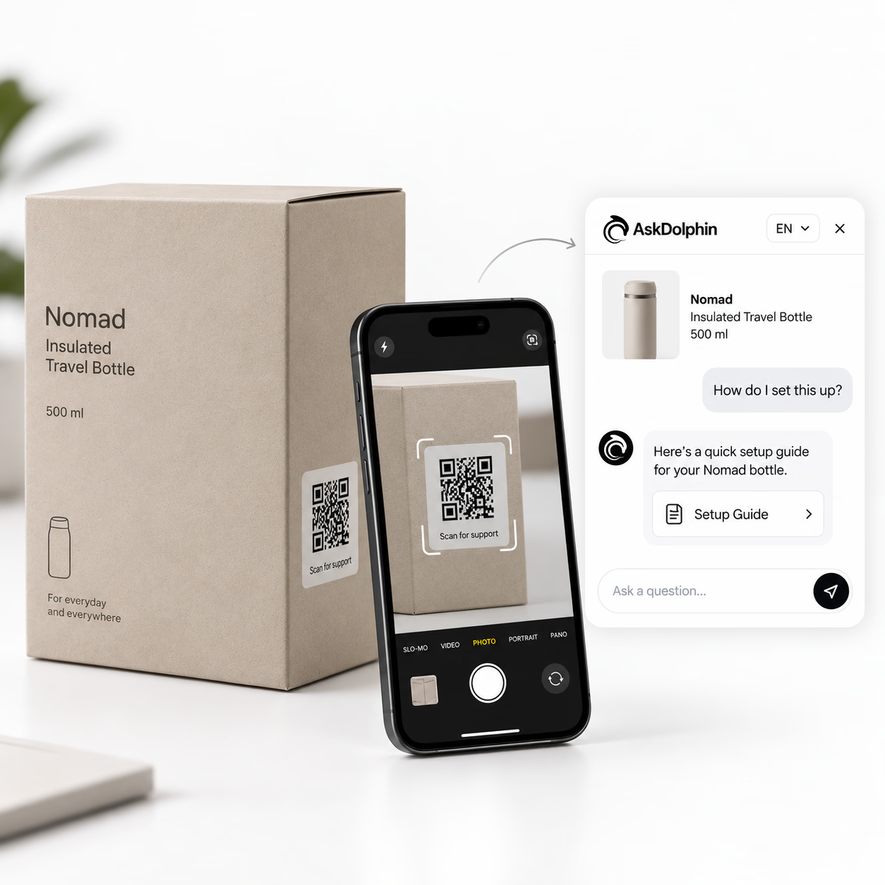
Put a code on anything you hand someone. A box, a manual, a machine, a menu, a hotel room. They scan it and land in a conversation about that exact thing.

No website required. Which matters if your business happens somewhere other than a screen.

A phone scanning the QR code on a travel bottle's box, opening a chat that answers how to set the bottle up.

An AI that only knows what you told it.

And a team that decides what gets sent.

Grounded, not guessing

Point Dolphin AI at your site and it reads it. Pages, products, your own Q&As, a published Help Center — that's all it knows. And you can read and fix every answer before a customer sees one.
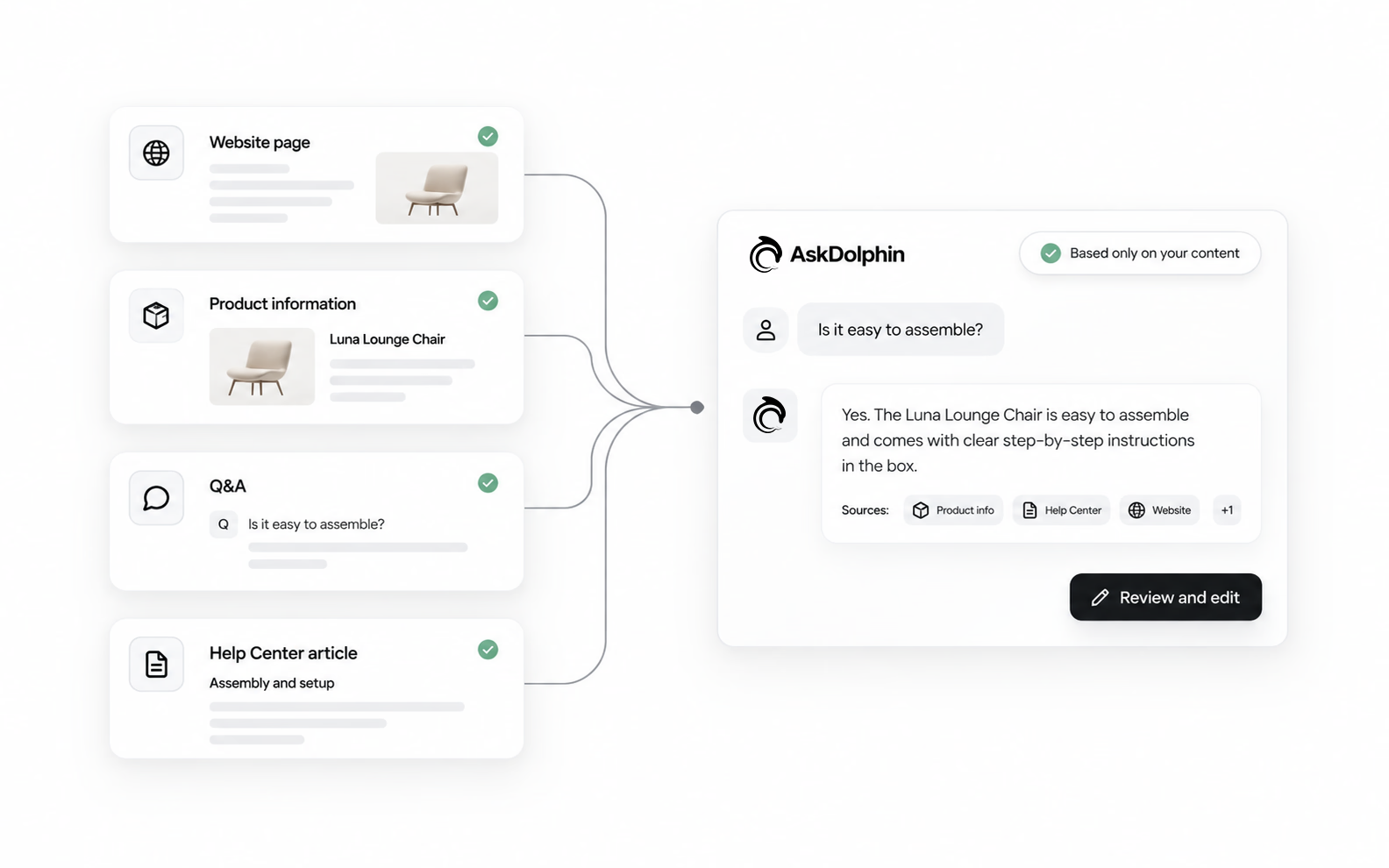
A website page, product details, a Q&A and a Help Center article feeding one answer that cites its sources, ready to review.

It drafts. Your team sends.

Dolphin AI drafts the reply, or rewrites the one your agent started. Shorter, warmer, more formal — always from your approved knowledge. Your agent reads it, edits it, sends it. Or doesn't.
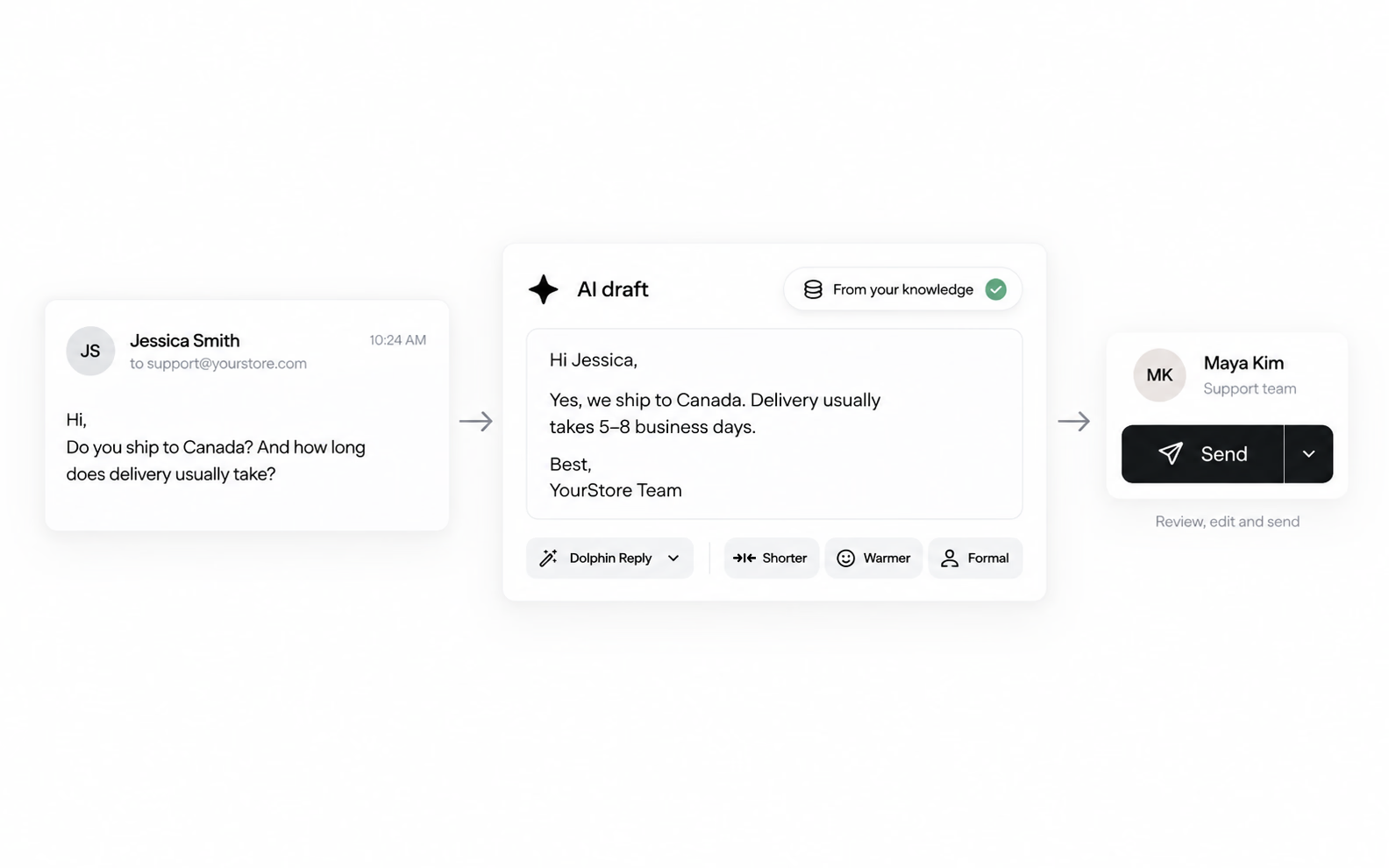
A customer email about delivery to Canada, an AI draft from approved knowledge, and a teammate's Send button for review.

Your rules, channel by channel

Live Chat, Email and QR each get their own settings. Automatic replies stay off until you turn them on. Tone, guardrails, handover to a human — Owners and Admins choose who gets the AI tools.
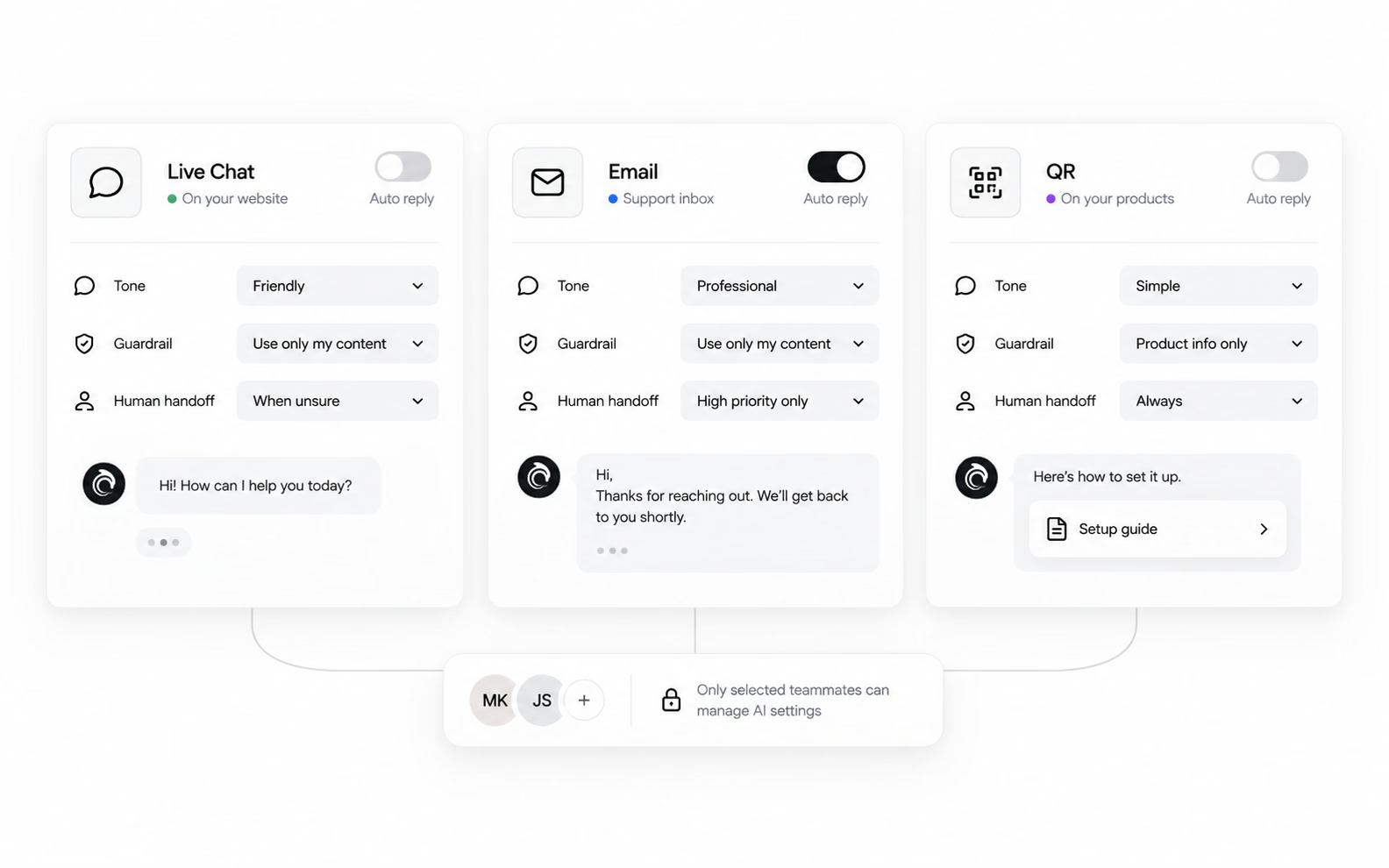
Separate Live Chat, Email and QR settings for auto reply, tone, guardrail and handoff, with AI access for chosen teammates.

Most AI stops at the answer.

Ours can finish the job.

Shopify

It already knows your catalogue

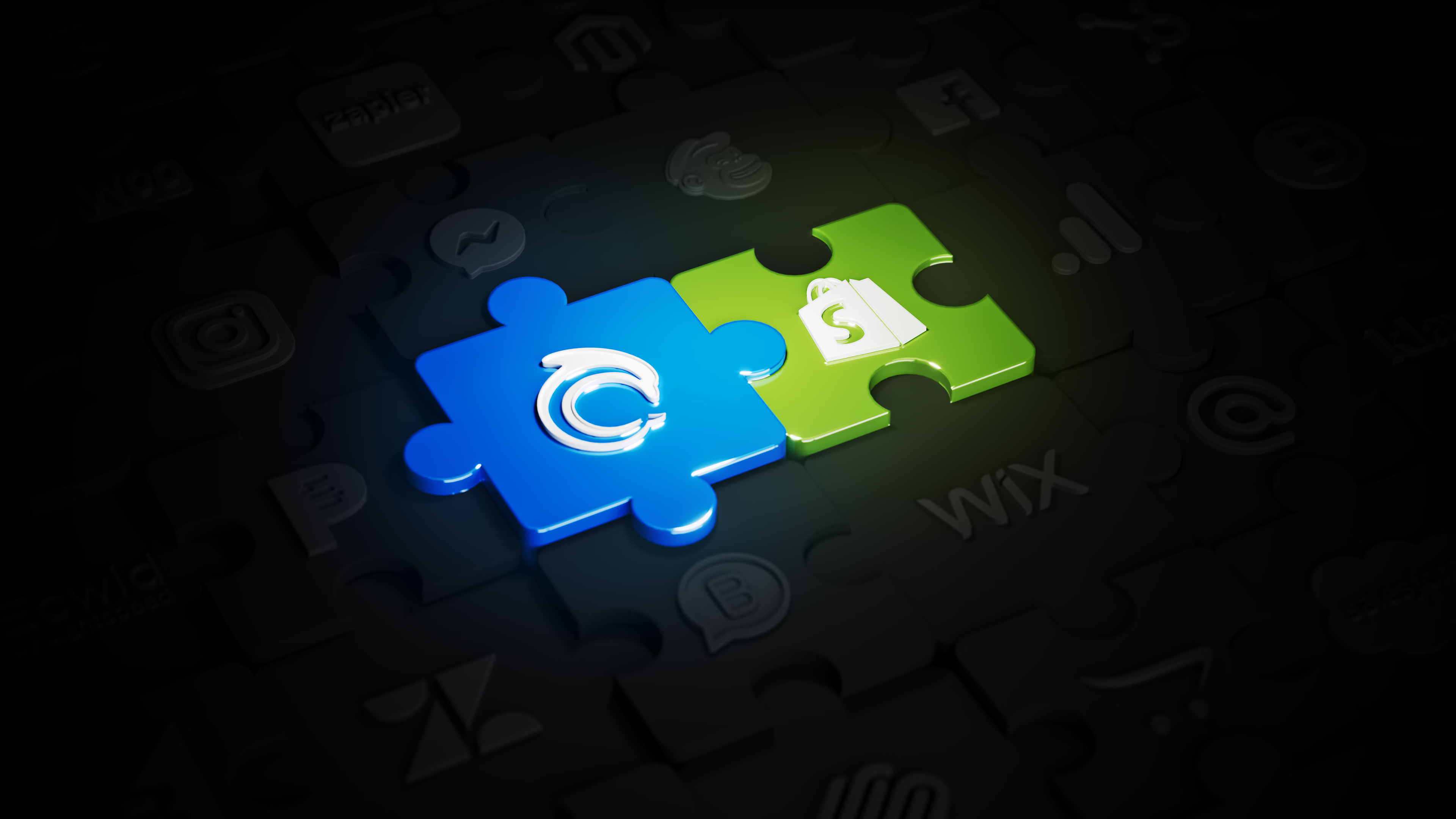
Connect Shopify and your products come with it. Names, prices, images, availability, categories. Dolphin AI recommends, compares, and answers the sizing and shipping questions your team answers all day. Customers check where their order is without leaving the chat.

AskDolphin and Shopify joined as two puzzle pieces, lit among a wall of other integration logos

Then it does something about it

Real actions on the cart and the order, taken inside the conversation.

  • Add to cartThe customer says yes, and it lands in their cart.
  • Change what's in itSwap a size, drop an item, change a quantity.
  • Send a checkout linkA link to pay, generated inside the conversation.
  • Update a delivery addressA wrong address, corrected after the order.

For the actions you approve, with a human step where it counts.

Nothing runs without your sign-off. Dolphin AI can carry the action out — or a person can, working the same cart and the same order from the AskDolphin panel, with no Shopify login. When one needs a human, the AI hands it over.

Not selling products?

List your services instead. Customers browse them, ask about them, and request a quote. Same widget, different label.

Different business. Same quiet customer.

Here's what it looks like in yours.

Ecommerce
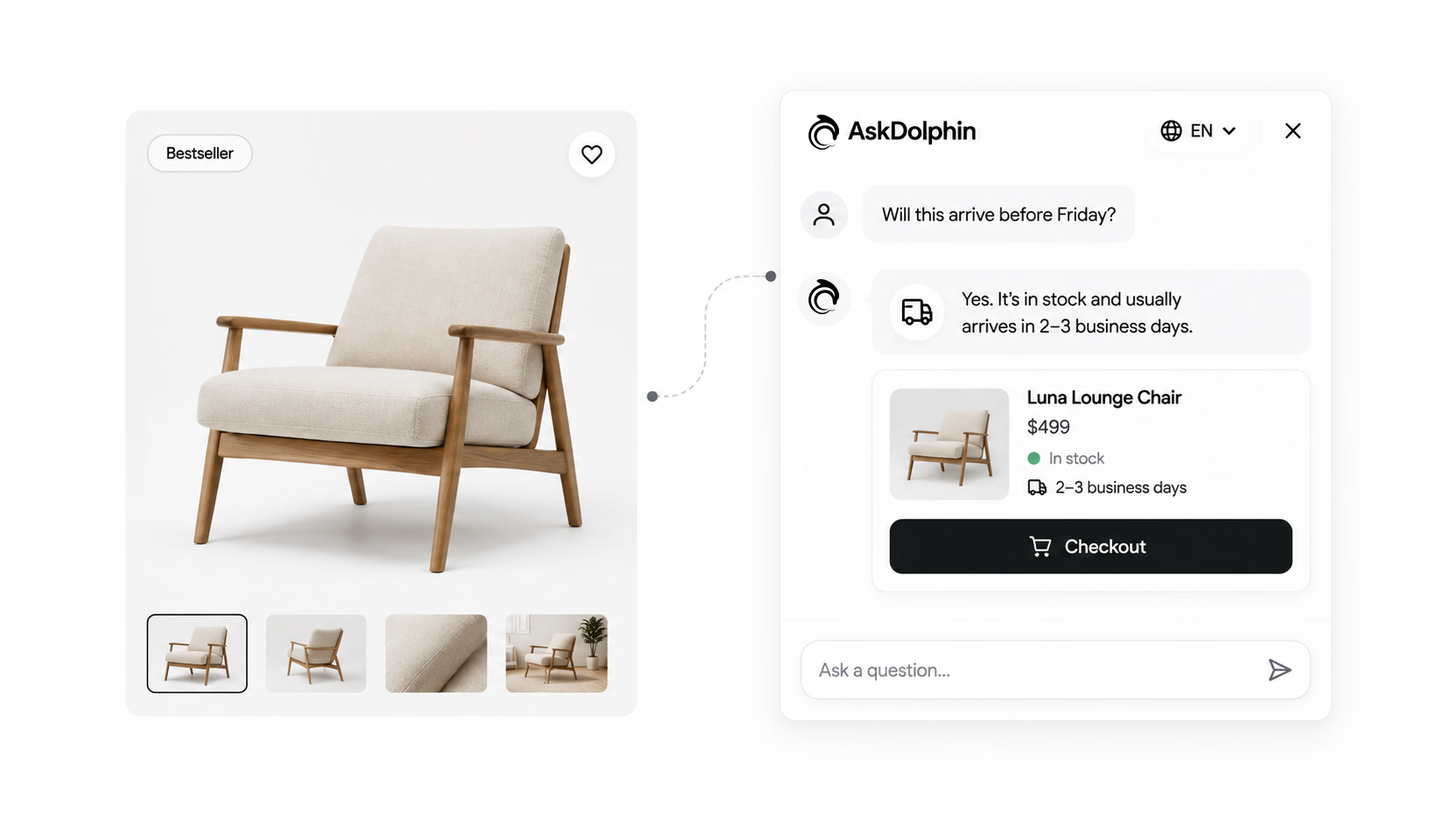
The one who wanted to know if it ships before Friday.
A lounge chair product page beside a chat that confirms delivery timing and offers the chair with a Checkout button.

Sales Assistant opens with the question they're stuck on, answers it from your catalogue, and can take the sale to checkout.
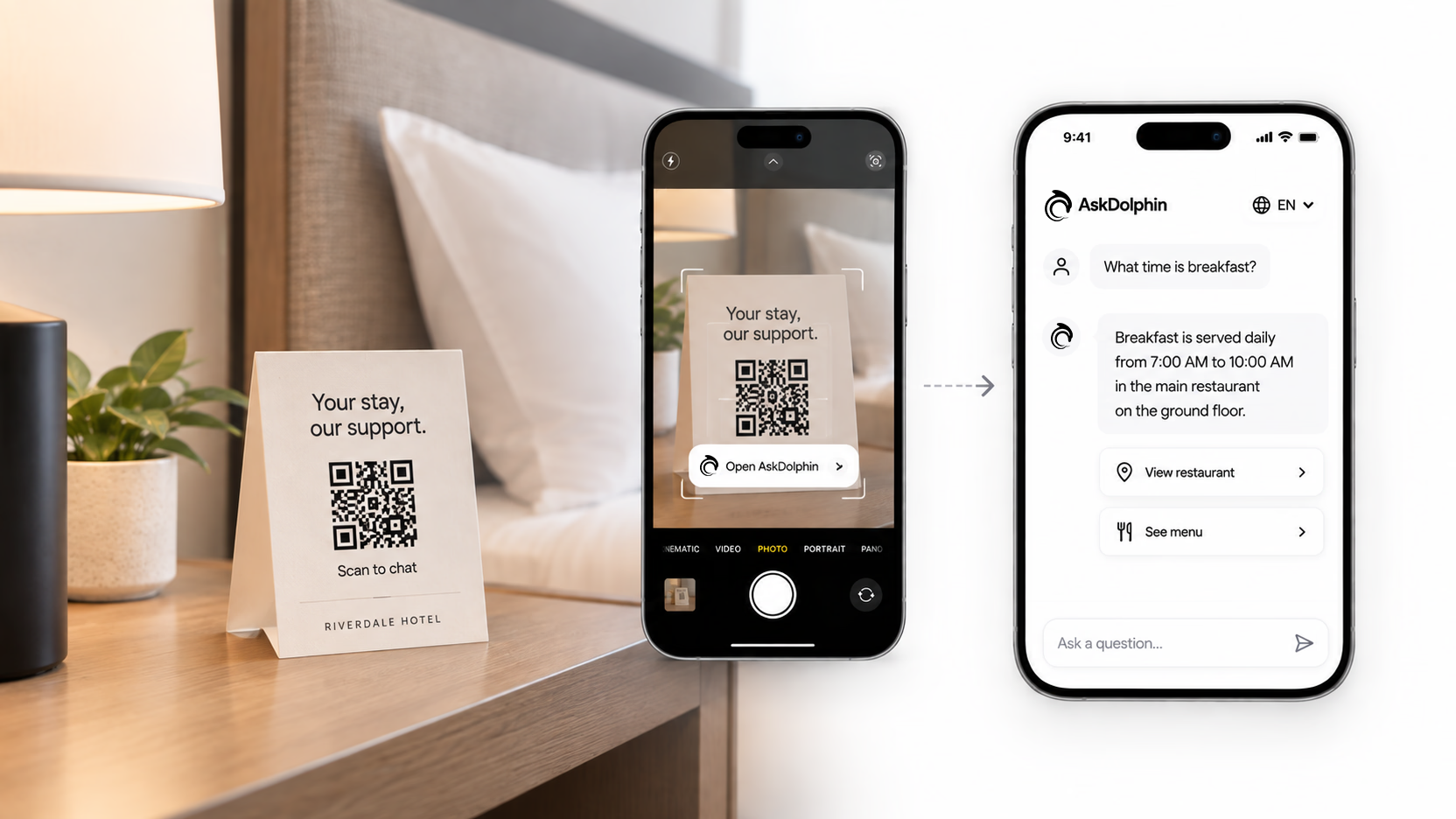
Retail and hospitality
The one standing at the shelf with nobody around.
A QR card on a hotel bedside table, scanned by a phone that opens a chat answering what time breakfast is served.

A code on the shelf, the table or the room opens a conversation about that exact thing. No app, no website, nothing to install.
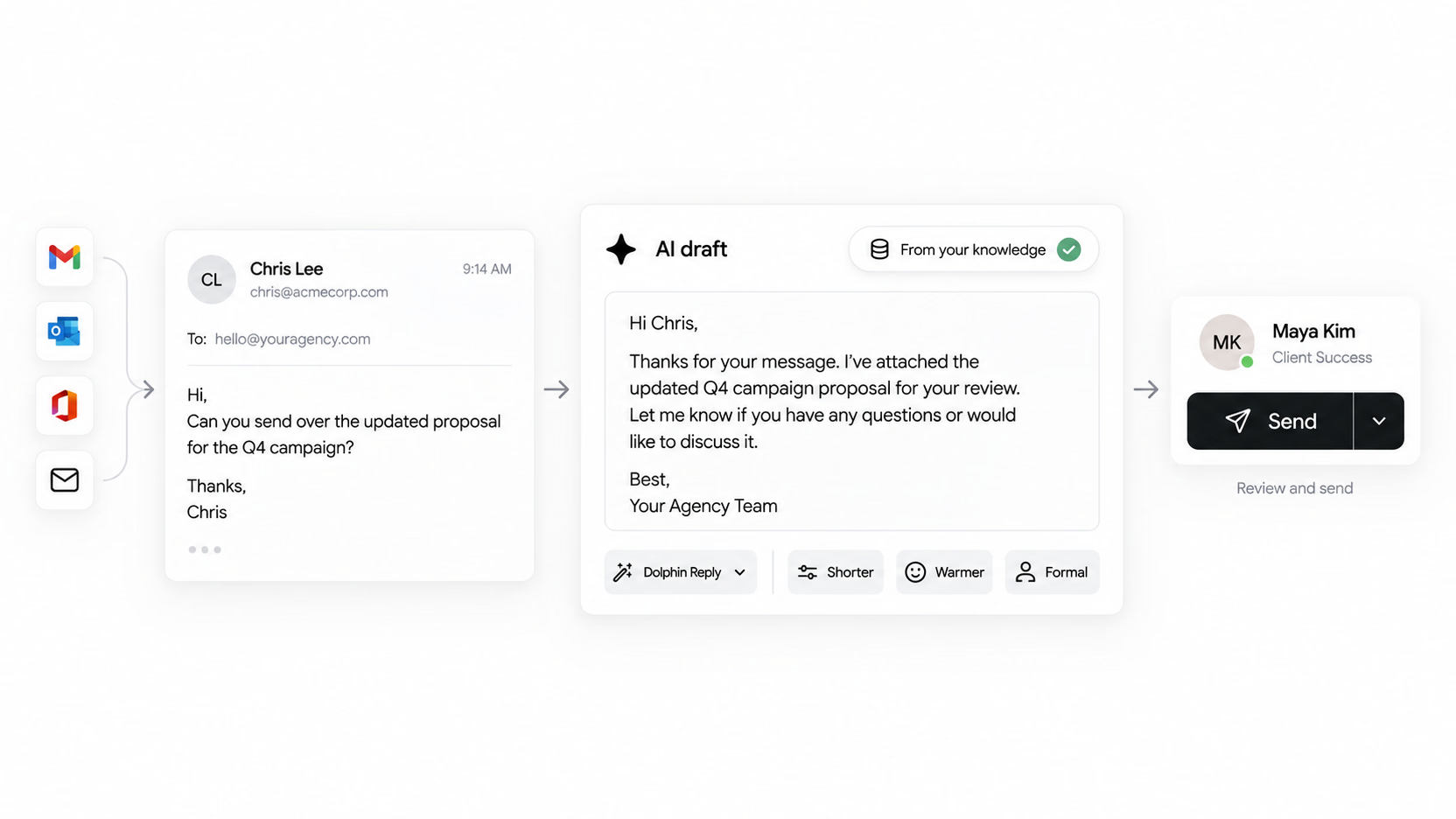
Agencies and consultancies
The client email that sat there through your meeting.
A client's email asking for a campaign proposal, an AI draft from approved knowledge, and a teammate reviewing it to send.

Client email lands in one Shared Inbox, and Dolphin AI drafts the reply while you're in the room. Your team sends it, or doesn't.
Professional and clinical services
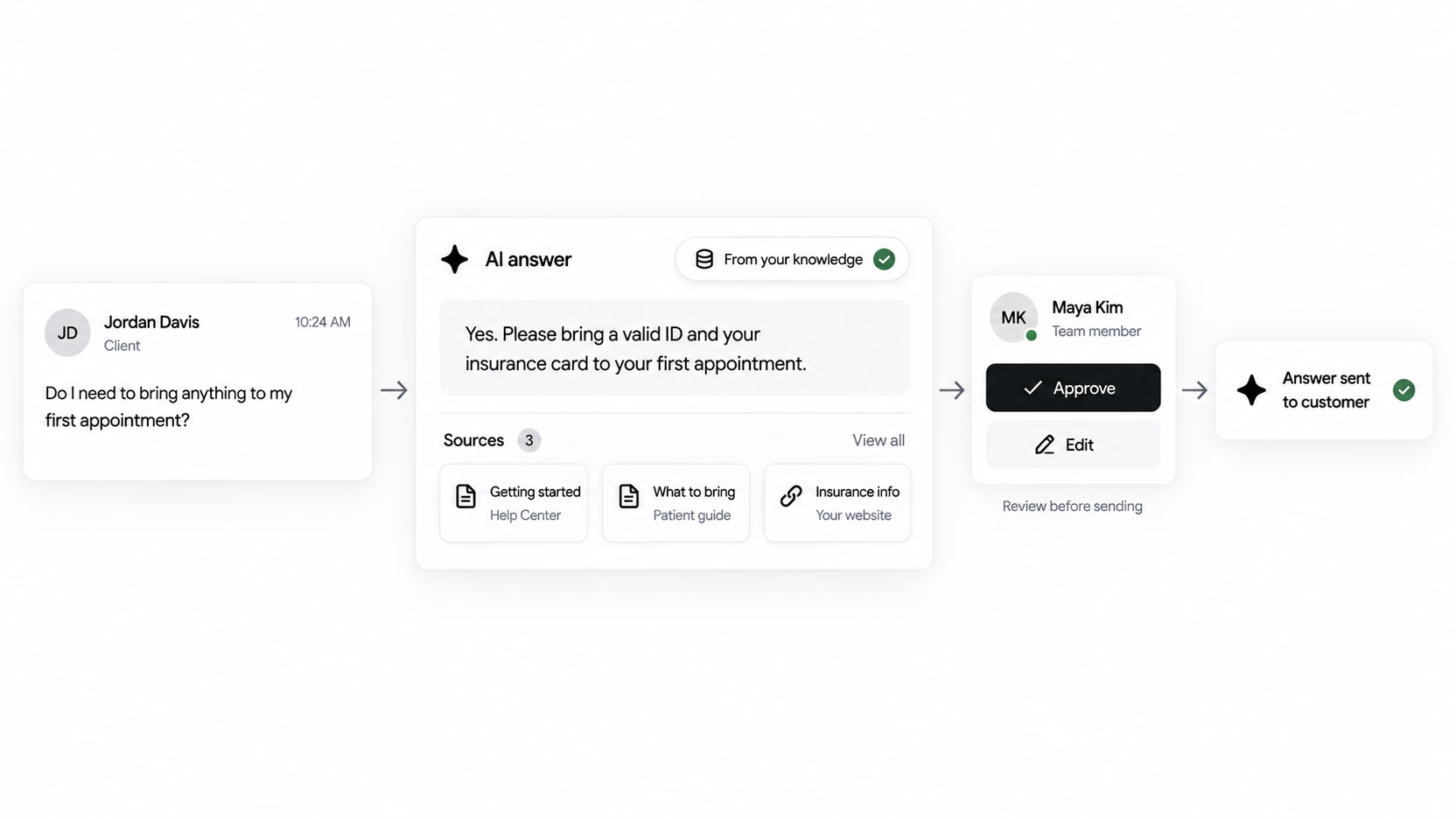
The one who needed one answer before they'd book.
A client asks what to bring to a first appointment, and an AI answer citing three sources waits for a teammate to approve it.

Dolphin AI answers from your own pages and documents, not the internet, and you approve every answer before a customer sees it.
Equipment and manufacturing
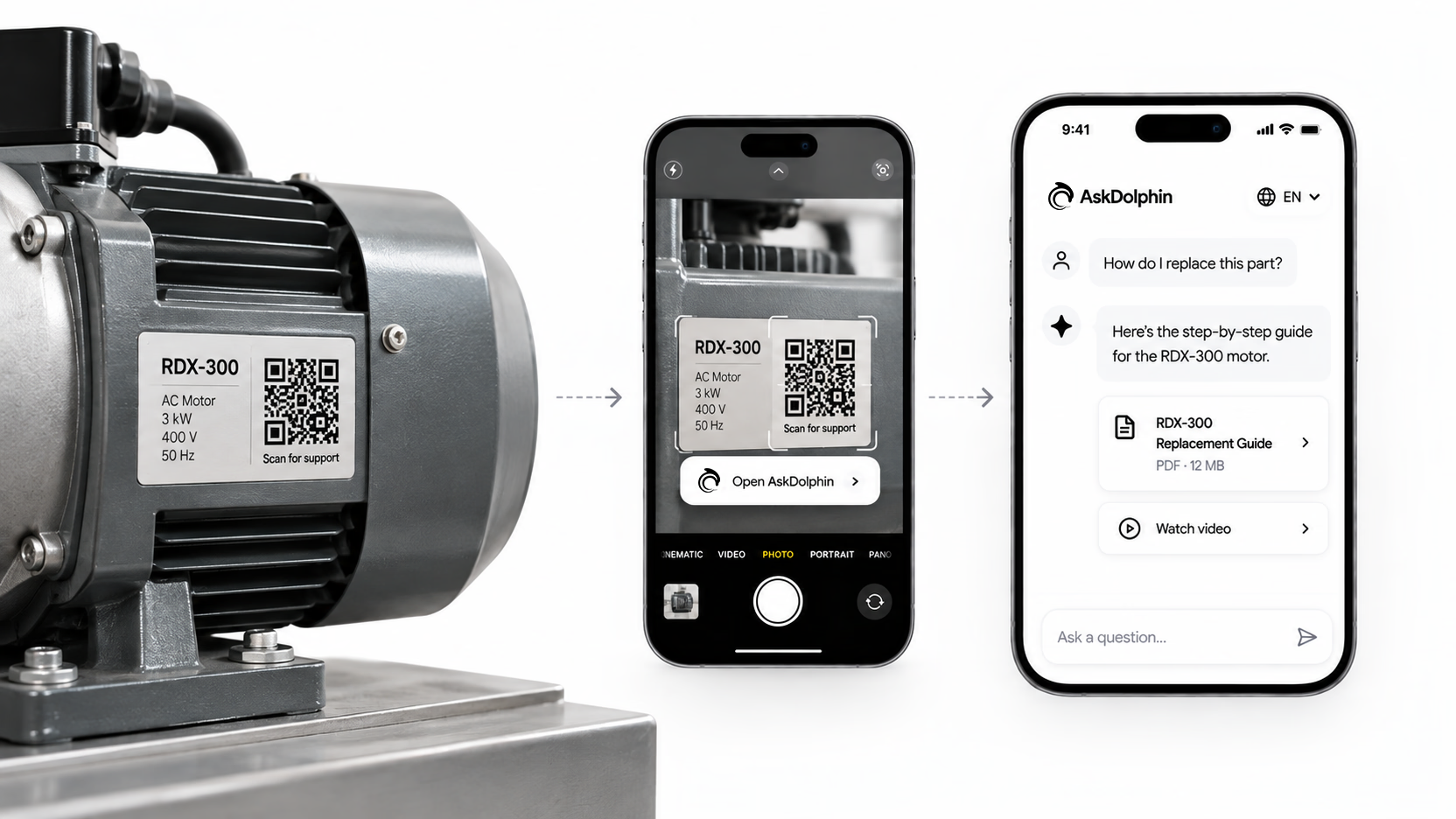
The engineer holding a part, three hours from you.
A QR label on an electric motor, scanned by a phone that opens a chat offering a replacement guide and a video for the part.

A code on the machine, the manual or the spare part opens a conversation about that exact unit, wherever the engineer is standing.
Anyone with a pricing page
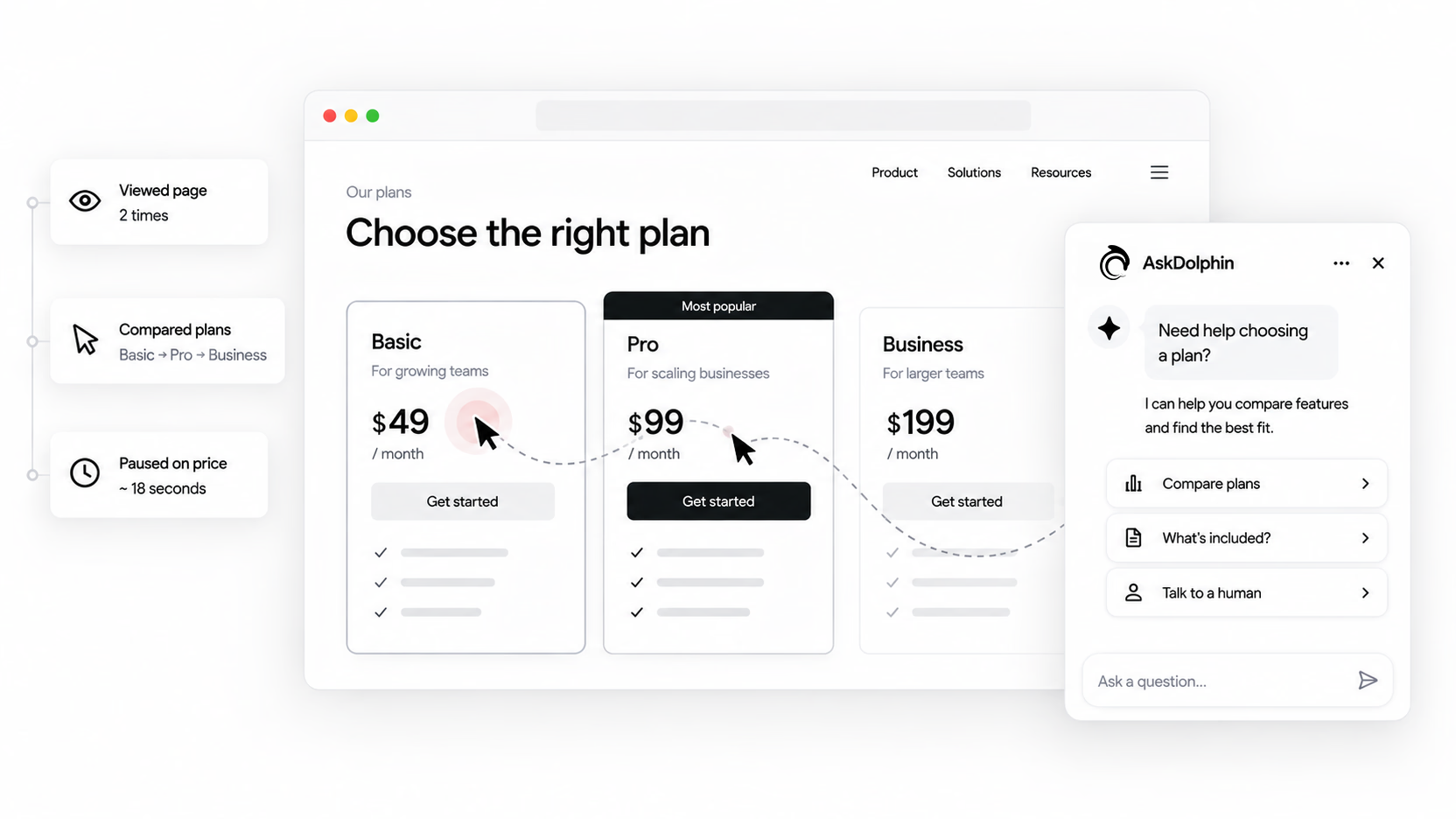
The visitor who read it twice and left without a word.
A visitor viewing and comparing plans on a pricing page, pausing on a price, as a chat opens offering to help choose a plan.

AskDolphin sees the visit, the comparing, the long pause on the price, and starts the conversation before the tab closes.

Ask the people already using it.

A retail brand and a solo maker, on what changed.

"Since integrating AskDolphin, our customer service has become more streamlined and proactive. The QR code feature has been a game-changer in our stores, offering seamless post-purchase support."

CUEMARS — Director at Cuemars

"As a solo artist running GoodBond, I needed a solution to manage customer inquiries without dedicating all my time to it. AskDolphin's AI handles most of the questions my customers ask, freeing me up to focus on my designs."

GOODBOND — Founder of GoodBond

The questions people actually ask.

Can't see yours? Ask us.

What is AskDolphin?

AskDolphin is an AI customer platform. It watches what visitors do on your site, starts the conversation when it's worth starting, and answers from knowledge you approve — on your website, in your email inbox, and through QR codes on anything physical. Your team can step in at any point.

How is this different from live chat software?

Live chat waits for someone to click. AskDolphin doesn't have to. It can open the conversation itself based on what a visitor is actually doing, and it runs your email and your QR support in the same inbox.

What stops Dolphin AI from making things up?

It only knows what you gave it. Your website, pages you choose, Q&As you write, your products or services, your Help Center — that's the whole of it. You can read every answer it built from your content and edit it before a customer ever sees one.

Can I stop it replying to customers on its own?

Yes, and that's the default. Automatic replies stay off until you turn them on, and you set that separately for Live Chat, Email and QR. Plenty of teams keep Dolphin AI purely as a drafting tool for their agents.

Do I need a website to use it?

No. A shop, clinic or workshop with no website can print Smart QR codes for products, rooms or equipment and handle every conversation from the Shared Inbox.

Can it actually do things, or just answer questions?

It can act. On any website — hand-coded, Framer, or any other platform — it follows what each visitor is doing, opens the conversation itself, recommends, and hands over to your team. Connect Shopify and it goes further: add to a cart, change what's in one, send a checkout link inside the chat, update a delivery address after the order is placed. For the actions you approve, with a human step where it counts.

What can I connect today?

Shopify, Gmail, Outlook and Microsoft 365, and your own business email address. The widget installs on any website with a single embed, and Framer takes about a minute.

Can I try it before paying?

Yes — all of it, for 14 days. Every feature is open during the trial, not a cut-down version. Need longer to test properly? Ask us. One subscription covers chat, email, QR, the assistant, replay and reports — details are on the pricing page.

Stop losing the quiet ones.

Install it in a minute. It starts working on your next visitor.

14 days, every feature.