Dolphin AIAnswer from approved knowledge with human control.AI Sales AssistantNewRecognize intent and suggest approved actions.Commerce ActionsNewHelp customers complete supported Shopify actions.Human ControlControl approvals, handover, and sensitive actions.
Intelligence and Knowledge
Session Replay & AnalyticsNewReplay journeys and understand visitor behaviour.AI Insights & ReportsNewTurn customer activity into clear recommendations.Data SourcesConnect websites, products, FAQs, and knowledge.Help CenterOne content base for self-service and AI answers.
Product intro
AskDolphin PlatformConnect conversations, AI, knowledge, and insights.
By business
Ecommerce & ShopifySupport shoppers before and after every purchase.Retail & OmnichannelConnect support with stores, products, and QR.AgenciesManage client enquiries, email, and websites.Service BusinessesPresent services, capture leads, answer questions.Freelancers & IndividualsManage client email and enquiries with AI.Small & Growing TeamsBring conversations and teamwork into one place.
By goal
Customer SupportAnswer questions across chat, email, and QR.Sales & ConversionEngage intent and guide customers to action.Website IntelligenceFind friction through sessions and behaviour.Shared EmailUse AI-assisted email without needing a website.In-store & QR SupportGive customers help in physical locations.Post-purchase SupportSupport orders and customers after purchase.
Solutions intro
View all solutionsFind the right workflow for your business.
Dolphin AIAnswer from approved knowledge with human control.AI Sales AssistantNewRecognize intent and suggest approved actions.Commerce ActionsNewHelp customers complete supported Shopify actions.Human ControlControl approvals, handover, and sensitive actions.
Intelligence and Knowledge
Session Replay & AnalyticsNewReplay journeys and understand visitor behaviour.AI Insights & ReportsNewTurn customer activity into clear recommendations.Data SourcesConnect websites, products, FAQs, and knowledge.Help CenterOne content base for self-service and AI answers.
Product intro
AskDolphin PlatformConnect conversations, AI, knowledge, and insights.
By business
Ecommerce & ShopifySupport shoppers before and after every purchase.Retail & OmnichannelConnect support with stores, products, and QR.AgenciesManage client enquiries, email, and websites.Service BusinessesPresent services, capture leads, answer questions.Freelancers & IndividualsManage client email and enquiries with AI.Small & Growing TeamsBring conversations and teamwork into one place.
By goal
Customer SupportAnswer questions across chat, email, and QR.Sales & ConversionEngage intent and guide customers to action.Website IntelligenceFind friction through sessions and behaviour.Shared EmailUse AI-assisted email without needing a website.In-store & QR SupportGive customers help in physical locations.Post-purchase SupportSupport orders and customers after purchase.
Solutions intro
View all solutionsFind the right workflow for your business.
Stop Rewriting the Same Return Email - Shopify Macro Templates That Actually Work
AskDolphinPublished35min read
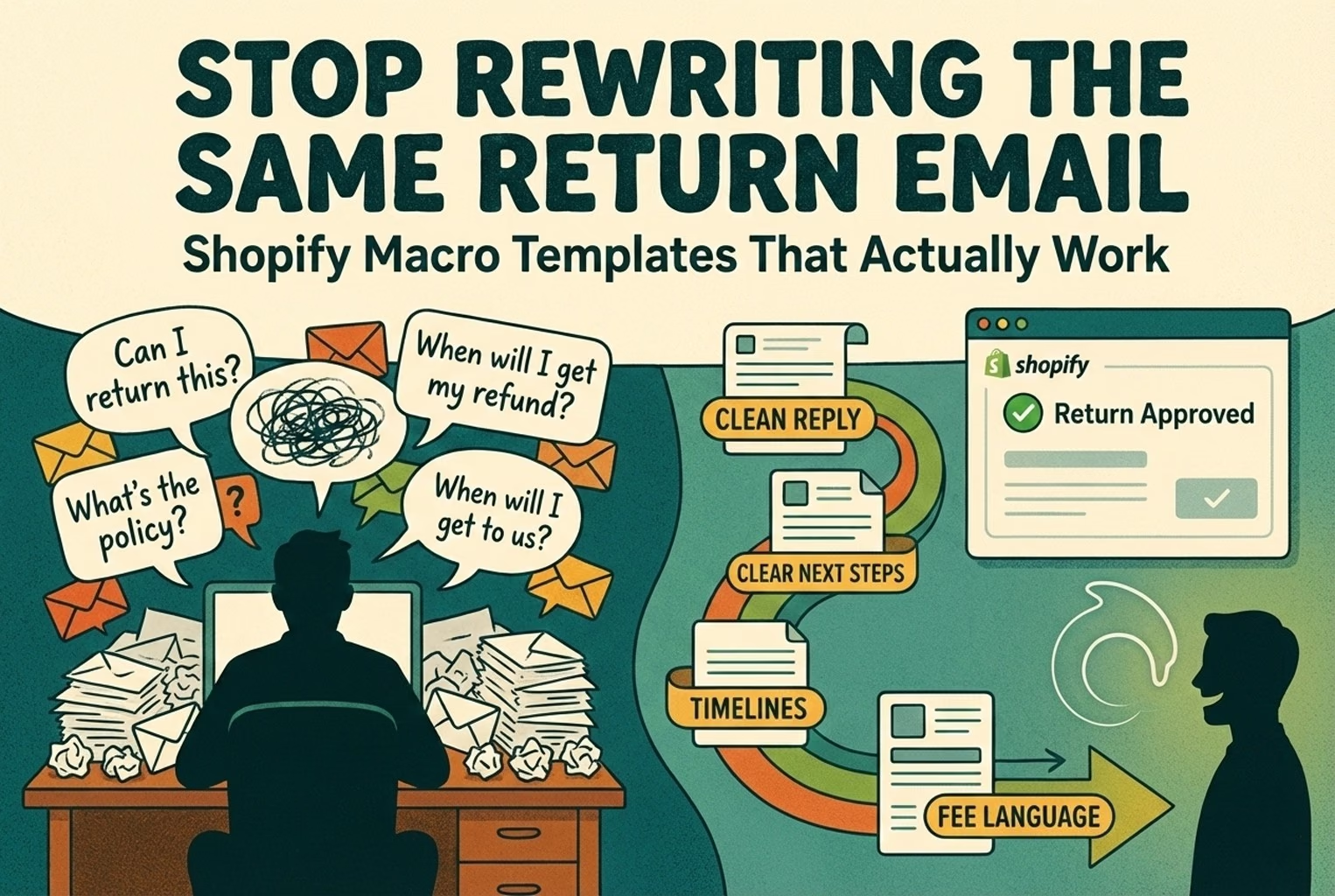
Returns get messy when every agent improvises. These macro-ready templates turn common return questions into one clear reply with next steps, timelines, and fee language matched to how Shopify returns really work.ecommerce-shopify
Last updated
On this page
A returns macro is a saved reply your team reuses, so every customer gets the same clear answer: whether the item can be returned, what to do next, and when the refund or replacement will arrive. This article gives copy-and-paste templates for the most common Shopify return and exchange requests, and the rules to settle before you use them.
A customer emails: “Can I return this?” One agent says yes. Another asks for photos. A third mentions a restocking fee that no one else brought up.
Now the customer’s confused, annoyed, and replying with screenshots of your own messages.
Returns don’t have to feel like you’re making it up as you go. With the right templates in place, you can reply quickly, give the same answer every time, and shut down the endless follow up questions before they start.
Good return templates don’t make your support sound robotic. They do the opposite. They give your team a clear baseline—what’s allowed, what’s not, and what happens next, so every reply feels calm, confident, and intentional.
Instead of rewriting the same explanation over and over, you’re just choosing the right response, filling in the order number, and hitting send. The customer gets clarity. Your team saves time. And no one has to “double-check the policy” in the middle of a busy day.
Macros only work if they match how your store actually handles returns. That means your real return window, your real fees, and the way Shopify is set up behind the scenes. If your policy says one thing and your replies say another, customers will catch it.
A good rule of thumb is that most return emails should be finished in one reply. Clear yes or no, what happens next, and when they’ll see their money or replacement. That’s it. If your reply sends them back with “Okay, but how do I ship it?” or “When exactly is the refund processed?”, the message wasn’t complete. One clean response beats three polite ones every time.
If you’re using Shopify self-serve returns, there’s an easy thing to miss, and this is when customers need to log into their account to use it. If they can’t access their account, they won’t see the return flow at all, and they’ll end up emailing you instead. Knowing that ahead of time lets you write templates that guide people to the right place without sounding dismissive or confusing.
The fastest teams don’t rely on memory or “who’s on shift.” They keep a simple policy-to-macro map, so the answer to a return request doesn’t change depending on which agent opens the ticket. That’s how you avoid the classic “Agent A said yes, Agent B said no” situation.
AI can help you draft replies faster, especially for repetitive return questions. But it shouldn’t be the final voice. Always keep a human approval step, so you don’t accidentally promise a prepaid label, a waived fee, or an exception your policy doesn’t actually allow.
Why macros matter for returns (speed and consistency)
Returns are where small teams feel the pinch. Every reply has to be accurate, and customers read your tone like it’s written in stone.
Macros help in two very practical ways:
First, they save time. You stop rewriting the same return explanation over and over, and start sending clear answers in seconds instead of minutes.
Second, they keep you consistent. The answer doesn’t change based on who’s replying, the time of day, or how busy the inbox is. That matters even more when you charge return shipping, apply restocking fees, or offer store credit, small wording differences can turn into big arguments.
Teams that use shared reply templates tend to respond faster and avoid internal confusion, which is exactly why support teams rely on ecommerce customer service macros to keep answers aligned as they scale.
The “two-minute rule”: most return tickets should be solved in one reply
If a return question takes more than two minutes to answer, something’s off. Either the policy isn’t clear, or the reply is missing key information.
When we say “one-reply close,” we don’t mean being blunt or robotic. We mean the customer should be able to read your message and think, “Got it. I know what happens next.” No guesswork. No chasing.
In practice, a solid return reply always covers five things:
1. The decision Approved, not eligible, or “we need one more thing.” Say it early. Burying the answer halfway down the email just drags things out.
2. The why (one sentence, no legal talk) Customers don’t need a lecture. They just need to understand the reason. Keep it short and calm, no need to sound like you’re bracing for an argument.
3. The next step This is where most replies fall down. Link the label. Share the address. Tell them exactly what to do next. If they have to ask, you’ve left work unfinished.
4. The timeline Be specific. “Processed” means nothing to a customer unless you explain what happens after and how long it usually takes. This alone cuts a huge amount of back-and-forth.
5. One optional choice (if you allow it) Exchange, store credit, or refund, pick the options you actually support and offer them once. Don’t turn it into a menu with ten paths.
Here’s what this looks like in the real world.
Replies like this are common:
“Your return is approved. Please send the item back and we’ll process the refund.”
That sounds fine… until the customer replies asking where to send it, who pays for shipping, and when they’ll see the money. You’re now three emails deep, and everyone’s a bit fed up.
Compare that to:
“Your return is approved. Use this label, drop it off with the carrier, and once it arrives we’ll issue the refund within 5–7 business days. If you’d rather exchange, tell us the size you want.”
Same outcome. Half the time. No loose ends.
If your reply makes the customer think, “Right then, what am I supposed to do now?” you’ve left the door open. And once that door’s open, the emails keep coming. Best to shut it properly the first time and be done with it.
Retail scenarios: stopping return emails before they start
These are simple, real-world setups that work well. The idea is to guide customers into the right path upfront, so they don’t end up emailing you with half the information and expecting magic.
Boutique apparel; “It doesn’t fit.”
Where the QR goes On the packing slip, about an inch wide, right under the line: “Need a different size?” No hunting, no guesswork.
What the customer sees A clean choice screen: Exchange size/color, Return for refund, Store credit, plus a quick way to look up their order.
What the team does next If the customer opens chat, the agent uses the size exchange reply, confirms the new variant and delivery address, and wraps it up in one message. Job done.
Electronics accessories, damaged or not working
Where the QR goes Inside the box lid, next to a short line like: “Before you return this…”
What the customer sees Two quick checks to rule out setup issues. If it’s still faulty, they’re asked to upload two photos and the serial number.
What the team does next Support sends the damage photo request, then offers a replacement or refund depending on what’s in stock. No back-and-forth, no detective work.
Beauty - hygiene and final sale edge cases
Where the QR goes On a small product insert card that says: “If something arrived damaged, scan within 48 hours.”
What the customer sees A short form asking about condition, with photo uploads (sealed or opened).
What the team does next If it’s a true final-sale return, the agent closes it cleanly. If it’s genuine damage, they switch to the damage flow and sort it properly. Horses for courses!
Grocery/specialty food and perishable items
Where the QR goes At the bottom of the receipt and on the delivery bag sticker. Easy to spot, even in a rush.
What the customer sees A simple “Report an issue” screen with buttons: Missing item, Damaged, and Quality issue.
What the team does next The agent uses the wrong-item or damage response and closes the case in a single reply. No drawn-out email chains over a bruised avocado.
A printable “Returns & Exchanges Quick Start” insert (packing slip-sized) with a QR that routes to the correct form (exchange vs refund vs damaged) is cheaper than more support hours, and it trains customers to give you the info you need.
Where macros fail (when they don’t match your actual policy)
Macros don’t just fail quietly; they backfire. The moment a template promises something your setup can’t deliver, you’re on the back foot.
A common one: telling a customer “we’ll email you a prepaid return label” when you don’t actually offer labels for every order or location. If your returns flow only supports labels in certain cases, saying it too confidently just sets you up for an awkward follow-up. Anyone who’s dug into Shopify’s returns setup knows those details matter.
Another easy slip-up is mentioning a restocking fee when it’s not properly set up, or when the order was never fulfilled in the first place. In those cases, the fee won’t even show up in the return flow, and now you’re left explaining why your email says one thing and the return screen shows another. That’s straight out of Shopify’s return rules, and customers will call it out.
Then there’s exchanges. It’s tempting to tell people they can “just swap it” through self-serve returns, but Shopify’s self-serve returns flow doesn’t actually let customers request exchanges themselves. Promise it anyway, and you’ve just bought yourself extra work explaining what went wrong.
The short version? Your macros should be policy-true, not “sounds about right.” If the wording doesn’t line up with what your store can really do, it’s only a matter of time before it comes back to bite you.
Before you write macros: lock your return rules and process in Shopify
Before you start building templates, pause and make sure your returns setup is actually settled.
If your team is still debating basics like “is it 14 days or 30?” or “do we charge return shipping?”, your macros will just spread the confusion faster. You’ll end up sending mixed messages, then cleaning it up in follow-ups. Not ideal.
Spend a few minutes in your admin and get the ground rules straight like how you handle returns, refunds, and exchanges, and what the customer is (and isn’t) eligible for. This all lives inside Shopify’s returns tools, and once it’s set, your macros should simply repeat it in plain English, no surprises, no wiggle room.
Once that’s locked, writing macros becomes easy. Until then, it’s a bit like putting labels on boxes you haven’t packed yet.
Stores often say things like “we charge a small restocking fee” in emails, only to realise later that the fee never appears for certain orders. The reason is simple but easy to miss: you can only create a return for items that were actually fulfilled, and a restocking fee only shows up if it’s been set up and the item was shipped in the first place. That’s just how Shopify handles fulfilled returns, and customers notice when the screen doesn’t match the message.
Another one related to the return shipping. In the admin, when you create a return, Shopify can automatically show return shipping fees and restocking fees based on your rules, and you can tweak them for a specific case if needed. That’s helpful. But it also means if your macro says “we’ll deduct £5” and Shopify shows £7.50 (or nothing at all), you’ve just created an avoidable argument. Anyone who’s dealt with a “why does this say something different?” email knows how quickly that spirals.
So the practical takeaway for your macros is boring but important, and be literal. Use your actual window (“30 days”), your real fee (“£6 restocking”), and the language customers will see in the Shopify return flow. If you hedge or generalise, you’re setting yourself up for a back-and-forth that could’ve been avoided.
Self-serve returns vs manual handling
If you’re doing somewhere between 10 and 200 orders a day, self-serve returns can take a big chunk of noise out of your inbox if it’s set up properly. If it’s not, it can do the opposite and create more confusion than it solves.
Self-serve returns only work when customers can actually get to them. That means the feature needs to be switched on in your admin, and customers need access to their accounts. If they’re on legacy customer accounts, they won’t see the self-serve flow at all, which is why so many “can I return this?” emails still come in even when stores think they’ve covered it. That detail shows up very loudly in your support inbox.
Another gotcha that catches teams out is exchanges. It’s tempting to tell customers they can just swap items through the return flow. If your macro promises that option, you’ll end up walking it back later. Not a great look.
So when does self-serve actually earn its keep?
It works well when you want customers to tell you why they’re returning something upfront, when you’re trying to cut down on emails that just ask how to start a return, and when you can approve or decline requests quickly without a lot of manual judgement. In those cases, it genuinely saves time.
Manual handling still makes sense in plenty of shops, though. If you sell custom items, perishable products, or anything that attracts a bit of return abuse, you’ll probably want a human eye on each request. The same goes if your policy is still moving around, changing windows, testing fees, and making exceptions. Until things settle, locking yourself into automation can be more hassle than it’s worth.
Most stores end up with a mix of the self-serve to catch the straightforward cases and manual replies for everything else. The key is making sure your macros match whichever path the customer is actually on, otherwise you’re just shifting the confusion around.
Creating returns and exchanges in Shopify (what customers actually see)
It helps to think about returns from the customer’s side, not the admin side.
If self-serve returns are enabled, the customer starts the process themselves. They submit a return request, and then it lands with you to approve or decline. That part happens quietly in the background, but what you do next shapes the entire experience.
When you approve a return, you’ve got a few practical options. You can add exchange items, include shipping instructions, and send a return label if your setup allows it. All of that depends on how your store is configured and where the customer is based, which is why two stores can follow the same policy but handle the details slightly differently inside Shopify’s admin returns flow.
Labels are a good example of where expectations go wrong. If both your store and the customer’s shipping address are in the US, you can usually create a return label directly in admin. Outside of that, you’re either uploading a label or marking the return as “no shipping required.” Customers don’t see those mechanics; they just see whether you gave them clear instructions or left them guessing. That behaviour is baked into Shopify’s return label handling, whether you like it or not.
From the customer’s point of view, three things matter.
First, the message. They’ll get an approval or decline email that you control. Whatever your macros say should line up exactly with what that message communicates, because customers will treat it as the final word.
Second, the instructions. Do they know where to send the item, how to send it, and whether a label is included? If that’s vague, you’ll hear about it.
Third, the timeline. Customers don’t think in system states. Mostly, they think in outcomes. If your reply doesn’t explain the difference between “we’ve received it,” “we’ve processed it,” and “your refund is on the way,” you’re setting yourself up for follow-up emails that could have been avoided.
This is why good return macros aren’t just polite replies. They’re a translation layer between what Shopify is doing behind the scenes and what the customer needs to understand to feel comfortable waiting.
The Returns Macro Pack (copy/paste templates)
What follows is the Returns & Exchanges Macro Library; these are replies you can paste into an email or chat and use as-is.
Don’t overthink them. The only thing you need to change is the information inside the brackets!
Before you start, it helps to standardise a small set of details once, so you’re not rewriting them every time. These are the bits that usually change from order to order, not from conversation to conversation:
Where returns start: {return_portal_link} (or your customer account link)
Where items go back to: {return_address}
Labels: {label_link} or {label_attached}
Fees: {restocking_fee}, {return_shipping_fee}
Timing: {refund_timeline} (for example, “3–10 business days after inspection”)
Once these are locked in, the macros below stay clean and consistent. Your team just fills in the blanks and hits send.
“Return approved” and next steps (label, packaging, timeline)
R1: Return approved (label included and packing instructions)
Subject: Your return is approved — Order #{order_number}
Hi {first_name} — all set 👍
Your return has been approved. Here’s what to do next:
Use this return label: {label_link}
Pack the item securely (original packaging is great if you still have it)
Pop a note inside the box with your order number: #{order_number}
Drop it off with the carrier shown on the label
What happens after that: Once the return is on the way, you’ll see tracking updates. After it arrives and we’ve checked it over, we’ll issue the refund to your original payment method. This usually takes {refund_timeline}.
If you’d prefer an exchange instead, just reply with the size or colour you want and I’ll take care of it.
R2: Return approved (customer pays shipping / no prepaid label)
Subject: Your return is approved - Order #{order_number}
Hi {first_name}, you’re good to go.
Here’s how to send it back:
Ship the item to: {return_address}
Please include a note in the package with your order number: #{order_number}
Once it’s on the way, reply with the tracking number so we can keep an eye on it
Refund timing: We issue the refund after the item arrives and passes inspection. From there, it usually takes {refund_timeline} to show up, depending on your payment method.
Before you ship it, let me know what you’d like to do: refund, store credit, or an exchange (if available).
Subject: Your return is approved, Order #{order_number}
Hi {first_name}! all sorted 👍
You can finish your return here: {return_portal_link}
That page will walk you through the next steps and show any return instructions.
Once the item arrives back with us and has been checked, the refund is issued to your original payment method. This usually takes {refund_timeline}.
“Return not eligible” (window expired or final sale)
R4: Not eligible (return window expired)
Subject: About your return request - Order #{order_number}
Hi {first_name}. Thanks for getting in touch!
I’ve checked the order date ({order_date}), and this one falls outside our {return_window_days}-day return window, so we’re not able to approve a refund for it.
That said, I’m happy to help where I can. Your options are:
Store credit, which is usually the quickest way forward, or
A one-time exception review, if there’s a reason you missed the window, let me know, and I’ll take another look.
You can also find the full policy here if you’d like to double-check: {policy_link}
R5: Not eligible (final sale and non-returnable category)
Subject: About your return request — Order #{order_number}
Hi {first_name} - thanks for checking in.
I’ve looked at the item you mentioned, and it’s marked as a final sale under our policy, which means we’re not able to accept it back for a refund.
If the item arrived damaged or faulty, that’s a different situation. In that case, just reply with two photos; one of the outer packaging and one showing the issue, and we’ll sort it out.
You can review the policy here if helpful: {policy_link}
R6: Not eligible (condition issue)
Subject: Return request update: Order #{order_number}
Hi {first_name}! Thanks for the details.
We’re only able to accept returns for items that are unused and in their original condition. Based on what you shared, this one doesn’t quite meet that requirement, so we’re not able to approve it as a standard return.
If you think there’s something we’ve missed, feel free to reply with photos and a bit more context, and we’ll take another look.
You can also find the full policy here in this link below: {policy_link}
“Damaged Or Defective” (photo request and resolution options)
R7: Damage or defect: request photos and quick triage
Subject: Quick check so we can sort this: Order #{order_number}
Hi {first_name}. Sorry, this turned up like that.
So we can fix it as quickly as possible, could you reply with:
A clear photo showing the issue
A photo of the outer packaging it arrived in
If there’s a serial or lot number, a photo of that as well
Once I’ve got those, I’ll sort the best option for you, whether that’s a replacement, a refund, or store credit!
R8: Damage: offer replacement (in stock)
Subject: Replacement on the way / Order #{order_number}
Hi {first_name}! Thanks for sending those over.
We can send a replacement out for you. Just confirm:
The variant you’d like (if there’s more than one option): {variant}
The delivery address: {shipping_address}
If you’d rather go with a refund instead, that’s no problem. Just let me know, and I’ll update it.
R9: Damage: offer refund or store credit and return (if required)
Subject: Next steps for Order #{order_number}
Hi {first_name} - Thanks for sending the photos.
Here’s what we can do from here:
Refund to the original payment method
Store credit, which is usually the quickest option
Replacement, if that works better for you
Depending on the item, we may ask for the original to be returned. If so, I’ll send clear return instructions or a label.
Just reply and let me know which option you’d like, and I’ll take it from there.
“Wrong item received”
R10: Wrong item: request a single confirming photo
Subject: Let’s sort this: Order #{order_number}
Hi {first_name}! Sorry about that, that one’s on us.
To get this fixed quickly, could you reply with a photo of what you received? If possible, include the item and the label in the same shot.
Once we’ve confirmed it, we’ll either send the correct item or issue a refund, whichever you prefer.
R11: Wrong item: corrected shipment and return label
Subject: Correct item on the way — Order #{order_number}
Hi {first_name} — all confirmed!
We’re sending the correct item out now. For the one you received by mistake, please use this return label: {label_link}
There’s no cost to you for the return.
You’ll receive tracking details for the replacement as soon as it ships. If anything looks off in the meantime, just reply here and we’ll take a look.
“Refund timing and what ‘processed’ means.”
Returns don’t move in one step. There’s a bit of a journey; return created, item sent back, item received and checked, then the refund is issued.
The problem is that customers don’t see those stages! They just see time passing. If your macros don’t explain what words like “received,” “processed,” or “refunded” actually mean, people start worrying by day two and chasing for updates that aren’t needed yet.
A couple of clear lines in your reply can save a surprising amount of unnecessary follow-ups.
R12: “Refund processed” explanation
Subject: Your refund is on the way! Order #{order_number}
Hi {first_name}. Just a quick update!
We’ve processed the refund for Order #{order_number} on our end. That means it’s been sent back to your original payment method.
From here, it’s down to the bank or card provider. They usually take a bit of extra time to show the refund on your statement. In most cases, that’s around {refund_timeline}.
If it hasn’t appeared after that, reply here and let me know the payment method you used (or the last four digits of the card), and I’ll look into it for you.
R13: Refund timeline before return is received (set expectations)
Subject: About your refund timing; Order #{order_number}
Hi {first_name}, just a quick note on timing:
We issue refunds after the return arrives with us and has been checked in. Once the refund is issued, it usually takes {refund_timeline} to appear, depending on your payment method.
If you’ve already sent the item back, feel free to share the tracking number, and I can tell you where it is in the process.
R14: Partial refund explanation (missing parts / used / damage not caused by shipping)
Subject: Update on your return! Order #{order_number}
Hi {first_name}. We’ve received your return.
While checking it over, we noticed the following: {inspection_note}
Because of that, the refund comes to {refund_amount} rather than the full purchase price.
If you’d like a clearer breakdown of how that was worked out, just reply and I’m happy to walk you through it.
“Return shipping fee OR restocking fee explanation”
Return shipping and restocking fees only come into play if they’re actually set up in your store. If you’ve enabled them, Shopify will show return shipping costs and any restocking fee during the return process, however only when the item was fulfilled, and the fee exists in Shopify’s return rules. If one of those pieces is missing, the fee simply won’t appear, no matter what your email says!
That’s why fee-related macros need to be very literal. If Shopify isn’t showing a fee or a label in that return, your message shouldn’t mention it either; you’re inviting confusion where none was needed.
Subject: About return shipping — Order #{order_number}
Hi {first_name} — just a quick note on return shipping.
For this return, the return shipping cost is {return_shipping_fee}. In plain terms, that means {explain_in_plain_english}.
If the return is because we sent the wrong item or the item arrived faulty, we’ll cover the return shipping on our side.
You can also see this in our policy here if helpful: {policy_link}
R16: Restocking fee explanation (simple and non-defensive)
Subject: About the restocking fee! Order #{order_number}
Hi {first_name}. Just flagging this now so there are no surprises later.
This return includes a restocking fee of {restocking_fee}. It helps cover the cost of handling the return and getting the item back into sellable condition.
If the item arrived faulty or we sent the wrong product, we don’t apply this fee.
You can also review the full policy here if helpful: {policy_link}
Handle returns without the inbox chaos
If returns are eating up your time, it helps to keep everything in one place. You can handle return emails, live chat, and saved replies from a single inbox by installing AskDolphin on Shopify.
If you’re already using Shopify Inbox or plain email, the real win is this: your macros, chat replies, and AI-assisted drafts live together. No more digging around for “the right version” of a return message while a customer waits.
The Exchanges Macro Pack
Exchanges usually come up when the product is fine, it just wasn’t the right size, colour, or option the first time around. In Shopify terms, an exchange is handled as part of a return, where the customer sends something back and you send a replacement.
When you’re approving a return, you can also add the replacement item at the same time. This is built into Shopify’s return approval flow, and it’s what lets you handle size or colour swaps without creating a whole new order from scratch.
The important thing for your macros is simple: don’t overcomplicate it. Customers don’t care how Shopify models an exchange. They just want to know if they can get the right item and when it’ll arrive.
Size or colour exchange (same product, different option)
This is the easiest and most common case. Same product, same price, just a different size or colour. The macro should confirm what they want, double-check the address, and move things along without turning it into a negotiation.
E1: Size exchange (simple confirmation)
Subject: Exchange approved! Order #{order_number}
Hi {first_name}. No problem, we can swap that for you.
Just reply with:
The size or colour you’d like: {desired_variant}
A quick confirmation of the delivery address: {shipping_address}
Once I’ve got that, I’ll set up the exchange and send over the return details for the original item.
E2: Size exchange (reserve inventory and urgency)
Subject: Quick check to reserve your exchange
Hi {first_name}
I can hold {desired_variant} for you.
Just reply to confirm your delivery address below so we don’t miss it while it’s in stock: {shipping_address}
Once that’s confirmed, I’ll set up the exchange and send over the return instructions.
E3: Size exchange (out of stock alternatives)
Subject: About your exchange - Order #{order_number}
Hi {first_name}, quick update!
The size or colour you asked for is currently out of stock. Here are a few ways we can move forward:
Waitlist for a restock. Just let me know which option you want
Swap to a different size or colour that’s available now
Store credit or a refund, in line with our policy
Reply with the option that works best for you and I’ll take it from there.
Swap to a different product (handling price differences)
When an exchange isn’t a straight swap, this is where things can get awkward if you’re not clear. Money always raises the temperature, so the wording needs to be calm and very explicit.
Whether the new item costs more or less, customers should understand what happens before anything ships. No surprises on their card, and no vague “we’ll sort it later” language. Keep it factual, and keep it simple.
The macros below are written to do exactly that: explain the difference clearly, ask for confirmation, and move on without turning it into a negotiation.
E4: Swap to a different product (price difference)
Subject: Swapping to a different item for Order #{order_number}
Hi {first_name}!
Yes, you can switch to a different product.
If the new item costs more, you’ll only need to cover the difference ({difference_amount}). If it costs less, the difference will be returned as {refund_or_store_credit_based_on_policy}.
Just reply with the product or variant you’d like (a link or name is fine), and I’ll take care of the rest.
E5: Exchange to lower-priced item (how the difference is handled)
Subject: Exchange price difference. Order #{order_number}
Hi {first_name}. All confirmed!
Since the replacement item costs less, the difference ({difference_amount}) will be returned as {refund_or_store_credit_based_on_policy} once the original item has been received and approved.
If you’d rather have that amount issued as store credit instead, just let me know and I’ll update it.
E6: Exchange shipping timeline
Subject: When your exchange ships / Order #{order_number}
Hi {first_name}!
Here’s what happens next:
We’ll ship the exchange item {when_you_ship_exchange}. The original item can be returned using {return_method}.
If you need the exchange sooner than that, just let me know, and I’ll check what we can do.
Store credit vs refund (when to offer each)
This is one of those moments where wording really matters.
Refunds are straightforward, but they come with delays, fees, and a bit more scrutiny from customers. Store credit, on the other hand, can be quicker and keeps the value with your brand, when it makes sense.
The key is not to push store credit when it doesn’t fit the situation. If the return is due to a mistake on your side or a genuine fault, a refund is usually the cleanest path. If it’s a size issue, a change of mind, or a late return, store credit can feel like a fair and helpful alternative. Especially if you explain it clearly and don’t dress it up as something it’s not.
Your macros should reflect that judgement. Offer store credit as an option, explain why it might be faster or simpler, and always make it clear the customer still has a choice where your policy allows it. When people feel informed rather than steered, these conversations tend to go much more smoothly.
E7: Offer store credit: positioned as faster and more flexible
Subject: Store credit option for Order #{order_number}
Hi {first_name}, one option that can be quicker is store credit.
With store credit:
It’s available straight away
There’s no wait for bank processing
You can use it on any item or size whenever you’re ready
If you’d rather have a refund back to the original payment method instead, that’s absolutely fine.
Just let me know what you prefer!
E8: Refund vs store credit (policy-based, not pushy)
Subject: Refund or store credit
Hi {first_name}! Just a quick check before I proceed.
You can choose between:
Refund back to the original payment method
or
Store credit
Reply with whichever you prefer, and then I’ll apply it to Order #{order_number}.
Macro structure that scales (even with 1 agent)
You don’t need a CX manager or a fancy playbook. You just need a bit of structure, the kind that stops “oh, I forgot to mention the restocking fee” emails after the fact.
Returns get messy because there are a lot of small details, and it’s easy to miss one when you’re replying quickly. Having a simple system for how replies are written and reused takes that pressure off. You’re not relying on memory or hoping you remember every edge case.
Good macros aren’t about sounding polished. They’re about making sure the important bits, fees, timelines, and next steps are always there, even on busy days when you’re juggling ten conversations at once.
Variables: The bits you don’t want to retype
Think of variables as the small details that change from customer to customer. You drop them into a template so you’re not rewriting the same thing every time.
It helps to keep a short list of these details somewhere easy to find, so no one is scrambling mid-reply.
Policy details: These below will explain what’s allowed:
{return_window_days} : How many days do customers have to return
{final_sale_categories} : items that can’t be returned
{restocking_fee} : if you charge one
{return_shipping_fee} : Who pays for return shipping
{refund_timeline} : How long refunds usually take
Links customers need: Will help them do the thing:
{policy_link} for your return policy page
{return_portal_link} where customers start a return
{tracking_page_link} where they can check the delivery status
Operations details: Tell customers where things go:
{return_address} helpful for where to send the return
{warehouse_attention_line} Any special notes your warehouse needs
If someone on your team has to pause and search for the return link or address every time, that’s wasted effort. Get these details fixed once, and your replies become much faster and more consistent.
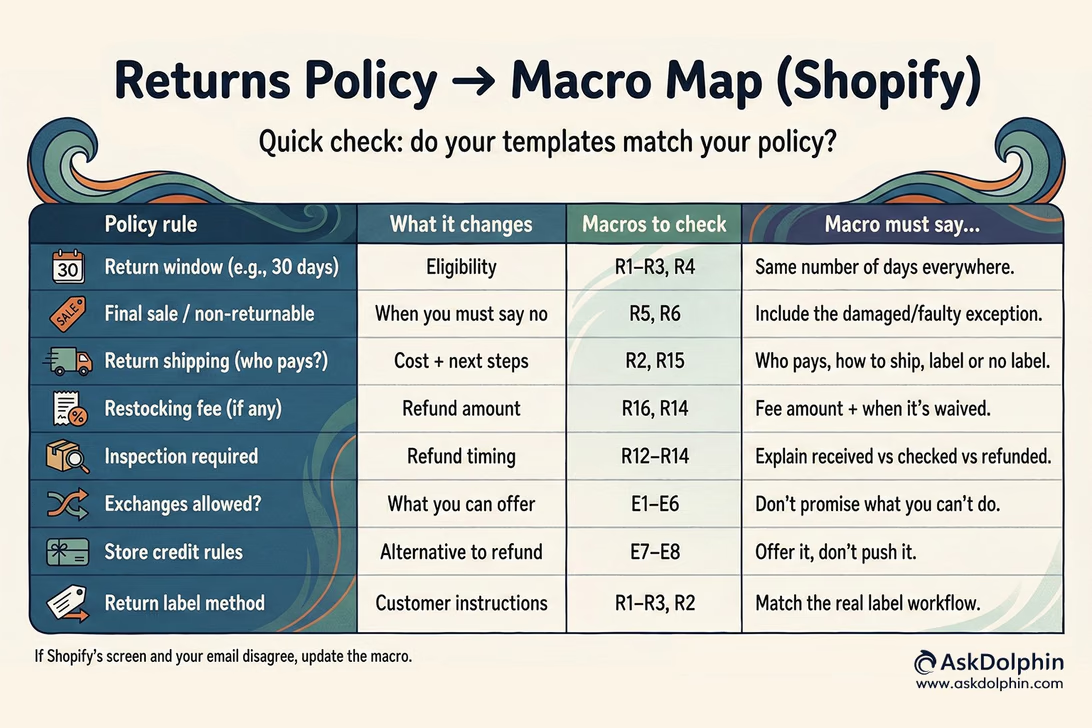
Policy-to-macro mapping sheet
This is a quick way to sanity-check your templates whenever your policy changes, or if something feels off in support replies.
Any time you tweak your return window, fees, or exceptions, skim this once. It takes a couple of minutes and saves you from sending mixed messages for weeks.
Also, we prepared the table below for you. Feel free to use it! You can paste this into a doc or spreadsheet and reuse it whenever needed.
Your policy rule
What does it change for the customer
Macros to check
What to make sure your macro says
Return window (e.g., 30 days)
Whether it’s eligible
R4, R1–R3
Same number of days. Don’t say “30” in an email if the policy says “14”.
Final sale / non-returnable items
When you must say no
R5, R7–R9
Mention the exception: damaged/faulty is handled differently.
Return shipping (who pays + how)
Cost and next steps
R2, R15
Be clear: who pays, how to ship, and whether a label is provided.
Restocking fee (if any)
Refund amount
R16, R14
Explain the fee simply, and when it’s waived (wrong item or faulty).
Inspection requirement
Refund timing
R12–R14
Explain “received vs checked vs refunded” in plain words.
Exchange allowed?
What you can offer
E1–E6
Don’t promise exchanges you can’t do (especially via self-serve).
Store credit rules
Alternative to refunds
E7–E8
Don’t oversell speed unless it’s actually faster in your process.
Return label method (Shopify / uploaded / none)
Customer instructions
R1–R3, R2
Match the real flow: label link vs customer ships it back vs no shipping needed.
Tone: firm but friendly, skip the legal jargon
The aim isn’t to sound “official”. It’s to be impossible to misunderstand.
Customers don’t want policy language in a support reply. They want to know what’s happening, what their options are, and what comes next, without having to read it twice.
So, what does work is clear, everyday wording:
Here’s what I can do today.
This is the quickest option.
If it arrived damaged, that’s different. Please send a couple of photos, and we’ll take a look.
And, what doesn’t work is anything that sounds like it’s been lifted from a contract:
Long paragraphs that read like a terms and conditions page!
We reserve the right… (that belongs on your policy page, not in a ticket)!
Being direct isn’t being rude. In fact, customers usually respond better when fees, timelines, and limits are explained plainly. Set expectations clearly, say what you can and can’t do, and move things along without fuss.
If a customer understands your reply on the first read, you’ve done your job.
Escalation triggers and when to pause and take a closer look
Most return requests are straightforward. A few aren’t, and those are the ones worth flagging internally.
It helps to add a short internal note at the bottom of certain macros (not visible to customers) that reminds the team when to slow down and escalate instead of replying on autopilot.
We have prepared some common triggers to watch for below:
A high-value order paired with “the box arrived empty” and without sending any photos!
Several returns are coming from the same address under different customer names
Chargeback language like “I’m disputing this” or “I’ll go to my bank.”
VIP or influencer exceptions. Only if you’ve agreed on them in advance
The goal isn’t to accuse anyone. It’s to avoid knee-jerk reactions that create problems later. Once customers learn that pushing hard or using the right words gets a better outcome, it spreads quickly.
Clear escalation rules keep decisions consistent, protect your team, and stop support from turning into a game of who shouts loudest.
Common mistakes
These are small slips, but they create a lot of unnecessary back-and-forth.
Sending return links to the homepage If your returns or QR link drops customers on your homepage, they have to hunt for answers. That’s extra work for them, and it usually ends with an email anyway. Anyone who’s looked through Shopify’s returns setup knows customers need to land exactly where the return starts, not be left to figure it out.
Not explaining refund timing When you don’t say what’s happening next, customers fill in the blanks. And nine times out of ten, they assume you’re ignoring them. A single line about when refunds are issued and what “processed” actually means saves a lot of chasing!
Promising exchanges through self-serve returns This one catches a lot of teams out. It’s tempting to say “just exchange it in the return portal,” but Shopify’s self-serve returns don’t let customers request exchanges themselves. Promise it anyway, and you’ll be backtracking later, which never looks good.
Most of these mistakes come down to one thing: The email says something different from what the customer sees on screen! Fix that mismatch, and a lot of support noise disappears.
The mistake teams make is giving AI too much freedom. Returns are all about rules, fees, and edge cases. That’s not something you want a bot freelancing.
The setup that works best is simple and boring, which is exactly why it works.
Now, how does it usually run day to day?
A customer asks about a return in chat or email
AI drafts a reply using your saved macros and variables, or even by itself if you want
A human scans it, tweaks if needed (this takes about 10–15 seconds)
Hit send
That’s it. No magic. No over-automation!
This is essentially the same approach recommended in ecommerce customer service macro: pick the right template, adjust it slightly, and keep answers consistent. The speed comes from reuse, not from letting the system decide outcomes.
If you’re using AskDolphin, this workflow stays tidy because live chat, AI-assisted drafts, and team replies all live in one place. That means return questions don’t end up scattered across email threads, chat tools, and “who replied last?” confusion. Everything runs through a single panel, with a human always having the final say.
AI should do the typing. Your team should make the decision.
Training your AI on your actual policy
If you’re going to use AI for return questions, you need to give it the right material. Otherwise, it’ll confidently say the wrong thing, and you’ll be the one untangling it later.
We have mentioned that a few simple rules make a big difference:
First, paste your actual return policy into your knowledge base. Not a summary, not a half version! The real thing, plus any internal exceptions you allow. If the policy lives in three places, AI will get confused. Keep one source of truth.
Second, tell the AI what to do when things aren’t clear! A simple instruction like “If the policy doesn’t clearly apply, ask one follow-up question before replying” prevents a lot of guesswork.
Third, lock down the wording that matters. Fees, timelines, and eligibility. These shouldn’t change from reply to reply. If you say “refunds take 5–7 business days,” that’s the phrase the AI should use every time.
It also helps to keep a short “do not promise” list. Things like “prepaid return label”, “instant refund”, or “exchange via the return portal” if you don’t actually offer them. One stray promise can undo ten good replies.
If you want a tidy way to use these templates across live chat and your whole team, AskDolphin can help. You can keep return conversations in one place, reuse your macros, and let AI handle first drafts, with a human always checking before anything goes out. That’s exactly how theAskDolphin app on the Shopify App Store is designed to be used.
No pressure. Start small. Even just moving your return replies into one shared place is often enough to make the inbox feel manageable again.
Frequently asked questions
Can Shopify handle returns and exchanges on its own?
Do I need self-serve returns to use these templates?
No. These macros work perfectly well if you handle returns manually by email or chat. If you do use self-serve returns, customers need access to their accounts and the feature must be switched on, both of which are part of Shopify’s self-serve returns setup.
Can customers request exchanges through Shopify self-serve returns?
No. Customers cannot request exchanges through the self-serve return flow. You can still handle exchanges manually in the admin, but it is important not to promise self-serve exchanges in a macro.
When should I issue the refund?
Most stores issue refunds after the item arrives back and has been checked. The important part is explaining the steps clearly in your reply, so customers understand the difference between “we’ve received it”, “we’ve processed it” and “the money is on its way”.
How do restocking fees work in Shopify returns?
If you have set one up, Shopify can apply a restocking fee during the return process, but only for items that were actually fulfilled. If the fee is not configured or the order never shipped, it will not appear. That behaviour comes from Shopify’s return rules, which is why your macros need to match what Shopify shows on screen.
Can Shopify generate return labels for me?
In some cases. If your store and the customer’s shipping address are both in the US, you can usually create return labels directly in the admin. Otherwise you will be uploading a label yourself or marking the return as “no shipping required”.
How many macros should I start with?
Start with around ten to twelve that cover most of your volume: approved returns, not eligible, damaged items, wrong items, refund timing and fees. Once you see the patterns in your inbox you can add more. Anything beyond that early on is usually overkill.
What is the fastest way to cut return emails this month?
Meet customers at the right moment. Put a QR code or link on the packing slip or receipt, send them straight to the correct return form, and use one-reply-close macros that explain what happens next. When every reply ends with a clear next step, the follow-ups dry up.
Most merchants do not need more chat. They need fewer repeat questions after purchase. This article covers what works when merchants add AI chat on Shopify, where it breaks, and how QR support takes pressure off chat and email.
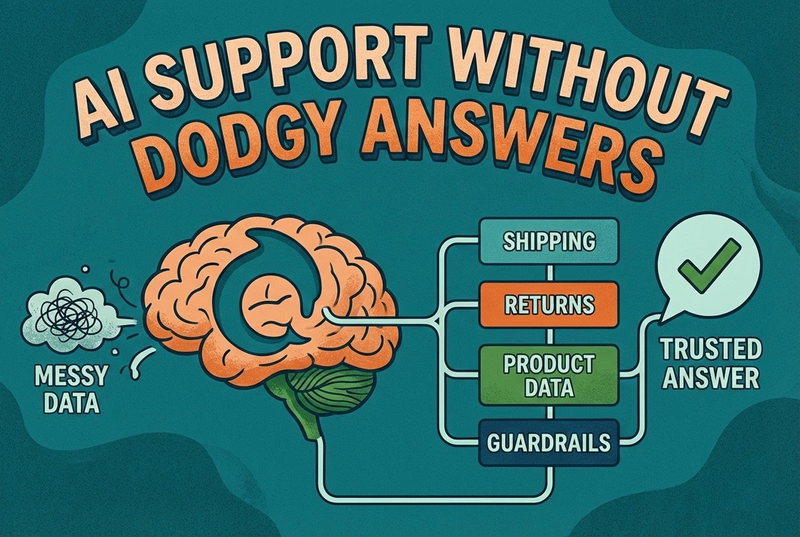
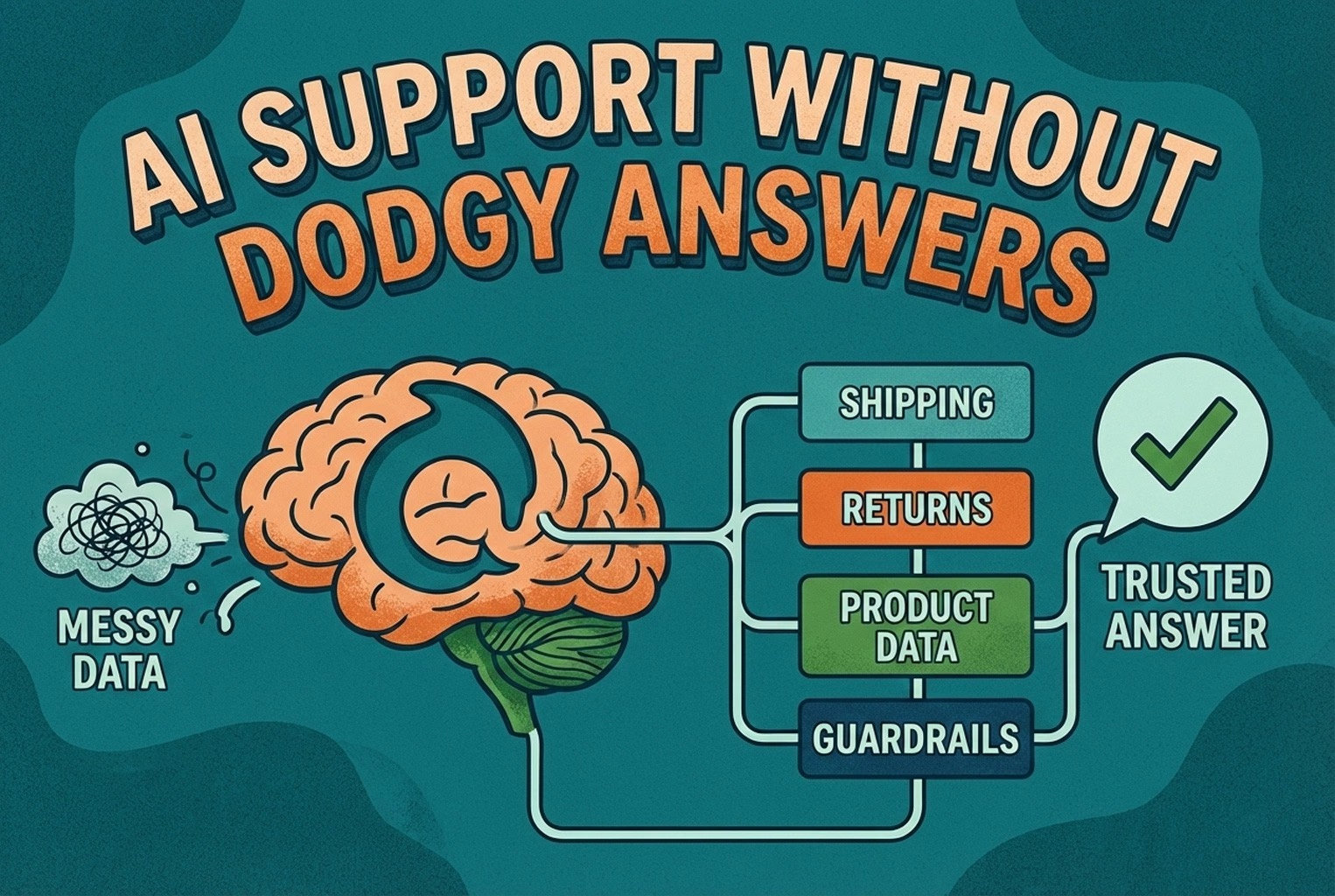
AI support usually fails when the knowledge behind it is messy. This guide shows how ecommerce teams structure shipping, returns, product data, guardrails, and human handoffs so answers stay accurate and policy-safe.
Shoppers rarely abandon because they dislike a product. They leave when delivery, returns, sizing, or compatibility answers are missing. This case study lists 25 sales-blocking questions and how synced knowledge keeps replies accurate.
Post-purchase support often becomes most of the inbox: tracking, delays, returns, and refund follow-ups. This playbook shows the simplest tools retail teams use to deflect repeat tickets and keep expectations clear.
Hard-to-find staff in-store and post-purchase questions flooding email? This playbook shows where to place support QR codes, what scans should open, and how to route chats into one shared inbox with human handover when needed.
Unboxing support breaks when agents cannot tell which variant a customer holds. This guide shows how SKU-level QR codes on packaging open the right help, with placement tips, static vs dynamic choices, and rollout templates.
Which customer experience metrics are worth measuring, what each one tells you, and how to track them across digital, physical and omnichannel touchpoints.
You do not need a forty-tool CXM stack. This guide maps the practical customer experience tools ecommerce and retail teams use for chat, email, QR support, approved knowledge, and human handover.
A case-study style checklist for merchants who need live chat running fast without creating another inbox headache. See the settings, routing choices, and reply habits that improved response quality in real Shopify stores.
Selling across borders should not turn support into chaos. This playbook shows how retail teams handle multilingual chat and email with translation-safe macros, clear escalation rules, and QA habits that protect quality.
Stop losing the quiet ones.
Install it in a minute. It starts working on your next visitor.