


Connect what you already run.
Connect your store, your inbox and the ways customers reach you. Everything else installs with one embed.

What connects, and what it does.
Four sources of knowledge, three ways customers reach you.
Connect a source

Shopify
Products, prices, stock and orders arrive as records, so Dolphin AI answers about real items, not a page.

Gmail
Gmail or Google Workspace threads land in the Shared Inbox. Dolphin AI drafts; your agent sends, or doesn't.
Microsoft 365
Personal Outlook or a Microsoft 365 work account. Each mailbox keeps its own tone, guardrails and knowledge.
Custom business email
Use the address you already publish — hello@, support@ — without moving it or forwarding anything.
Add a channel
Website embed
One snippet puts the widget on any site, whatever it is built with, with no platform-specific plugin. Your colours, your launcher, your position on the page.

Framer
A plugin in the Framer marketplace, so a Framer site gets the widget without touching code. Same widget, same settings, no snippet to paste.
Smart QR Codes
Print a code on a product, a shelf, a room or a machine, and a scan opens a conversation about that exact thing. No website required.
Connect Shopify and it stops guessing.
The difference between an AI that knows your catalogue and one that has read your website.
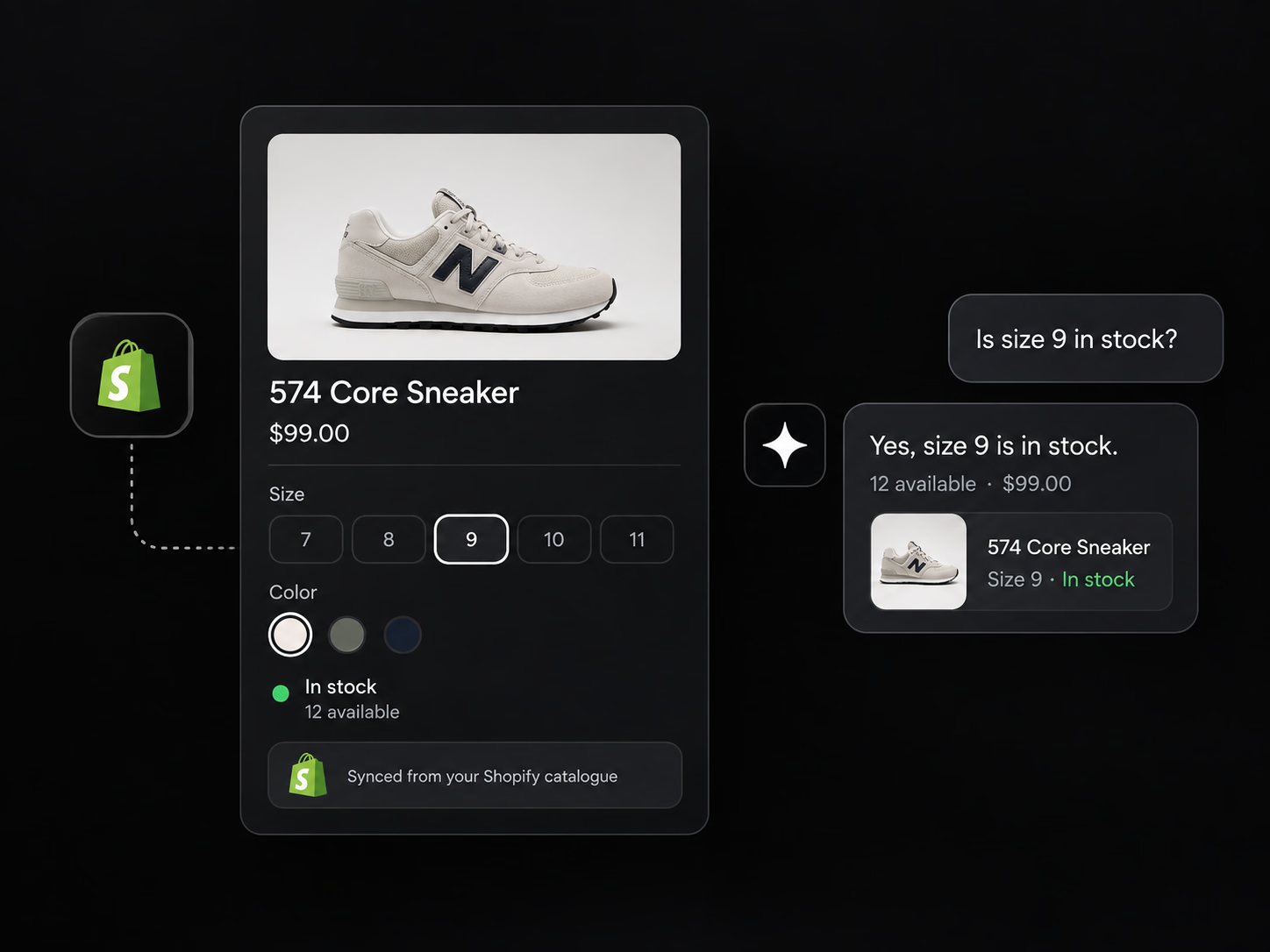
Your catalogue, not your marketing copy
Product names, prices, images and availability come across as records rather than text scraped off a page. So when a customer asks whether the navy one is in stock in medium, the answer comes from your storefront.
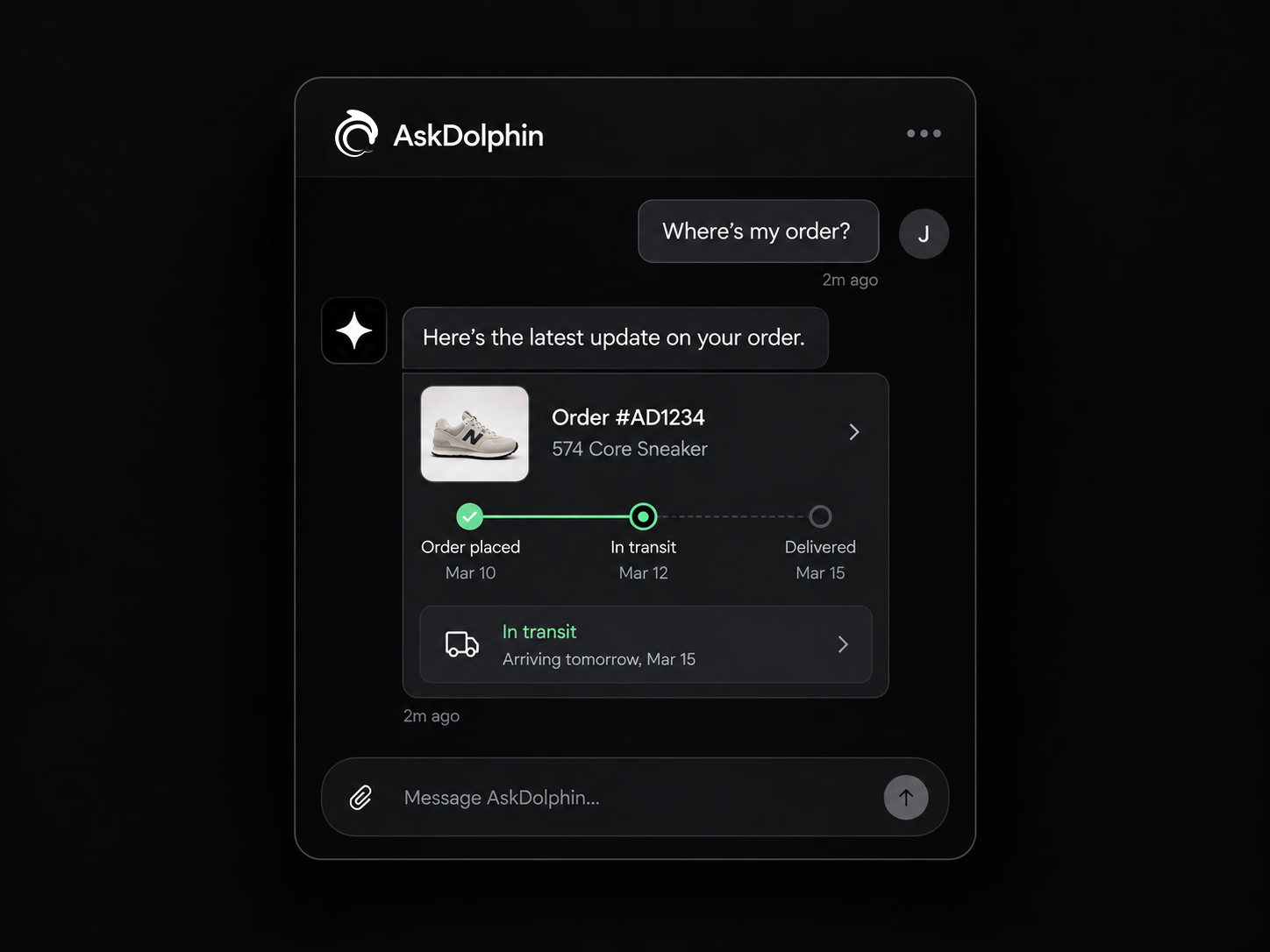
Where's my order
Connected stores answer the single most common support question there is, inside the chat, without the customer digging an order number out of an email they've deleted. It is the one most worth taking off your team.
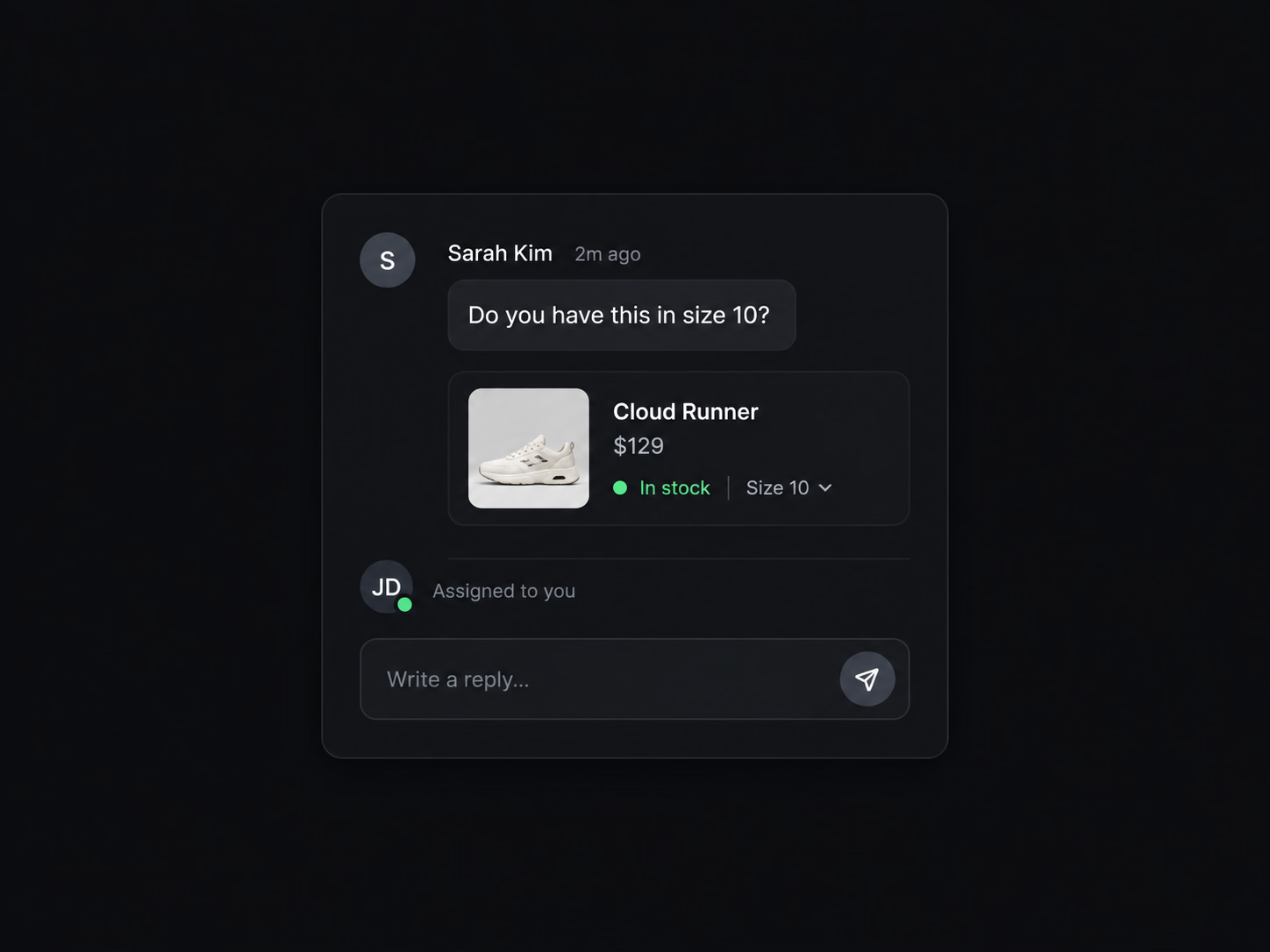
Your team works one screen
Conversations arrive in the Shared Inbox with the customer's product context already attached, so nobody is alt-tabbing between a chat window and an admin panel to answer a question about a size.
Your email, where your chat already is.
Three ways in, and none of them asks you to change your address.
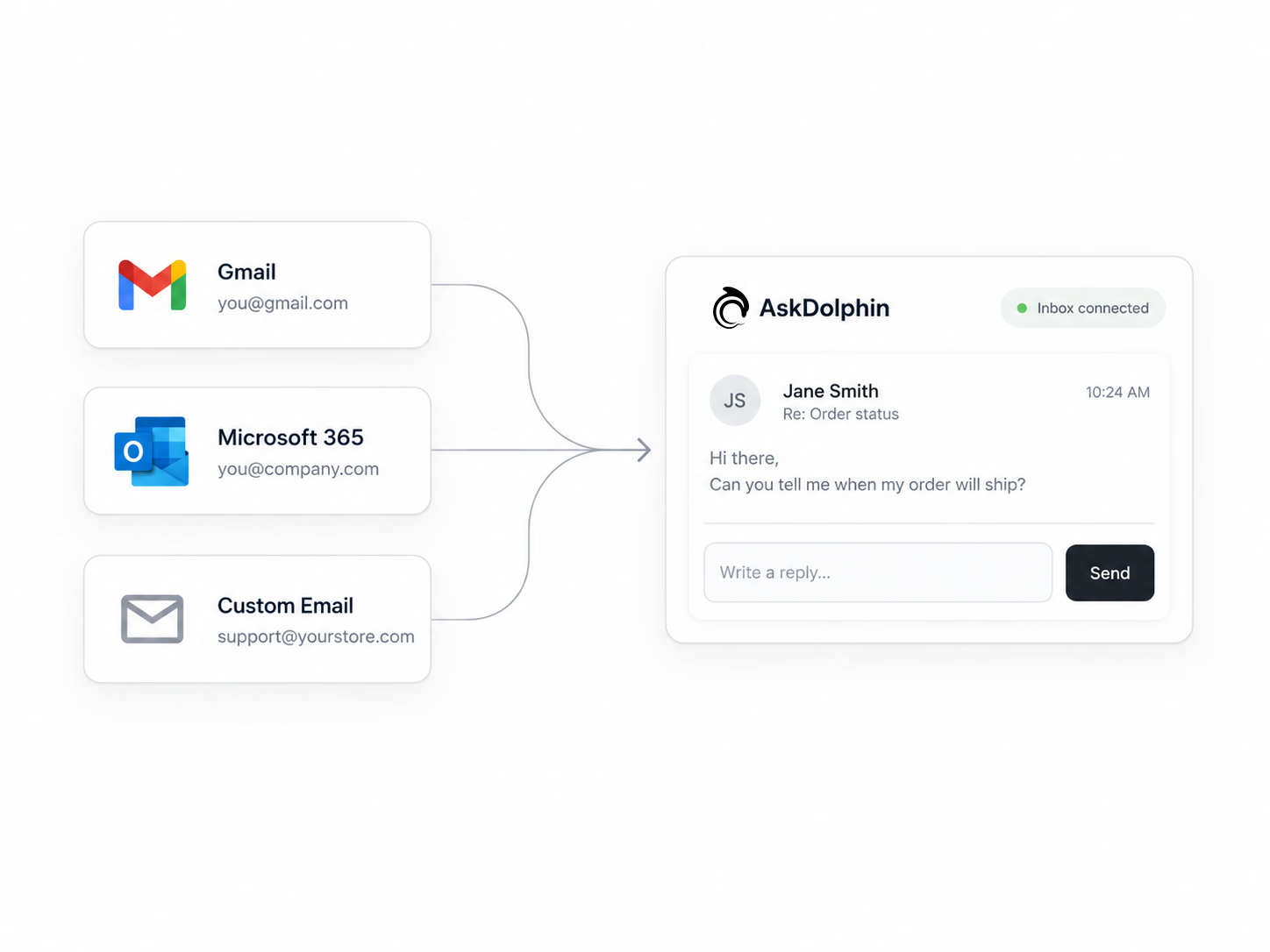
Gmail, Microsoft 365, or your own
Connect a personal Gmail, a Google Workspace account, personal Outlook, a Microsoft 365 work account, or an address you host yourself.
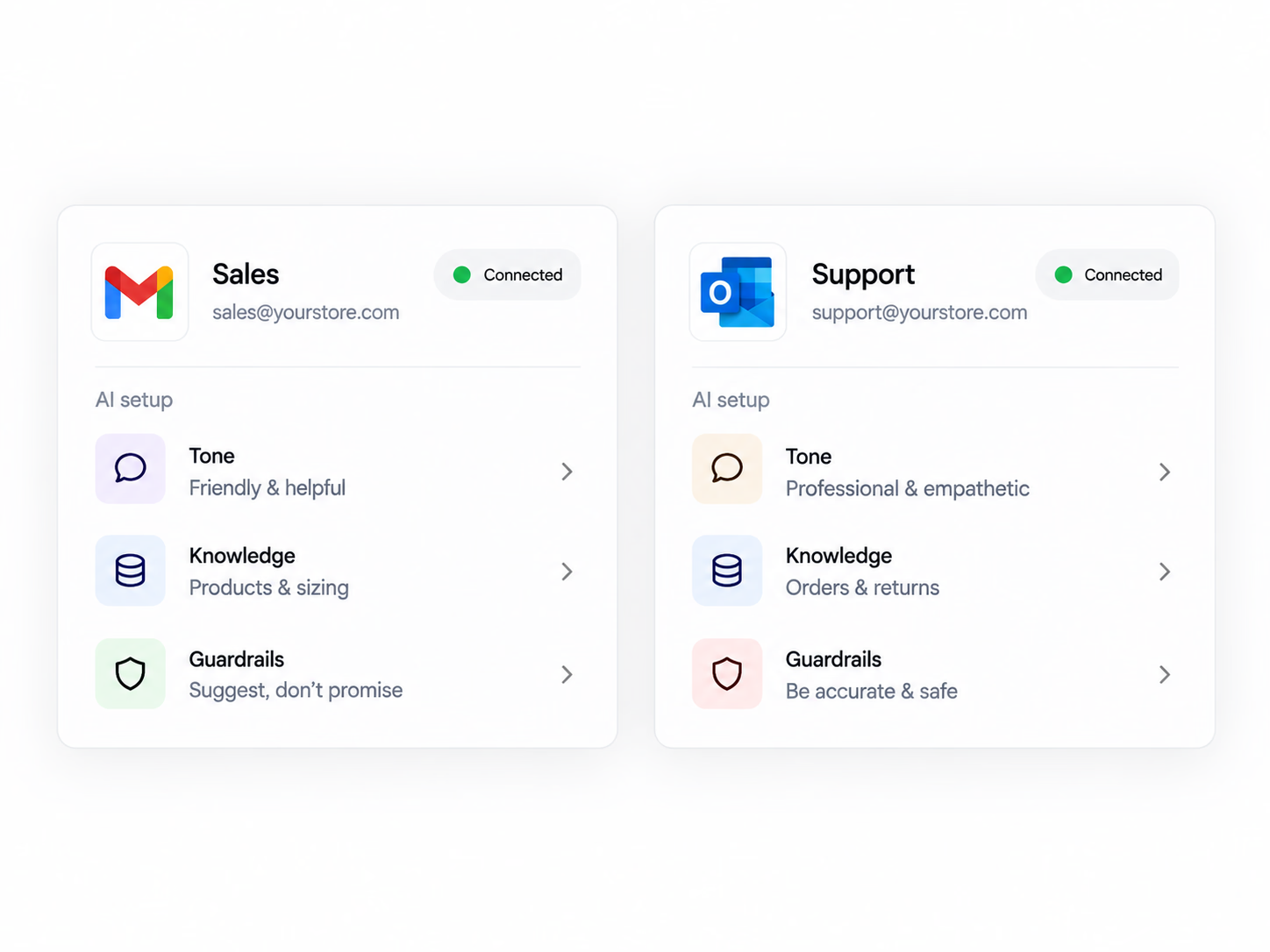
Each mailbox is its own thing
Every connected mailbox gets its own tone, guardrails and knowledge, so sales can sound like sales and support like support from one workspace.
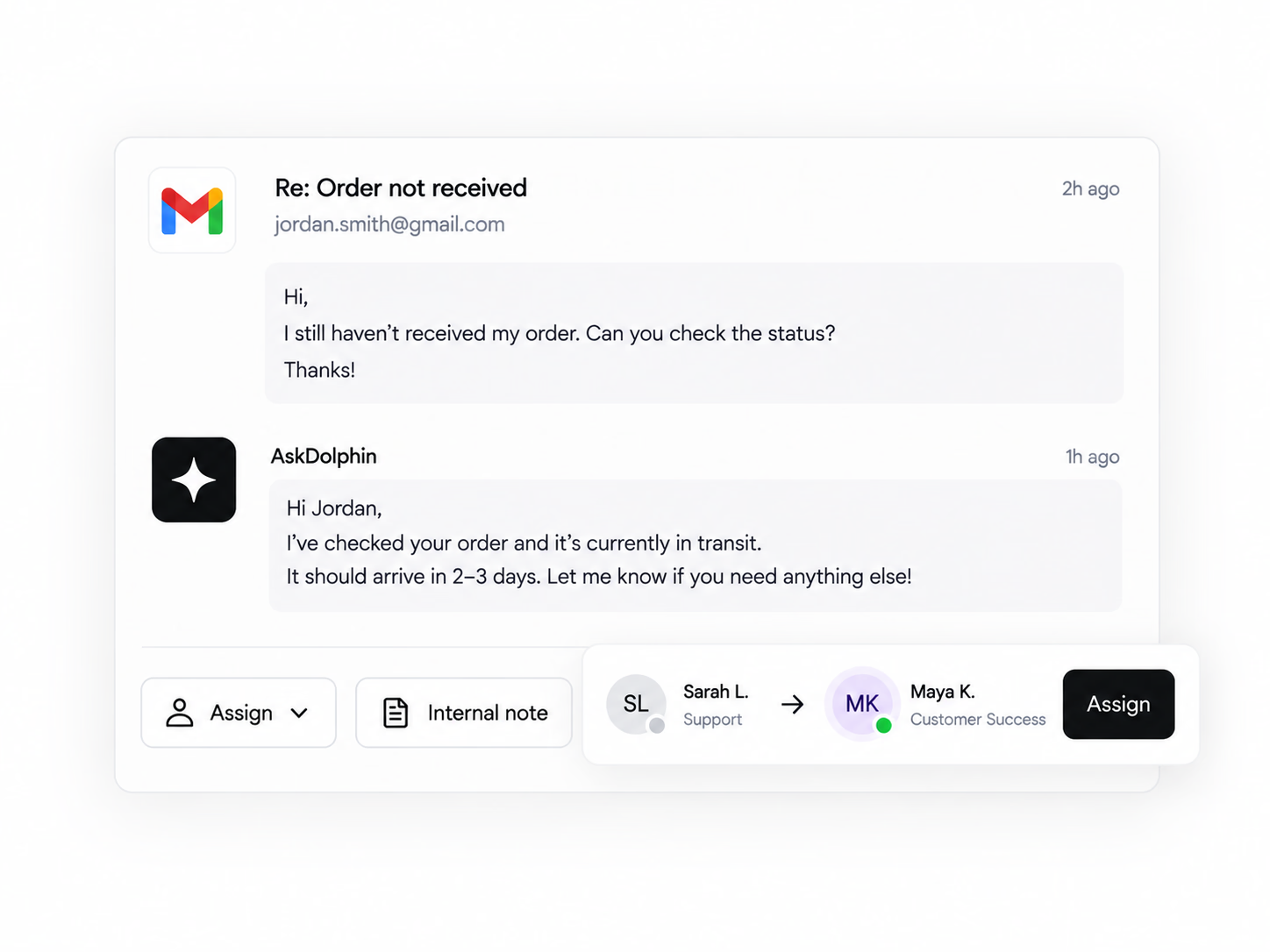
Hand it over without forwarding it
A teammate picks up an email thread the way they'd pick up a chat — assigned, transferred, noted internally. Nobody forwards anything.
If it's a website, it works.
One embed, no plugin hunting.
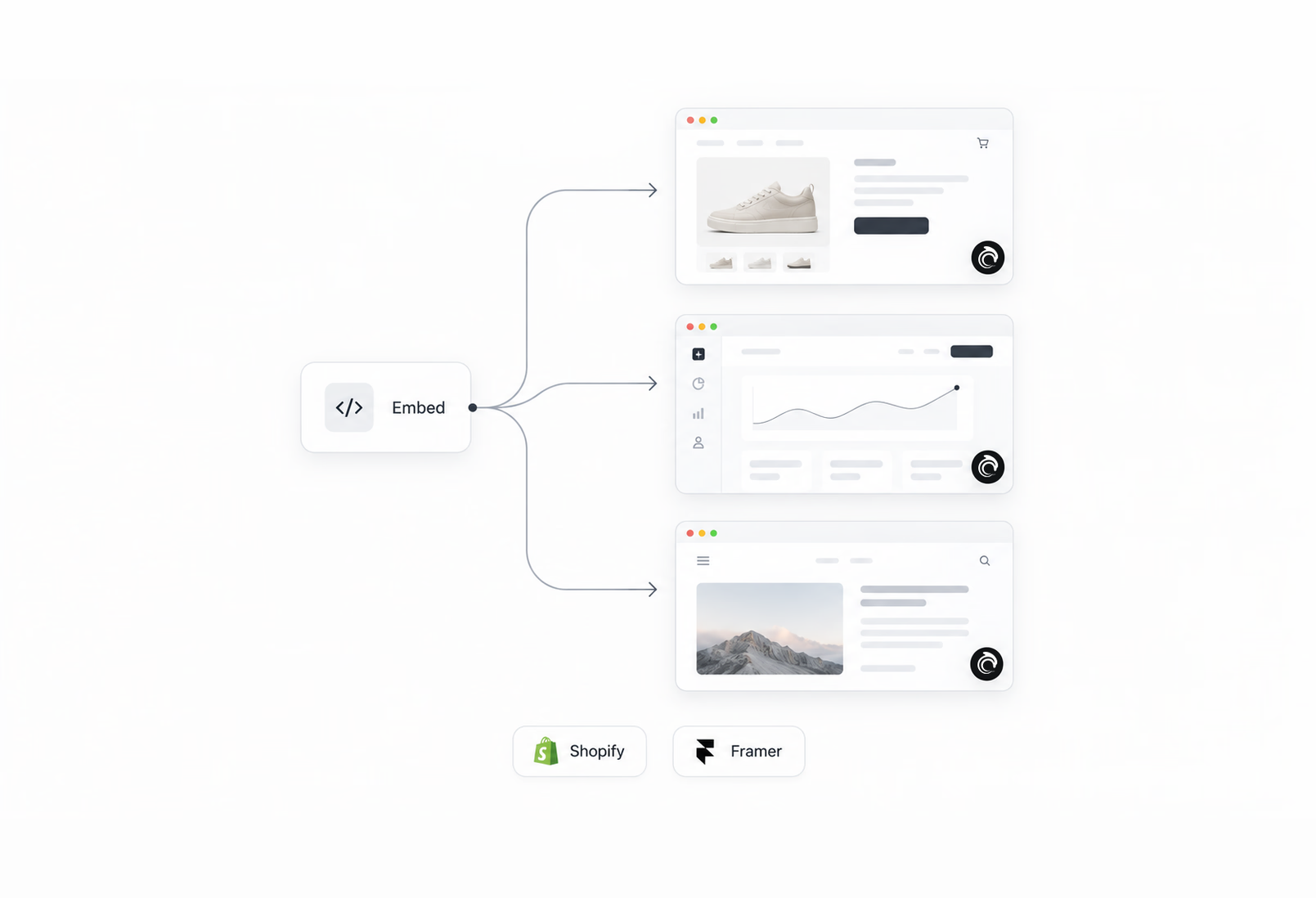
One snippet, any site
AskDolphin installs with a single embed code, so it doesn't care what the site is built with — hand-coded, WordPress, Webflow, Squarespace, Wix. Paste it once.
Or use the shortcut
There's an app in the Shopify App Store and a plugin in the Framer marketplace, if you'd rather not touch the code at all. Both do the same job the embed does.
Connections aren't the point. This is.
What you connect decideswhat Dolphin AI is allowed to know.
It only knows what you connected
Dolphin AI answers from your products, your pages, your Q&As and your Help Center — and from nothing else. Connecting a source is how you give it knowledge, and also how you fence it. You can edit any answer.
Everything lands in one place
Website chat, QR conversations and every connected mailbox arrive in the same Shared Inbox. Assign, transfer, add an internal note, mark it solved — the channel a message came in on stops mattering the moment it arrives.
You decide what it sends
Automatic replies stay off until you turn them on, and you set that separately for Live Chat, Email and QR. Plenty of teams keep Dolphin AI as a drafting tool and send every reply themselves. The switch is yours.
What people check before they sign up.
Not answered here?Ask us.
What does AskDolphin connect to?
Four sources — Shopify, Gmail, Microsoft 365 and your own business email — and three channels: any website through a single embed, Framer through a plugin, and Smart QR codes you print on physical things. All seven are live today, and there is nothing on this page that isn't.
Do I need Shopify to use it?
No. Shopify adds product and order context if you have a store, but every other part of AskDolphin works without it — the widget, the Shared Inbox, email, QR codes and Dolphin AI all run on any website.
Do I need a website at all?
No, and this is the one people are most surprised by. A shop, clinic or workshop with no website can print Smart QR codes for products, rooms or equipment and handle every conversation from the Shared Inbox. Connecting an email inbox works on its own too.
My tool isn't listed. Can I still use AskDolphin?
Almost certainly, because the widget installs on any website with one embed and doesn't need a plugin for your platform. What it won't do is pull data out of a tool we haven't connected to — so if you need your CRM or your email marketing platform talking to it, that isn't available.
Can I connect more than one mailbox?
Yes, and each one keeps its own tone, guardrails and knowledge. A sales address and a support address can behave completely differently from the same workspace.
What happens to the connection if I turn something off?
Dolphin AI stops using it. Every source you connect is one you can disconnect, and you can see what it learned from a source and edit or remove it before that.
Connect one thing and see what it does.
Start with your email or your store. You can add the rest later.
14 days, every feature.