New featureShopify

Action Review: approve what customers ask for

Action Review is a queue in AskDolphin where a person approves or rejects the requests customers make in chat.

Action Review is a queue in AskDolphin where a person approves or rejects the requests customers make in chat.See Dolphin AI
Last updated

What's new

Action Review is a queue in AskDolphin where a person approves or rejects the requests customers make in chat. These include cancellations, refunds and address or contact changes. Dolphin AI never approves a request by itself. It is how Dolphin AI by AskDolphin keeps a person in charge of changes that matter.

Why it matters

An assistant that can take a cancellation or an address change at midnight is useful. One that carries it out without anyone checking is a risk. Action Review keeps the speed for the customer and the decision with your team.

How to use it

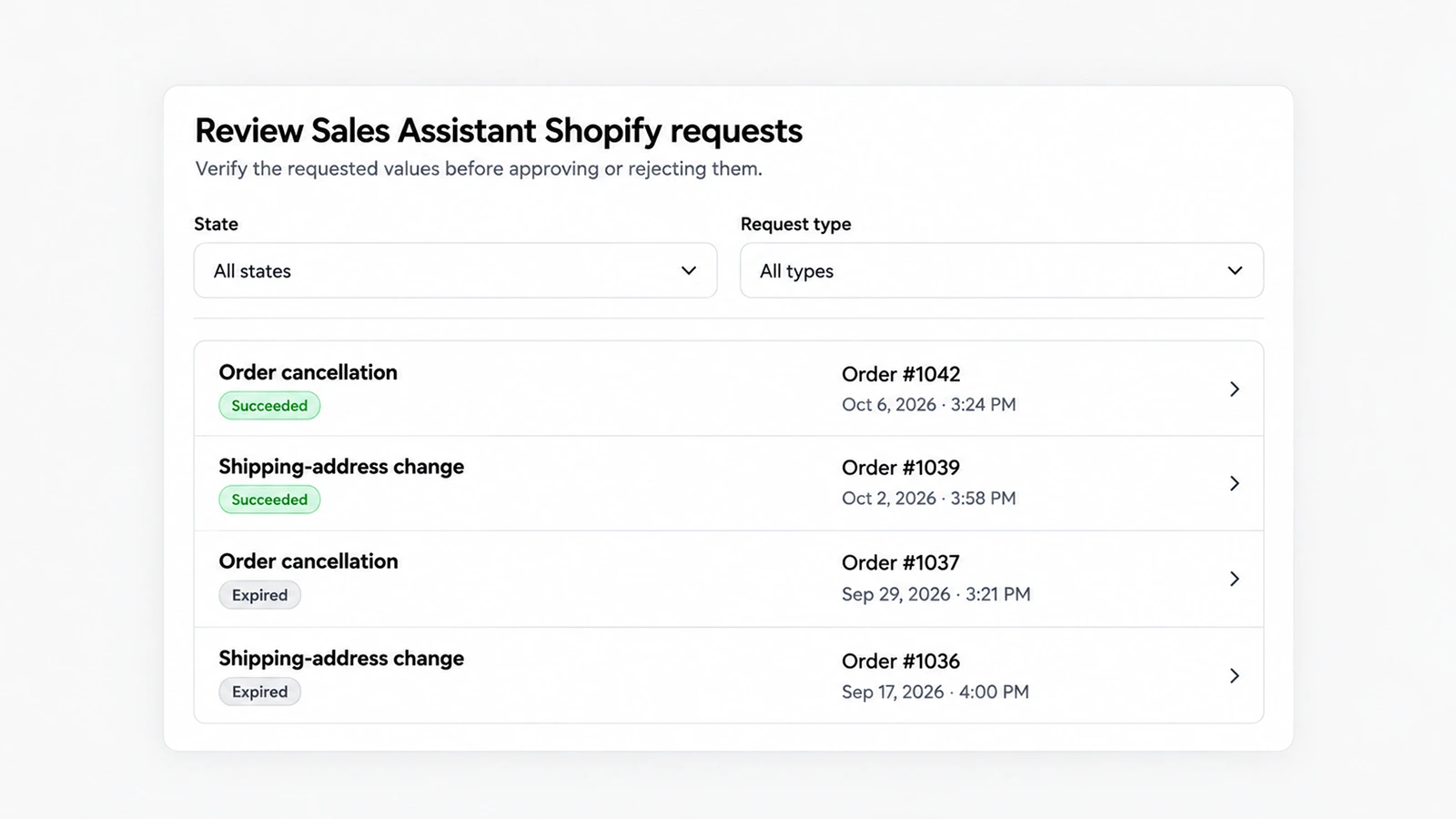
  • Open Customers, then Action review: "Review Sales Assistant Shopify requests. Verify the requested values before approving or rejecting them."
  • Each row shows the request type, its state, the order number and the date and time. States include "Succeeded" and "Expired".
  • Filter by State or Request type, or choose Clear filters to see everything.
  • Check the values the customer gave, then approve or reject the request, or join the conversation to ask more.

Good to know

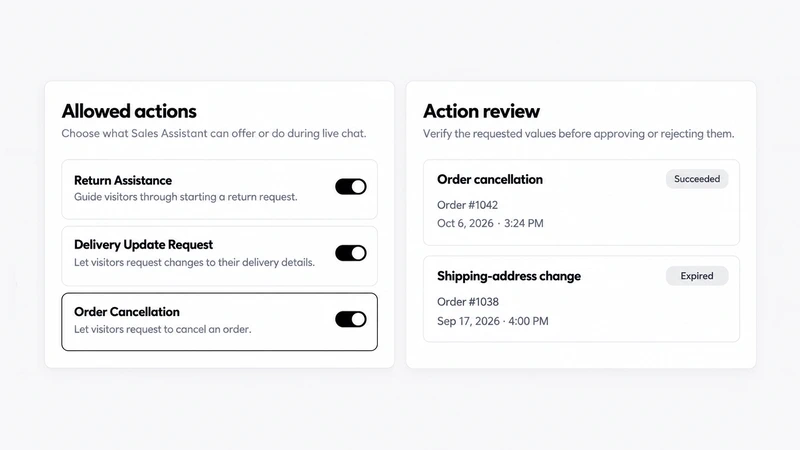
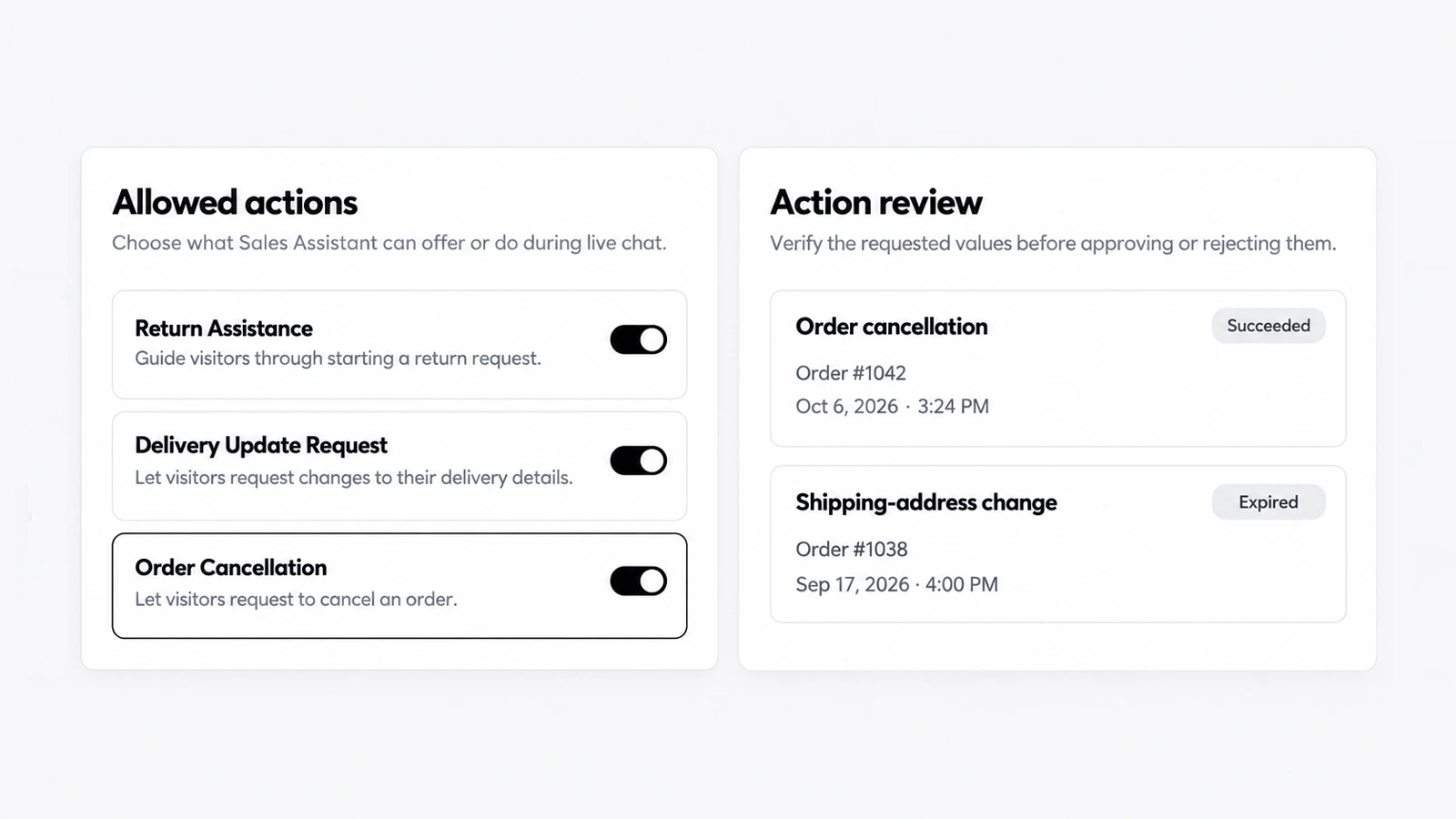
  • Requests come from the Sales Assistant's actions in live chat, such as Order Cancellation, Delivery Update Request and Contact Update Request. Refund requests arrive the same way.
  • Each of these actions can be switched off in Dolphin AI, then Channels, then Live Chat, and your team can do every one of them itself.
  • How AskDolphin approaches safety is on our Security page.
  • Action Review is part of Pro; order requests need a connected Shopify store.

Frequently asked questions

What is Action Review in AskDolphin?

A queue where your team approves or rejects requests customers make in chat, like cancellations and address changes.

Can Dolphin AI by AskDolphin approve a request by itself?

No. Dolphin AI only collects the request; a person on your team approves or rejects it.

Released
Category
Shopify
Availability
Pro

Related updates

new-plans-free-proNew plans: Free and Pro
ai-billing-by-charactersFairer AI billing by characters, with a monthly limit
sales-assistant-budget-controlsBudget controls for AI sessions and recordings
ai-sales-assistantAI Sales Assistant for your store
session-replayLive visitors and Session Replay
dolphin-ai-product-notesAskDolphin's AI takes a note when it doesn't know
action-reviewAction Review: approve what customers ask for
cancellation-refund-requestsCancellation and refund requests in chat
order-status-in-chatOrder and delivery status inside the chat
canned-responsesCanned responses for your team
shopify-order-actionsShopify order actions in your inbox and chat
dolphin-ai-channel-settingsDolphin AI by AskDolphin: settings for chat, QR and email
dolphin-ai-toneSet the tone of AskDolphin's Sales Assistant
ai-email-repliesAI email replies and drafts, per mailbox
outlook-microsoft-365-integrationOutlook and Microsoft 365 integration
gmail-integrationGmail integration for your support inbox
chat-widget-ten-languagesThe AskDolphin chat widget in ten languages
widget-channels-tabA Channels tab for your social links
widget-products-services-tabProducts or Services tab in the chat widget
widget-conversation-startersA widget home screen that starts conversations
chat-widget-designDesign your AskDolphin chat widget
new-chat-widgetThe new AskDolphin chat widget
mailbox-sender-settingsSender addresses and domains for each mailbox
custom-business-emailConnect your business email by forwarding
ai-writing-assistant-inboxAI writing help in your support inbox
dolphin-replyDolphin Reply: AI draft replies in one click
help-center-ai-sourceHelp Center as an AI source and a Help tab
dolphin-ai-data-sourcesDolphin AI by AskDolphin now uses your Data Sources
framer-pluginAskDolphin for Framer: live chat plugin
new-qr-code-typesNew QR code types, including vCard, SMS and phone
qr-code-stylesAdvanced QR code styles and settings
qr-code-libraryQR code library with scan counts
chat-transcript-settingsChat transcript settings
support-notificationsNotifications for your support team
talk-and-listen-dolphin-aiTalk to Dolphin AI by AskDolphin and hear its replies
dashboard-dark-modeLight, dark or system theme, and your workspace color
new-support-dashboardA new support dashboard

Stop losing the quiet ones.

Install it in a minute. It starts working on your next visitor.

14 days, every feature.