


Cancellation and refund requests in chat
Customers can now ask to cancel an order or get a refund in the AskDolphin chat.
AskDolphin connects to your Shopify store so Dolphin AI can add or remove cart items and send a checkout link inside the chat.
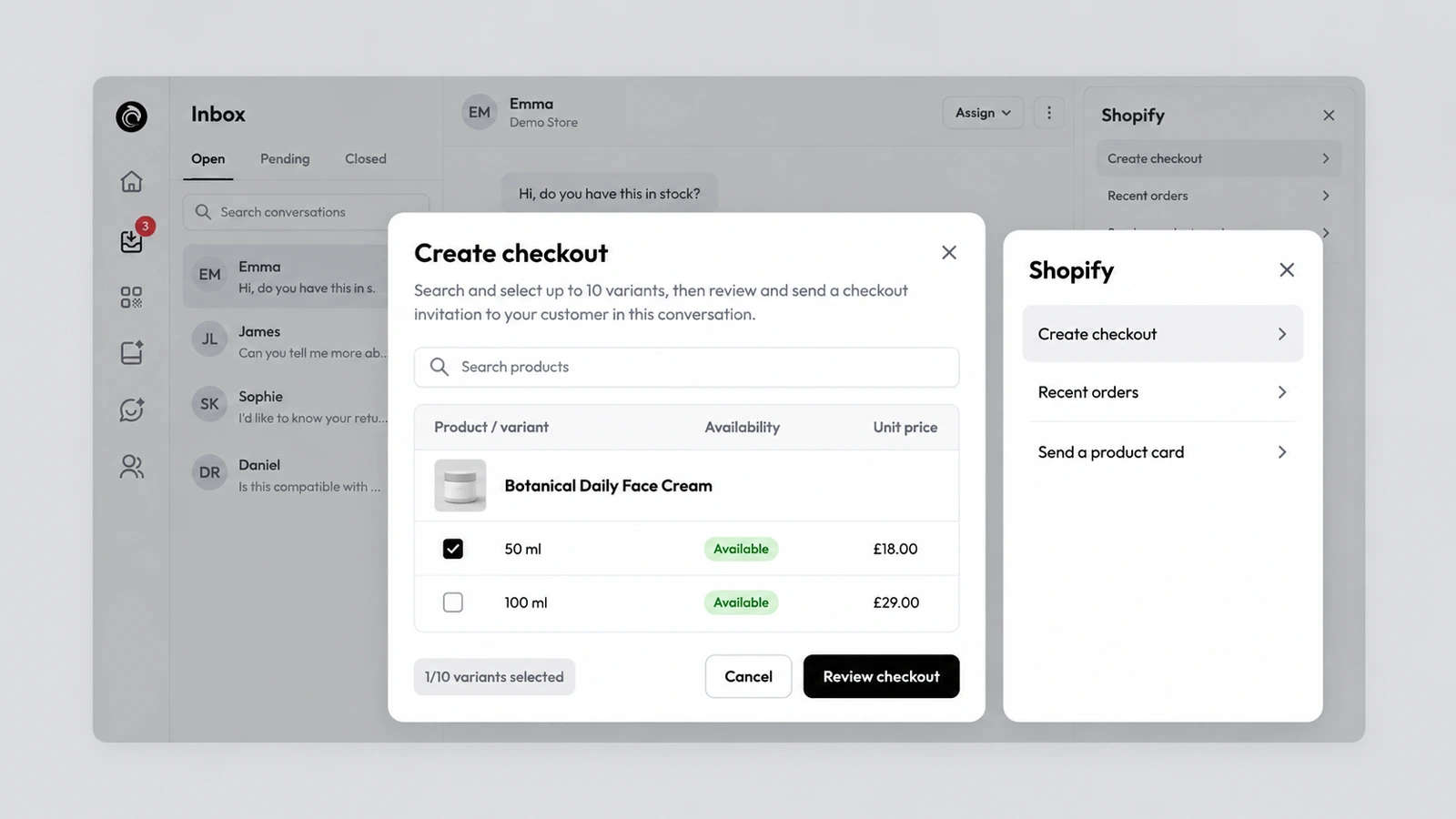
AskDolphin connects to your Shopify store so Dolphin AI can add or remove cart items and send a checkout link inside the chat. Your team can also create a checkout, send product cards and see the customer's recent orders beside the conversation. Every action is listed on AskDolphin's Shopify commerce actions.
"I'll take it" is the best line a customer can write, and the worst moment to send them off to find the product again. With the cart and the checkout link inside the conversation, the sale happens where the question was answered. Payment still happens on Shopify's own checkout.
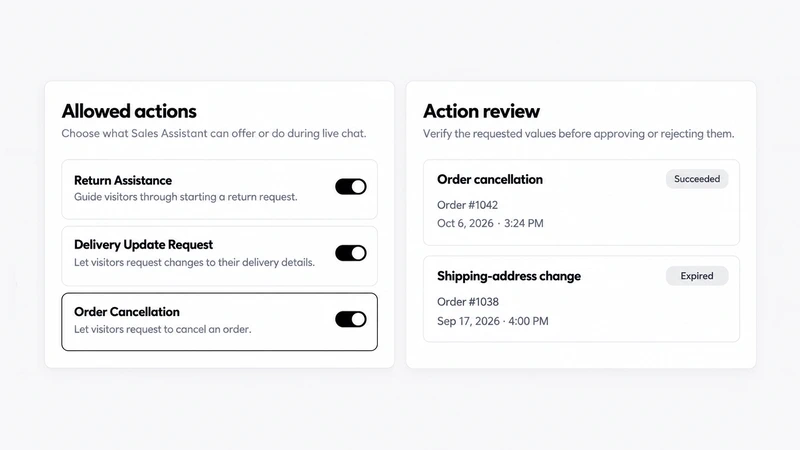
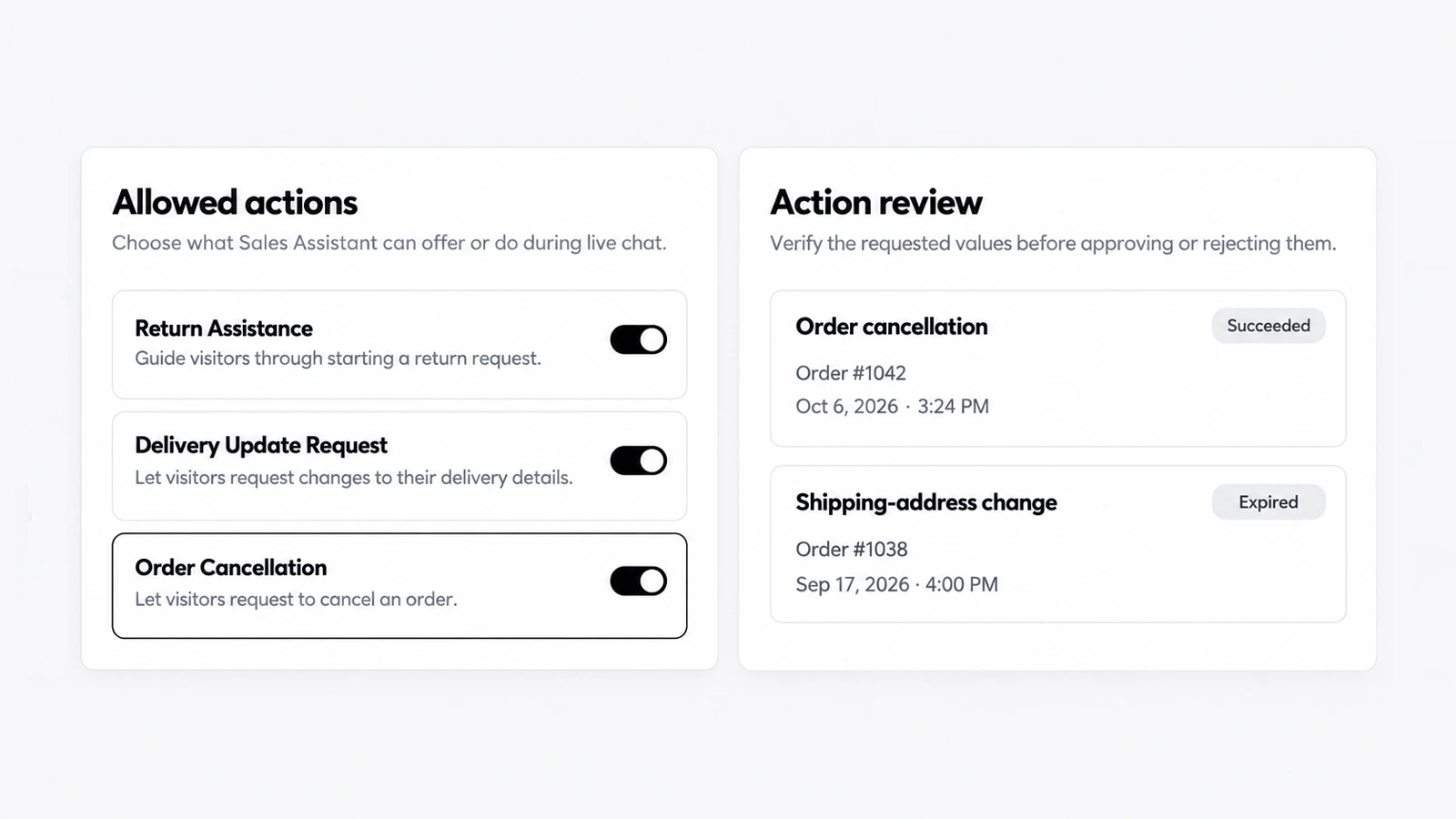
Dolphin AI in the chat: open Dolphin AI, then Channels, then Live Chat. Under Allowed actions, switch on what the Sales Assistant may do, such as Add to Cart, Cart Quantity Control, Remove from Cart and Checkout Assistance, next to Smart Recommendations and Product Navigation.
Your team in the inbox: the Shopify block beside each conversation has three tools.
Yes. With a connected Shopify store, Dolphin AI can add or remove cart items and send a checkout link; the customer pays on Shopify.
Yes. Agents pick up to 10 product variants and send a checkout link in the chat.
Customers can now ask to cancel an order or get a refund in the AskDolphin chat.
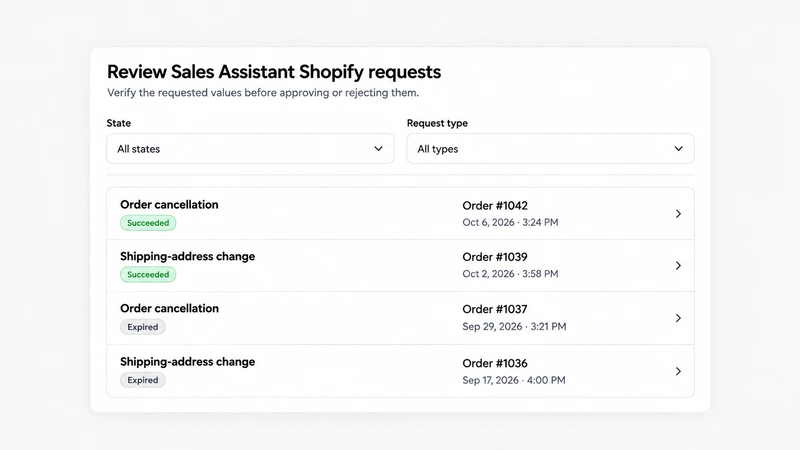
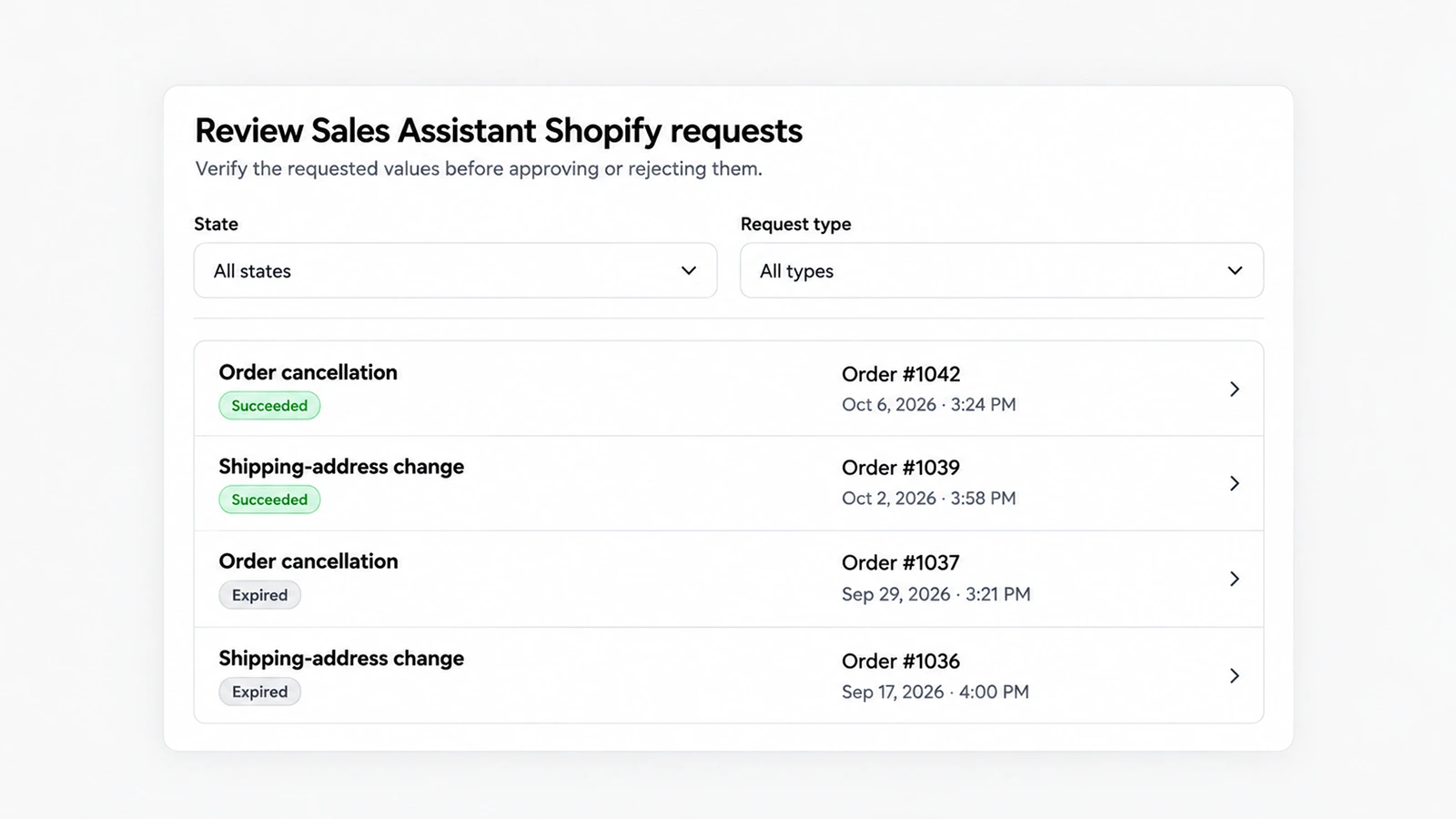
Action Review is a queue in AskDolphin where a person approves or rejects the requests customers make in chat.
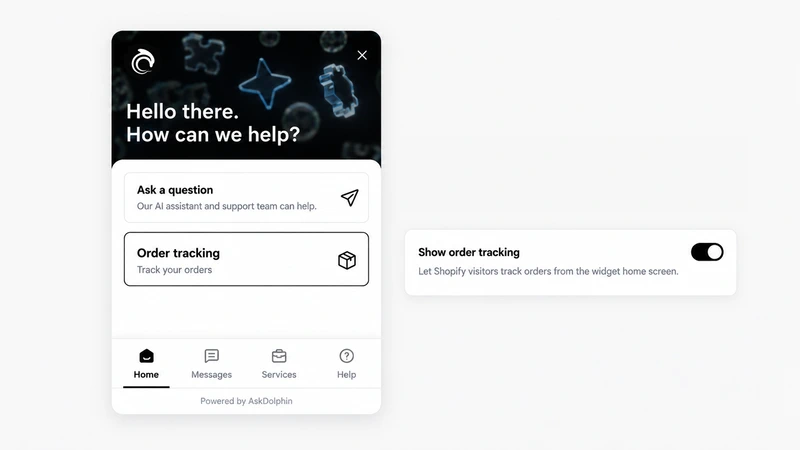
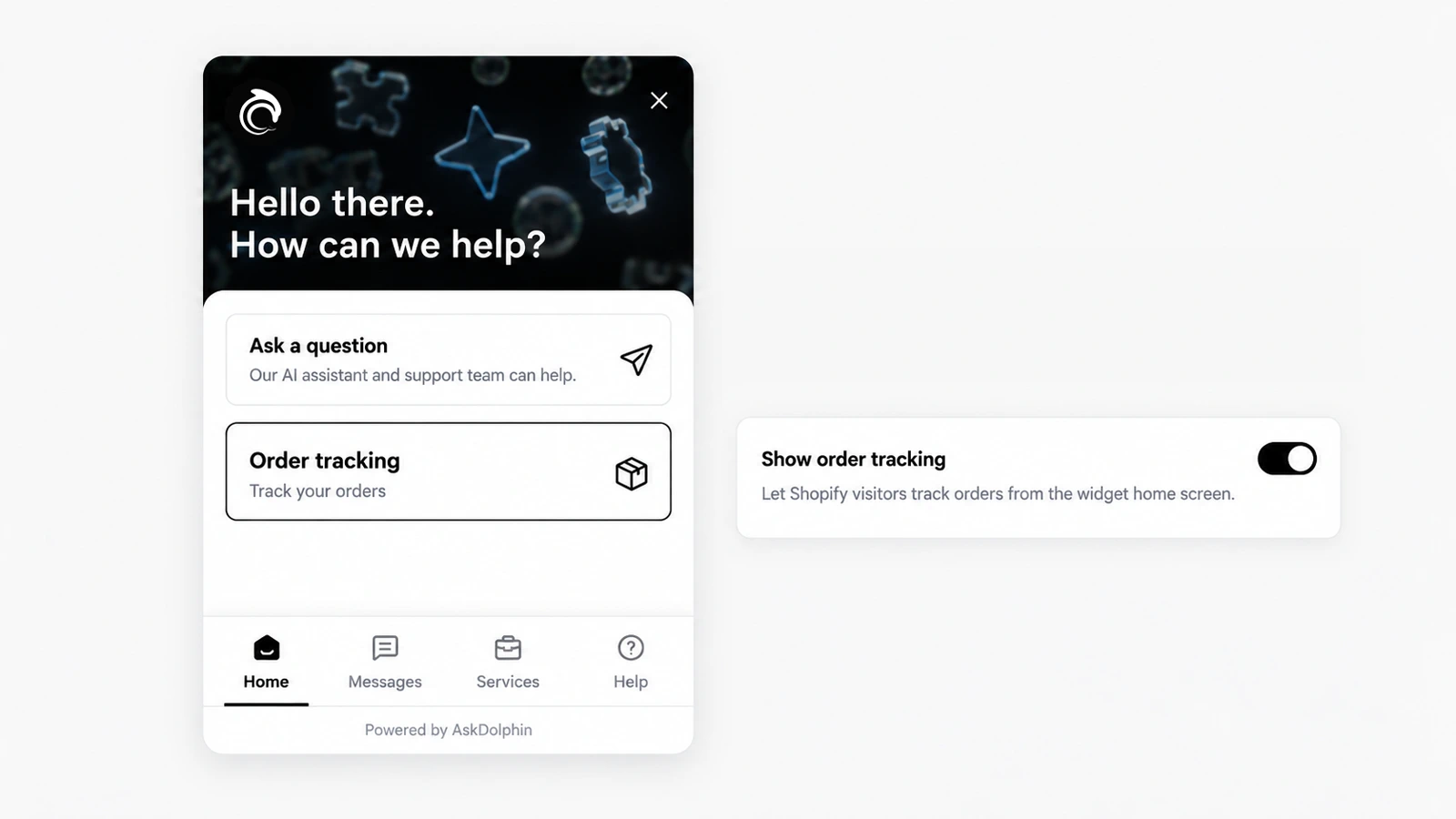
AskDolphin lets customers check the status of a Shopify order inside the chat, or from an order-tracking card on the widget's home screen.
Install it in a minute. It starts working on your next visitor.
14 days, every feature.