
New featureQR Codes

New QR code types, including vCard, SMS and phone

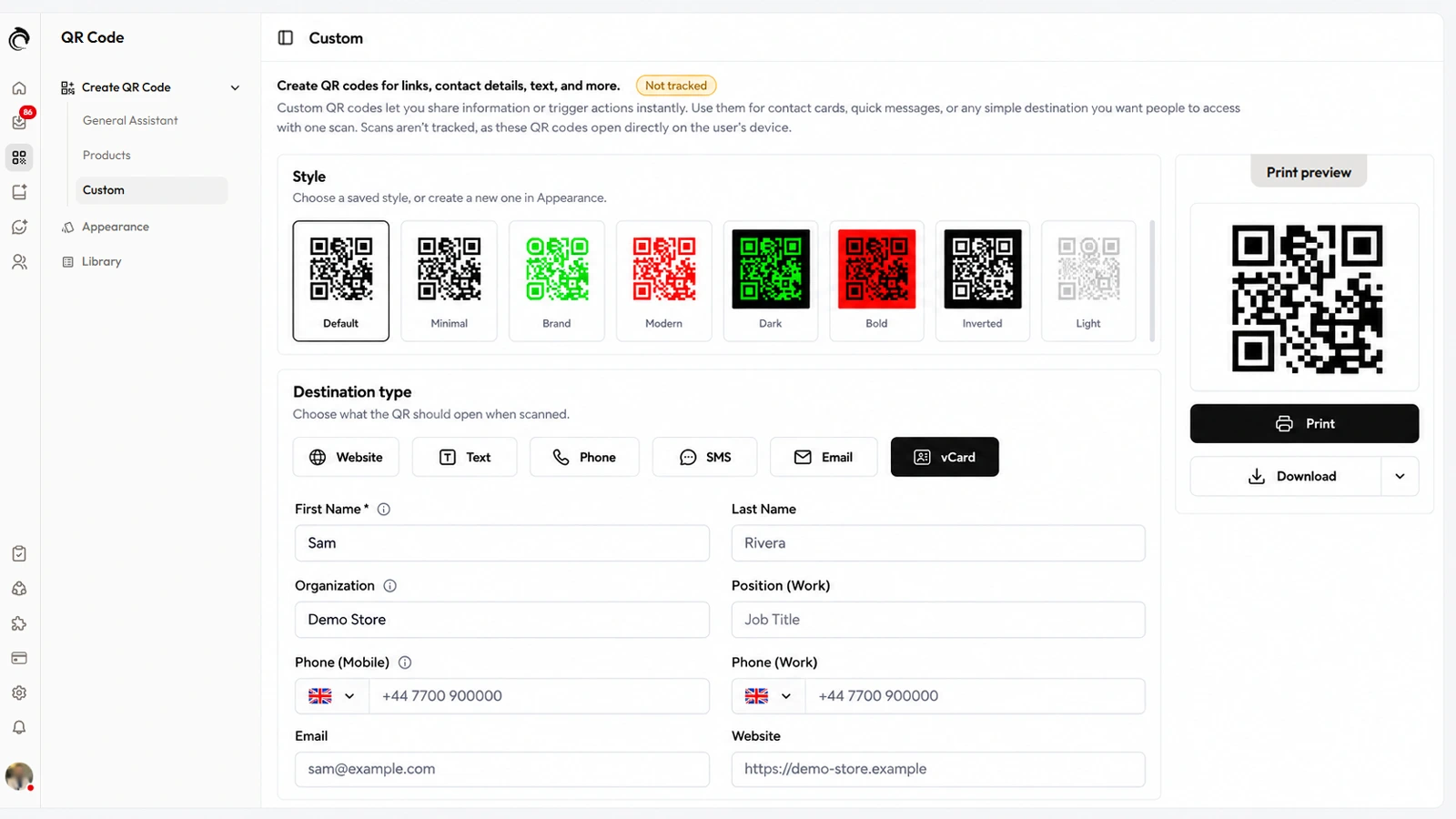
AskDolphin now makes custom QR codes for a website, text, phone call, SMS, email or vCard contact card, in the same styles as your support codes.

AskDolphin now makes custom QR codes for a website, text, phone call, SMS, email or vCard contact card, in the same styles as your support codes.See QR codes in AskDolphin
Last updated

What's new

AskDolphin now makes custom QR codes for a website, text, phone call, SMS, email or vCard contact card, in the same styles as your support codes. Website codes count their scans; the other five open directly on the phone, so their scans are not counted. They sit beside the support codes of AskDolphin's QR code customer support, in one library.

Why it matters

Most businesses that print QR codes need more than one kind: a contact card for business cards, a phone number for a van, a link for a flyer. Making them in the same place and style as your support codes means one tool and one look for everything you print.

How to use it

  • Open QR Code, then Create QR Code, then Custom: "Create QR codes for links, contact details, text, and more."
  • Under Destination type, choose Website, Text, Phone, SMS, Email or vCard.
  • For a vCard, fill in the contact card: first and last name, organization, position, work, private and mobile phone, work and private fax, email, website and a full address. Only the first name is required.
  • Check the Print preview, then Print, or Download as PNG, JPEG or SVG.

Good to know

  • Text, phone, SMS, email and vCard codes open directly on the phone, so AskDolphin doesn't count their scans. Website codes are counted.
  • For a chat after the scan, use a General Assistant code for your business or a Products code for one product.
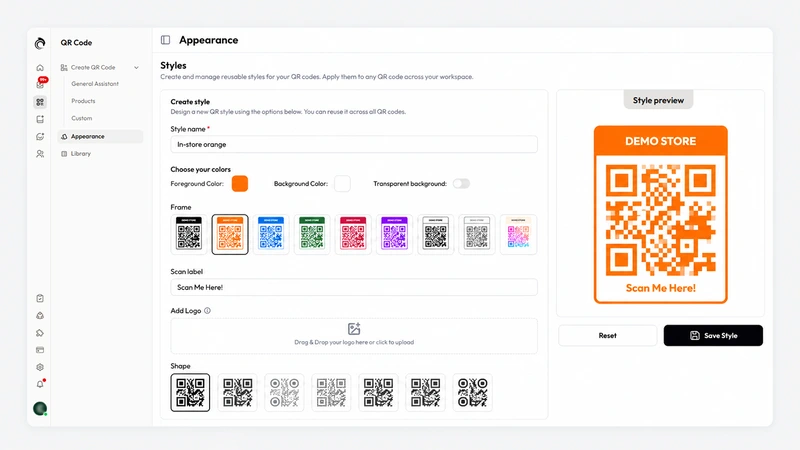
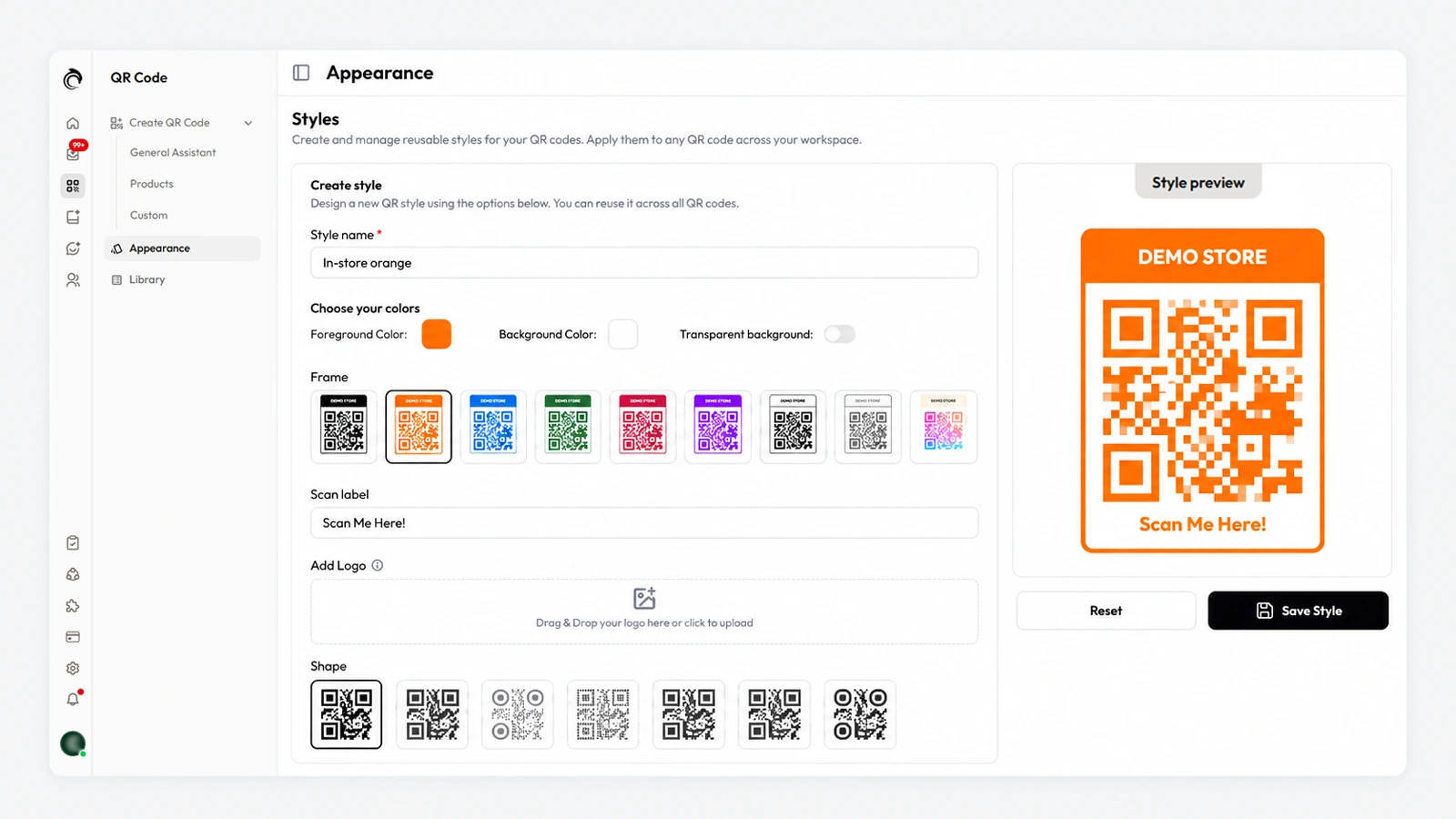
  • Saved styles from Appearance "apply to any QR code across your workspace", and your custom codes appear in the QR code library with the others.
  • Smart QR codes are included on Free and Pro.

Frequently asked questions

Can AskDolphin make vCard QR codes?

Yes. Besides support QR codes, you can create website, text, phone, SMS, email and vCard QR codes.

Are scans counted for vCard QR codes?

No. vCard codes open directly on the phone, so AskDolphin doesn't count their scans; only website codes among the custom types are counted.

Released
Category
QR Codes
Availability
Free and Pro

Related updates

Advanced QR code styles and settings

AskDolphin now saves reusable QR code styles with your colors, one of nine frames, a scan label, your logo and one of seven shapes.
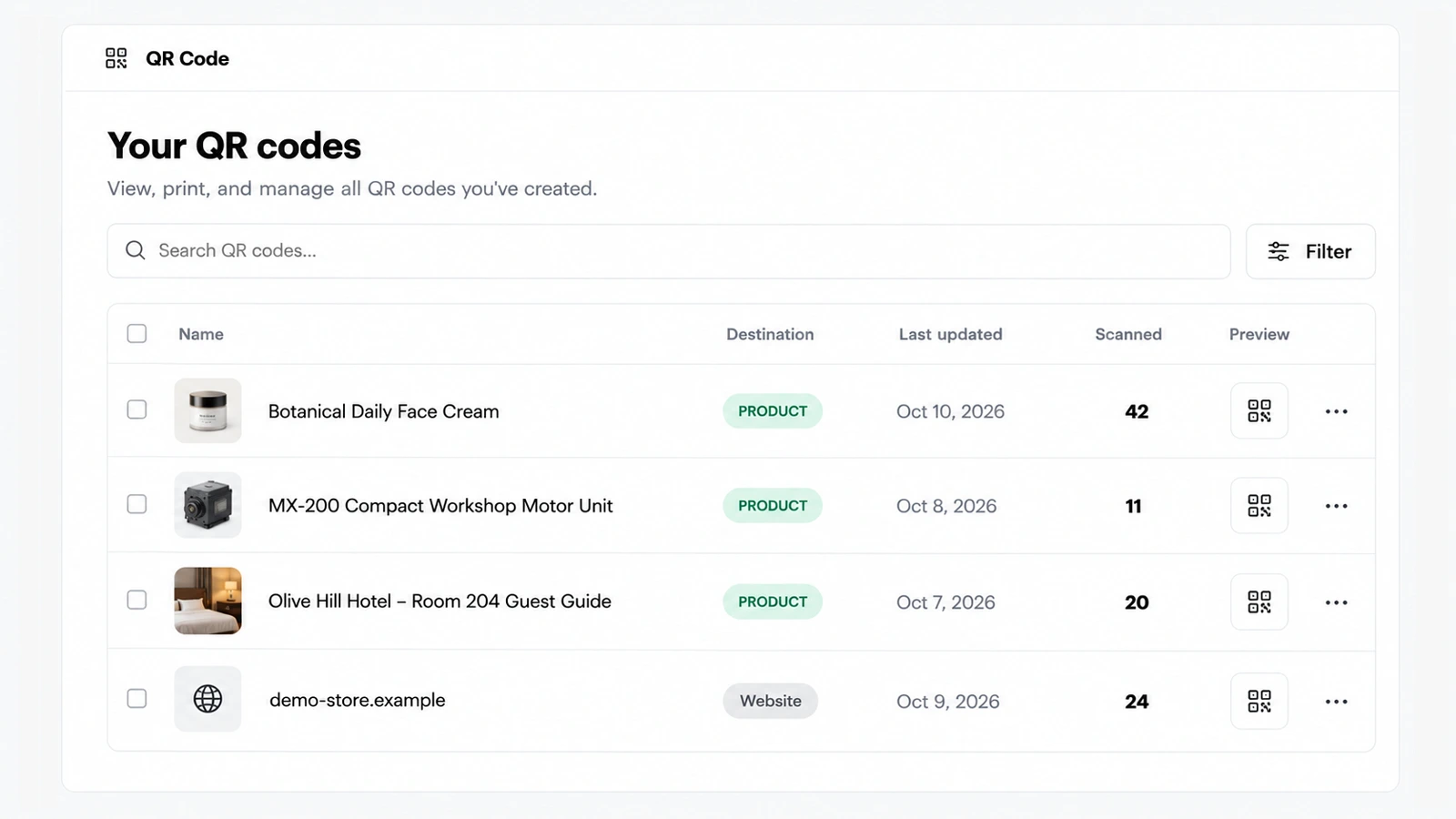
QR code library with scan counts

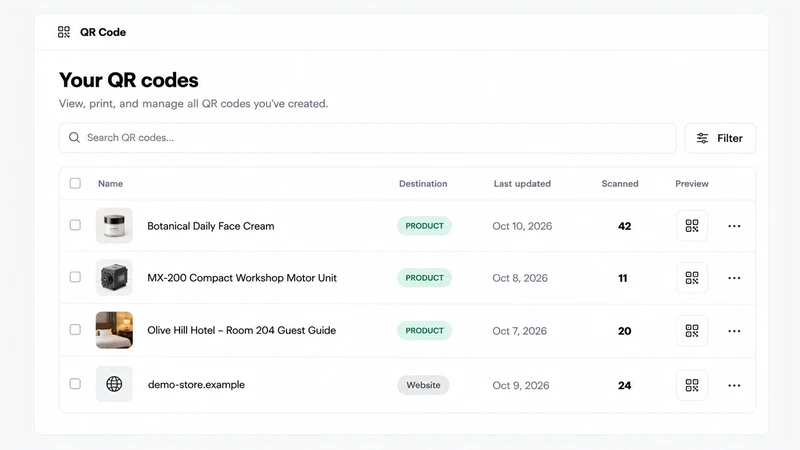
AskDolphin's QR code library lists every code you have made with its type, dates and scan count, with search and filters.

new-plans-free-proNew plans: Free and Pro
ai-billing-by-charactersFairer AI billing by characters, with a monthly limit
sales-assistant-budget-controlsBudget controls for AI sessions and recordings
ai-sales-assistantAI Sales Assistant for your store
session-replayLive visitors and Session Replay
dolphin-ai-product-notesAskDolphin's AI takes a note when it doesn't know
action-reviewAction Review: approve what customers ask for
cancellation-refund-requestsCancellation and refund requests in chat
order-status-in-chatOrder and delivery status inside the chat
canned-responsesCanned responses for your team
shopify-order-actionsShopify order actions in your inbox and chat
dolphin-ai-channel-settingsDolphin AI by AskDolphin: settings for chat, QR and email
dolphin-ai-toneSet the tone of AskDolphin's Sales Assistant
ai-email-repliesAI email replies and drafts, per mailbox
outlook-microsoft-365-integrationOutlook and Microsoft 365 integration
gmail-integrationGmail integration for your support inbox
chat-widget-ten-languagesThe AskDolphin chat widget in ten languages
widget-channels-tabA Channels tab for your social links
widget-products-services-tabProducts or Services tab in the chat widget
widget-conversation-startersA widget home screen that starts conversations
chat-widget-designDesign your AskDolphin chat widget
new-chat-widgetThe new AskDolphin chat widget
mailbox-sender-settingsSender addresses and domains for each mailbox
custom-business-emailConnect your business email by forwarding
ai-writing-assistant-inboxAI writing help in your support inbox
dolphin-replyDolphin Reply: AI draft replies in one click
help-center-ai-sourceHelp Center as an AI source and a Help tab
dolphin-ai-data-sourcesDolphin AI by AskDolphin now uses your Data Sources
framer-pluginAskDolphin for Framer: live chat plugin
new-qr-code-typesNew QR code types, including vCard, SMS and phone
qr-code-stylesAdvanced QR code styles and settings
qr-code-libraryQR code library with scan counts
chat-transcript-settingsChat transcript settings
support-notificationsNotifications for your support team
talk-and-listen-dolphin-aiTalk to Dolphin AI by AskDolphin and hear its replies
dashboard-dark-modeLight, dark or system theme, and your workspace color
new-support-dashboardA new support dashboard

Stop losing the quiet ones.

Install it in a minute. It starts working on your next visitor.

14 days, every feature.