


Dolphin Reply
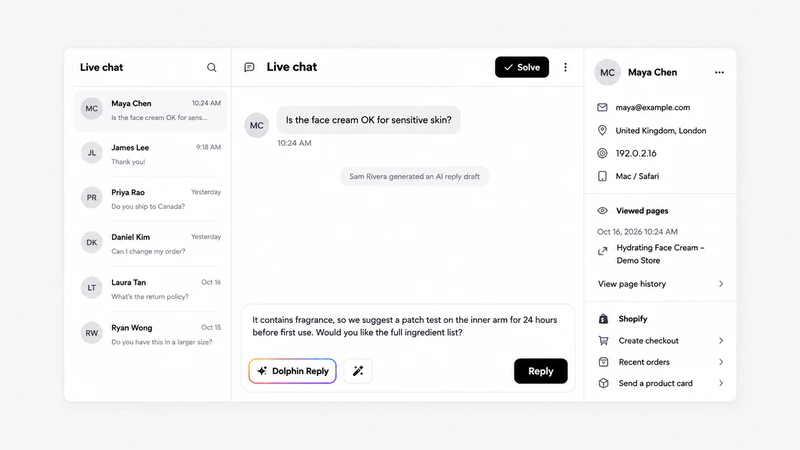
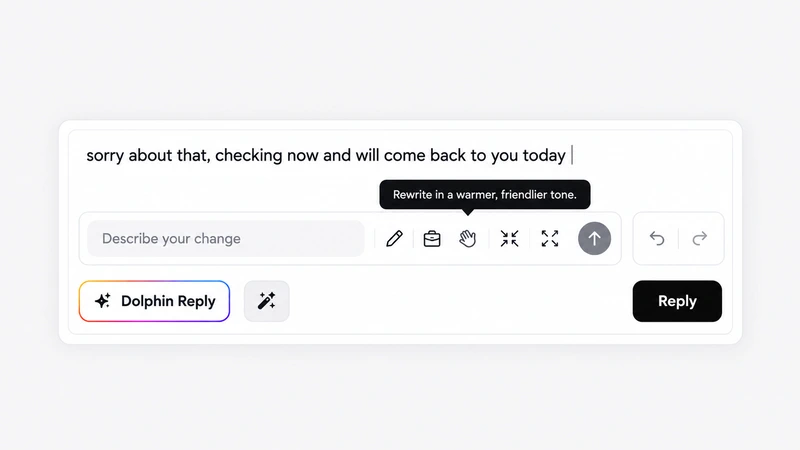
One click writes a draft from your Data Sources and the conversation so far. Check it, change it, send it.
Dolphin AI is the AI assistant inside AskDolphin that answers your customers on website chat, email and QR codes.
Free to start, or try every Pro feature for 14 days.
No card needed.
You choose every source.
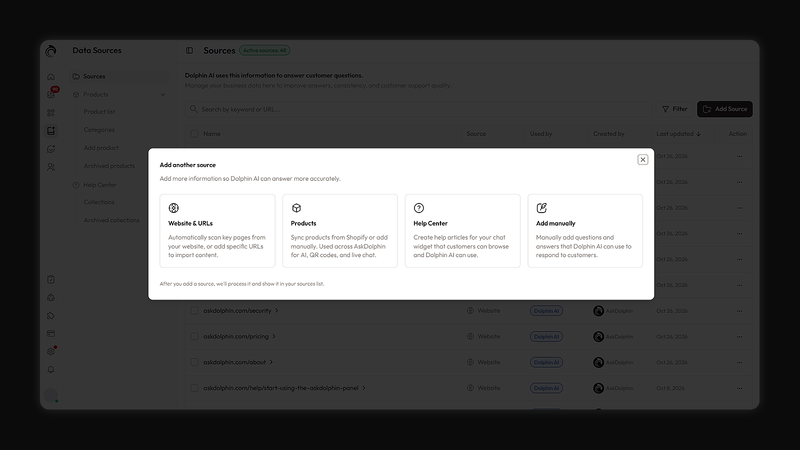
Scan your site, or add the pages you pick.
Sync from Shopify, or add products by hand.
Your help articles become answers it can give.
Write a question and the exact answer.

Connect Shopify and Dolphin AI answers from your real products. Add notes to a product that only AskDolphin uses, without changing your listing. Archive a product and Dolphin AI stops using it. The Shopify live chat page shows the rest.

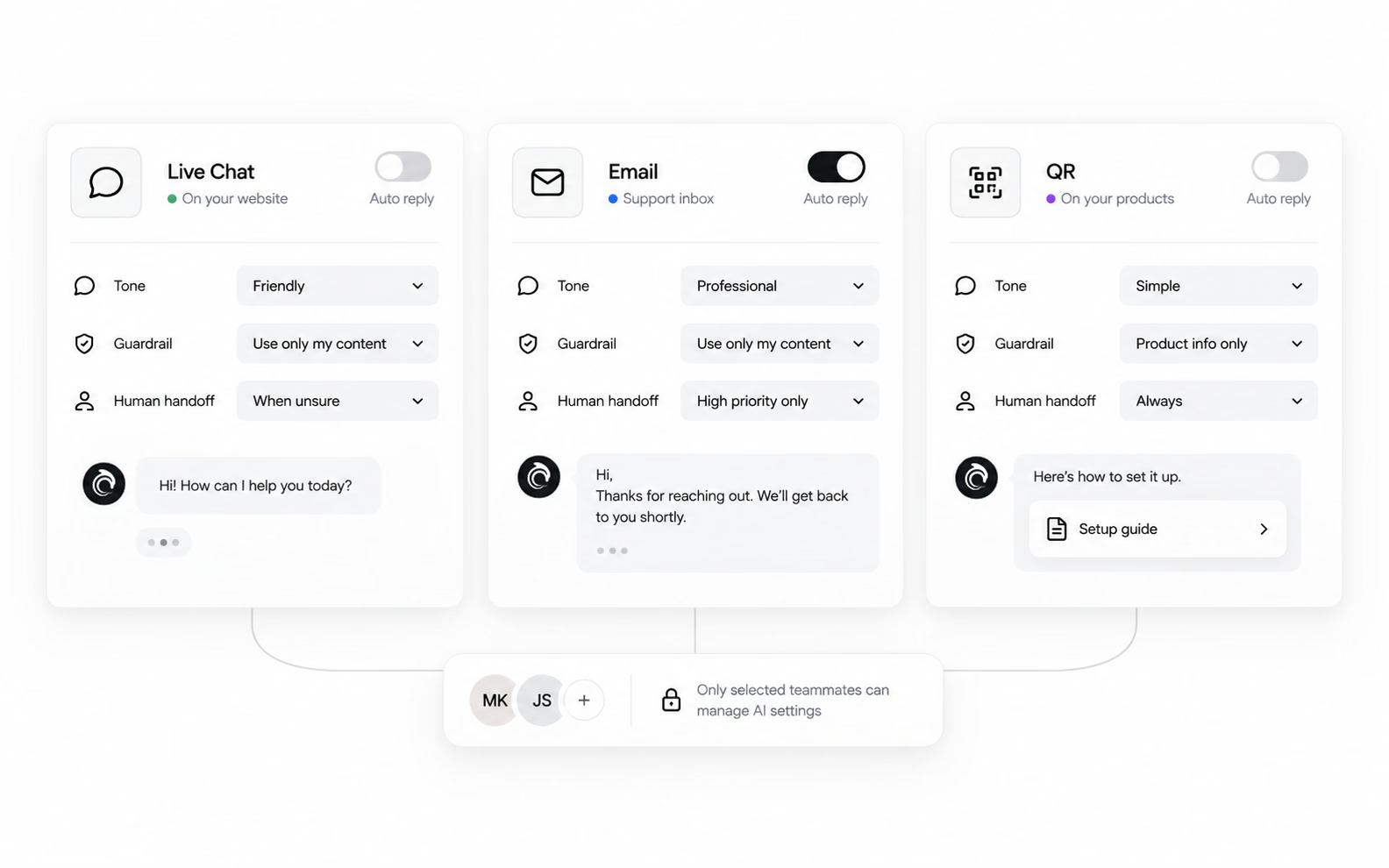
You set the rules for each.
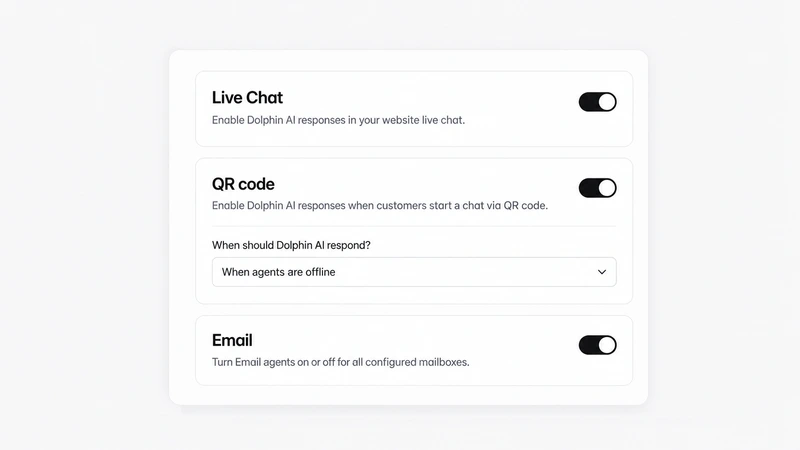
Each channel has its own switch, so Dolphin AI answers only where you turn it on.
Answers in your chat widget, either always or only when your agents are offline.
Answers the chats that start from a scan, with the same always-or-offline choice.
One AI agent per mailbox. Automatic replies stay off until you turn them on.
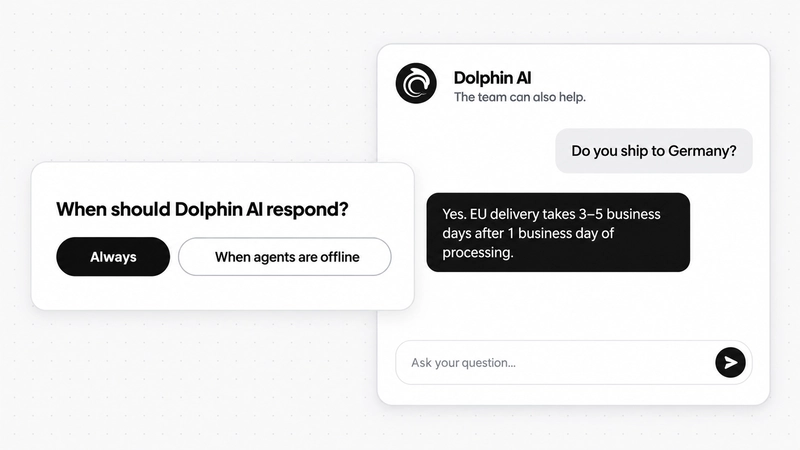
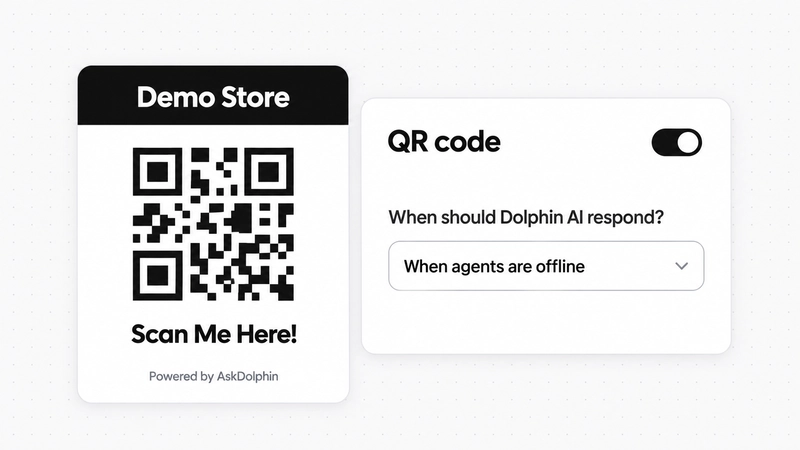
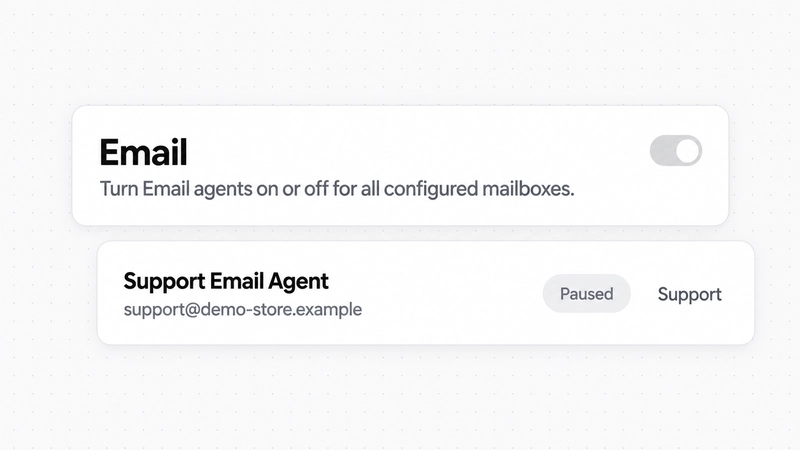
Each email agent has its own reply instructions and sender address, skips obvious spam, promotions, bounces and automated messages, and adds an AI footer to every email it sends.
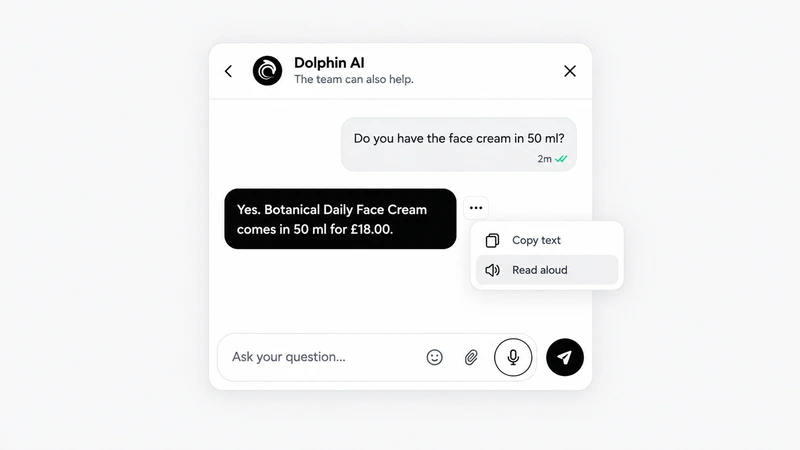
Customers can speak to Dolphin AI instead of typing, and have its replies read aloud. It is part of the chat widget on every plan, and it works with Dolphin AI only: your team reads and answers in text.
Your call before it goes.
One click writes a draft from your Data Sources and the conversation so far. Check it, change it, send it.
Tell it what to change in plain words, such as "tell the customer we are available tomorrow", or pick a rewrite.
Owners and Admins decide which team members can use the AI writing tools in the inbox.
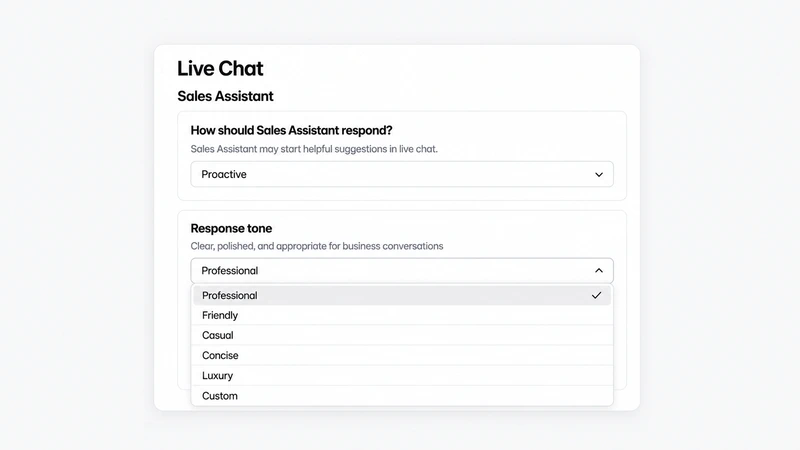
Decide how it introduces itself to customers, and how it sounds when it helps them shop.
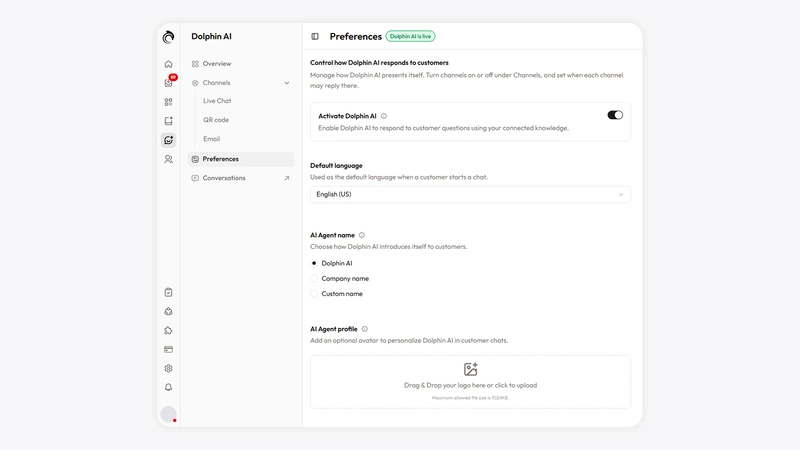
Customers meet Dolphin AI, your brand, or a name you pick.
Give it a face, so every chat looks like your brand.
Friendly, professional or luxury: it sounds like your shop.
Let it wait to be asked, or start with a helpful suggestion.
Dolphin AI hands a conversation to a person when a customer asks for one, and nothing that changes an order happens without your team.
The AI never approves a request by itself.
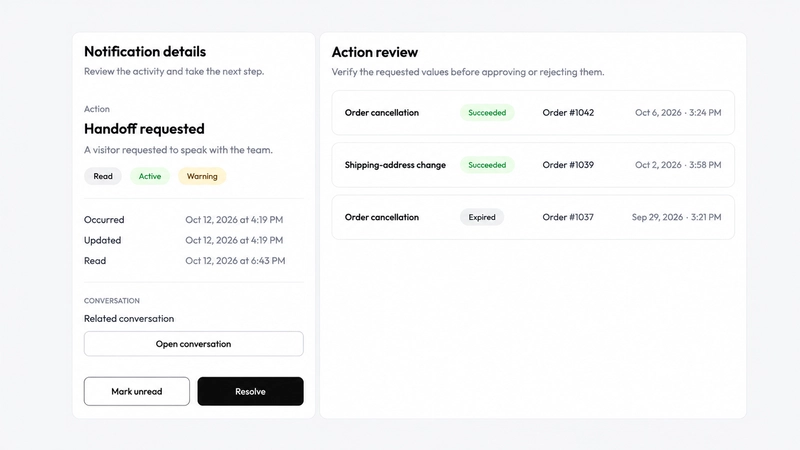
When a customer asks for a person, your team gets a "Handoff requested" alert that opens the chat.
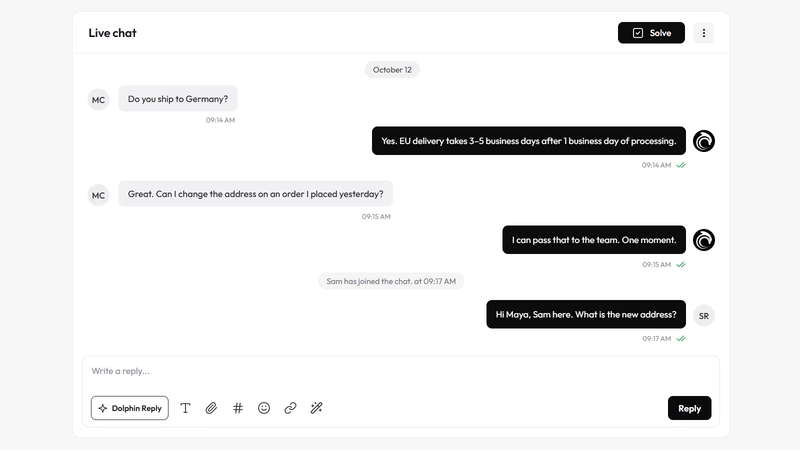
Anyone on your team can join a conversation Dolphin AI is handling and take it from there.
Cancellations, refunds and delivery or contact changes wait as requests until a person approves or rejects them.
One switch turns Dolphin AI off everywhere. Each channel and each chat action has its own.
Dolphin AI costs $0.50 for every 1,000 characters it writes. Your customers' messages and the knowledge it reads are free.
Dolphin AI is the AI assistant inside AskDolphin that answers your customers on website chat, email and QR codes. It answers from the knowledge you add, and hands the conversation to your team when a person should take over.
Only from the Data Sources you add: pages from your website, your products, your Help Center articles and the questions and answers you write. You see every source in one list, and a product you archive is no longer used.
Only where you turn it on. In website live chat and on QR codes, you choose whether it answers always or only when your agents are offline. Automatic email replies are off by default; until you turn them on, your team uses Dolphin Reply and the writing assistant.
Yes. When a customer asks for a person, Dolphin AI hands over and your team gets a "Handoff requested" alert. Anyone on your team can join a conversation the AI is handling.
No. Dolphin AI never approves a request by itself. Cancellations, refunds and delivery or contact changes go to Action Review, where a person on your team approves or rejects them.
Yes. Customers can speak to Dolphin AI instead of typing, and have its replies read aloud. It works with Dolphin AI only; your team reads and answers in text.
Yes, and without Shopify too. On any website it answers in chat, email and QR codes; you install AskDolphin with one embed, the Framer plugin or the Shopify app. Cart, checkout, order tracking, returns and order changes need a connected Shopify store.
$0.50 for every 1,000 characters Dolphin AI writes. Free includes 5,000 characters once, Pro includes 5,000 to 150,000 a month, and you set a monthly limit from $5 that it never goes past.
Start free, or try every Pro feature for 14 days. No card needed.