
Everyone on your site, in one list
It lists visitors by name or as anonymous, with their page, country, browser and device. Pro includes it, with arrival and last-seen times and the AI Sales Assistant's status.
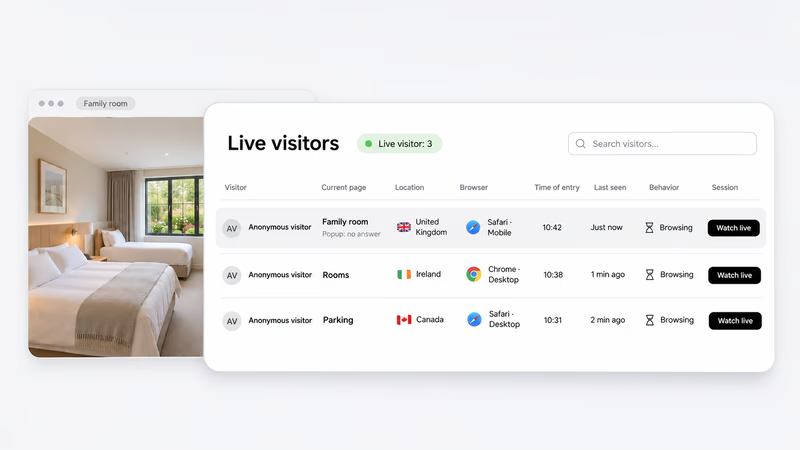
AskDolphin Session Replay shows who is on your website now and lets you watch a visit live. Step in while they browse, or replay it later with the chat and a short brief beside it.
Try it free with AI sessions for your own visitors.
No card needed.
They never show you why.
Many people open it, but very few go further.
They check your prices, then close the tab.
They start a booking or a cart, then stop.
Visitors keep asking it, and no page answers it.
Then follow one visit as it happens.
It lists visitors by name or as anonymous, with their page, country, browser and device. Pro includes it, with arrival and last-seen times and the AI Sales Assistant's status.
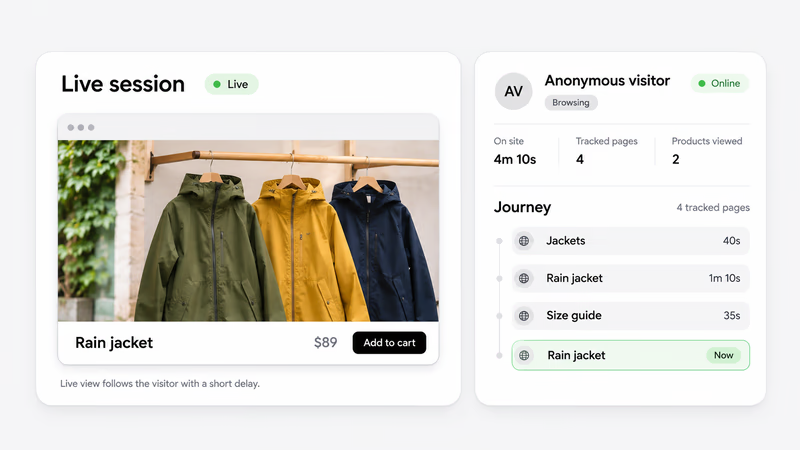
Watch live shows their screen with a short delay, and their journey fills in page by page. It comes with Advanced Visitor & Sales, an add-on you can use on Free or Pro.
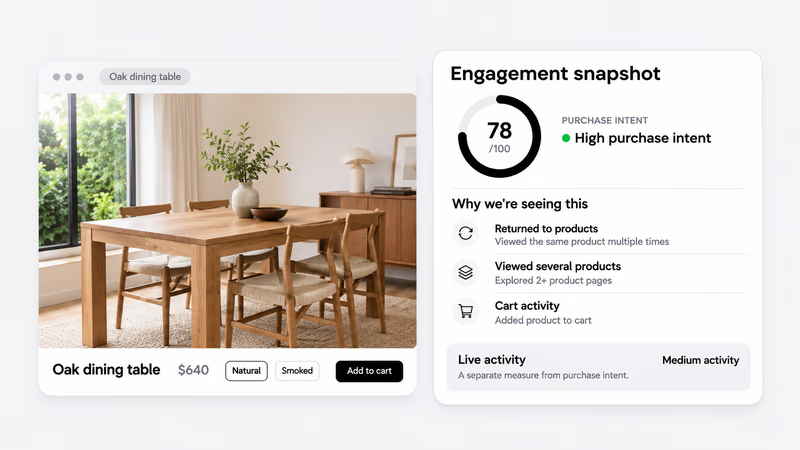
A purchase-intent score rates how close a visitor seems to buying, from 0 to 100. Plain reasons sit beside it, like cart activity. How active they are is measured apart.
A short visitor brief tells you what they came for. Ways to start offers openings for them, sent as the AI or as you. Add a product, or a lead message to get their details.
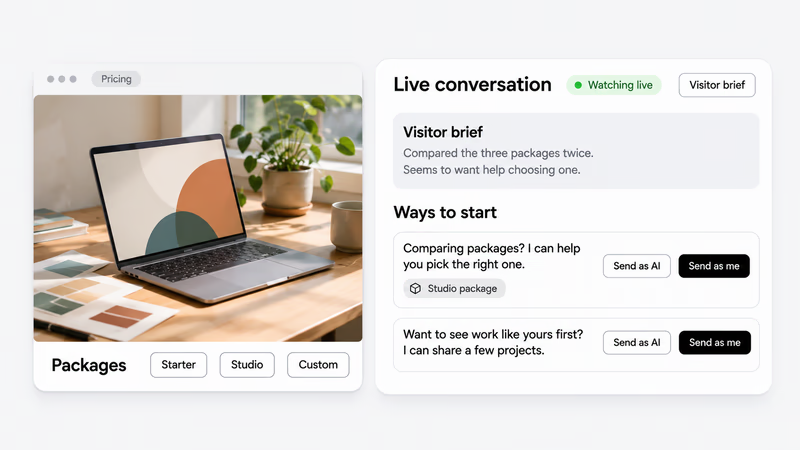
See their screen, path and chat together.
History keeps your past visitors, known or anonymous, and marks the ones who return. Search them, filter by date or by replay, and open one to see their sessions, chats and recordings.
Try it free with AI sessions for your own visitors. No card needed.
One replay, three things to look at.
Start with their screen, then the pages that held them, then what they said.
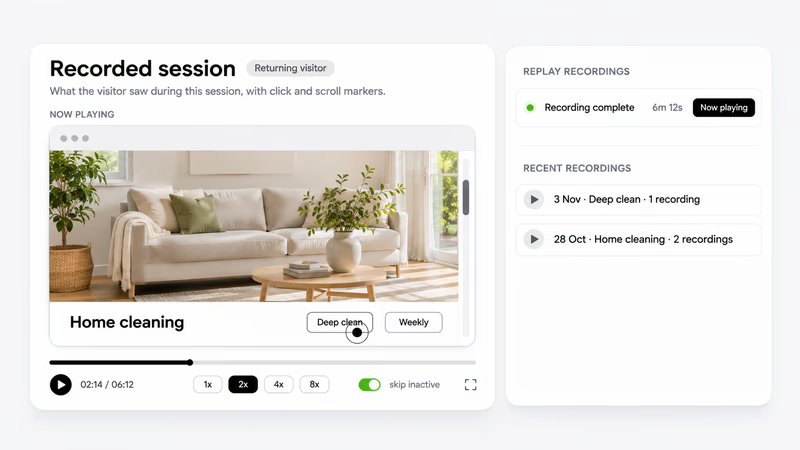
Each session recording plays back with click and scroll markers. Watch at 1x to 8x, skip the idle parts, or open their earlier recordings.
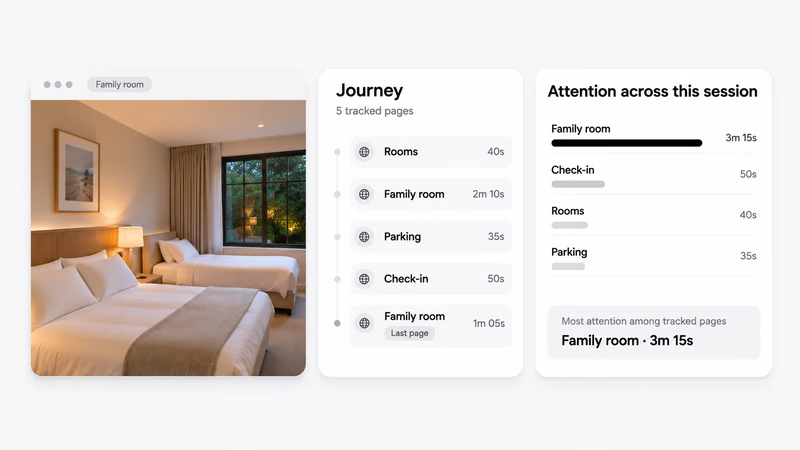
The visitor journey lists each page in order, with the time spent on it. Attention bars show which page held them longest.
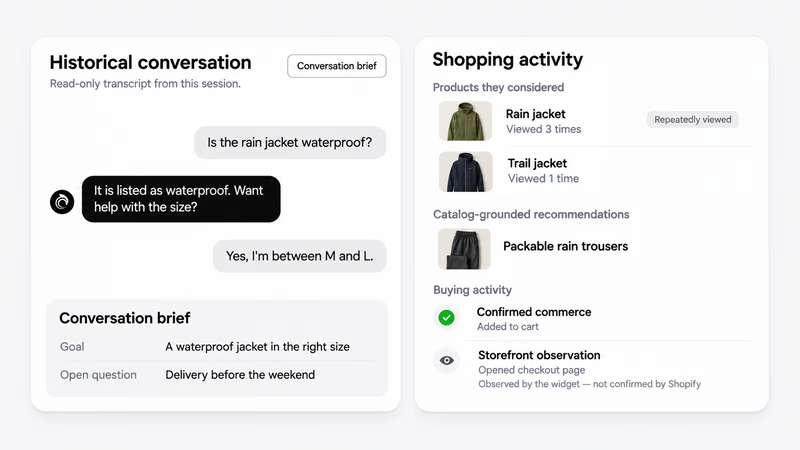
The chat sits beside the replay, with a conversation brief of their goal and open questions. You also see products they considered, ideas from your catalog and, on Shopify, confirmed buying steps.
AskDolphin lets you act on it.
Add a repeat question and its answer once in Data Sources, and Dolphin AI uses it.
Interested visitors get a message written for them, with one-tap reply buttons.
Send a suggested reply, or join as your business and carry on in your Inbox.
You get session replay with live chat from one install.
Private pages stay private.
Recording starts after the visitor accepts cookies.
Checkout, payment, sign-in and account pages are never recorded or shown live.
Passwords and other form fields are masked, so replays don't show what was typed in them.
Recording and the AI Sales Assistant run only on the days you pick, in your timezone.
Pick a share of new visits: 100% on a campaign day, or 50% for every second one.
Your settings decide which ones.
The Advanced Visitor & Sales add-on is sized by AI sessions a month.
A session is a consented visit. It counts only once its recording is complete.
It covers the replay, the brief and score, and the AI Sales Assistant's opening messages.
Visits your settings skip use no session, and still get live chat and Dolphin AI.
Session replay plays back a visitor's time on a website, page by page, with their clicks and scrolls. AskDolphin Session Replay is session replay for websites and Shopify stores, with the journey and the chat beside each recording.
Yes. AskDolphin's website session recording is part of the Advanced Visitor & Sales add-on, and it starts after the visitor accepts cookies. You can replay each recording at 1x to 8x, with click and scroll markers, the journey and the chat.
Yes. AskDolphin Pro shows everyone on your website now, at no extra cost. Each row shows their page, country, browser and device, when they arrived and when they were last seen. This live visitor tracking also shows the AI Sales Assistant's status for each visitor, and you can search the list.
Yes, with the Advanced Visitor & Sales add-on, for the visits your settings pick. Watch live shows the visitor's screen with a short delay, whether they're browsing or chatting, their journey and their purchase-intent score. You can send one of the suggested openings under the AI's name or your own, or join the chat as your business. While they chat, Dolphin suggestions offer replies you approved, products to show and actions. If a visit wasn't picked, a short notice says why and links to your settings.
Recording starts only after the visitor accepts cookies on your website. Checkout, payment, sign-in and account pages are never recorded or shown live. Passwords and other form fields are masked.
Most session replay tools show a visit after the visitor has left. AskDolphin is session replay with live chat: you can watch a visit live, see a purchase-intent score and step in while they browse. On top of that, the AI Sales Assistant can write to interested visitors, with reply buttons made for each one.
The live visitors list is part of Pro, which starts at $19 a month. Session recording and replay come with Advanced Visitor & Sales, an add-on for Free or Pro from $15 a month for 500 AI sessions. The same add-on runs the AI Sales Assistant, so one AI session covers the replay and its messages. To try it, the 14-day Pro trial gives you 20 AI sessions with no card.
Yes. It works as session replay for Shopify stores and for any website, small businesses included. It comes with the AskDolphin chat widget, which you add with our Shopify app, our Framer plugin or a short code snippet. On Shopify stores, you also see cart and checkout steps.
Yes. Choose the days it records, such as weekdays or weekends, in your timezone, and the share of new visits. Use 100% on a campaign day, or 50% to record every second visit. The same settings decide which visits the AI Sales Assistant follows. Skipped visits use no AI session and still get live chat and Dolphin AI.
An AI session is one visit that AskDolphin records with consent, from the first page to the last. It covers the recording, the visitor brief and score, and the AI Sales Assistant's opening messages and reply buttons. A session is used only when its recording completes, and quick bounces and bots don't count. If they chat, the chat counts on your plan the normal way, and nothing is counted twice.
Try it free with AI sessions for your own visitors. No card needed.