
It follows your visitors' behavior
It sees the page they're on, the pages before it, what they click and how long they stay. It also sees where they come from, their device and their browser.
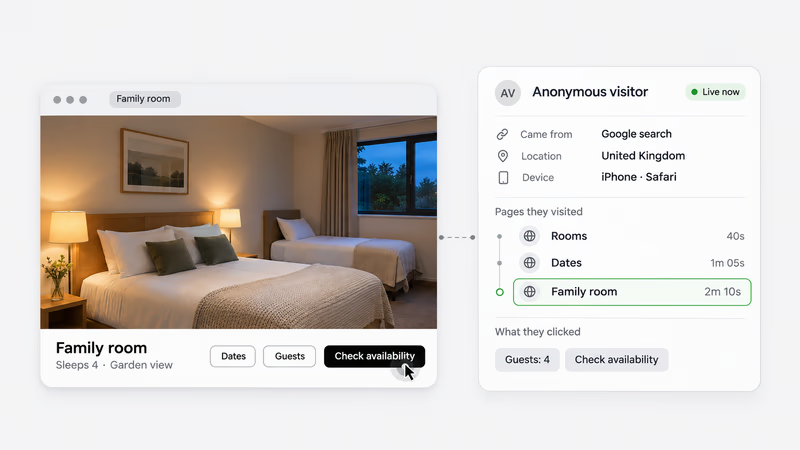
AskDolphin's AI Sales Assistant follows what each visitor does on your website. It writes them a personal message based on their behavior, with reply buttons that turn interest into leads.
Try it free with AI sessions for your own visitors.
No card needed.
Between two sizes? Tell me what you usually wear, and I'll suggest one.
Find my size Delivery times
Choosing between these two? I can explain the difference in one line.
Show me the difference Talk to a person
Many interested visitors never ask.
They switch between two options, then leave.
They reread the same details but never ask.
They want a price, not a long form to fill in.
They visit late, when no one is there to answer.
Then it writes to that one visitor.
It sees the page they're on, the pages before it, what they click and how long they stay. It also sees where they come from, their device and their browser.
Are they comparing options, checking a price, asking about delivery or ready to buy? A purchase-intent score from 0 to 100 shows how ready they look.
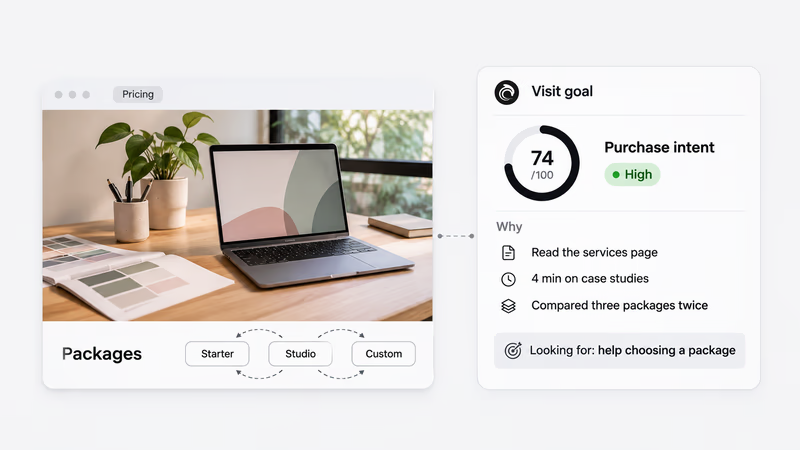
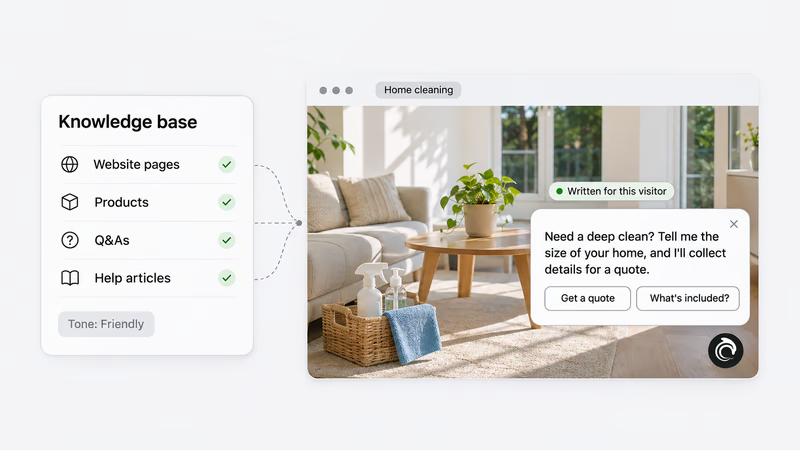
It writes for that one visitor, in your tone. It draws on your knowledge base: your website pages, products, Q&As and help articles. Then it adds reply buttons made for them.
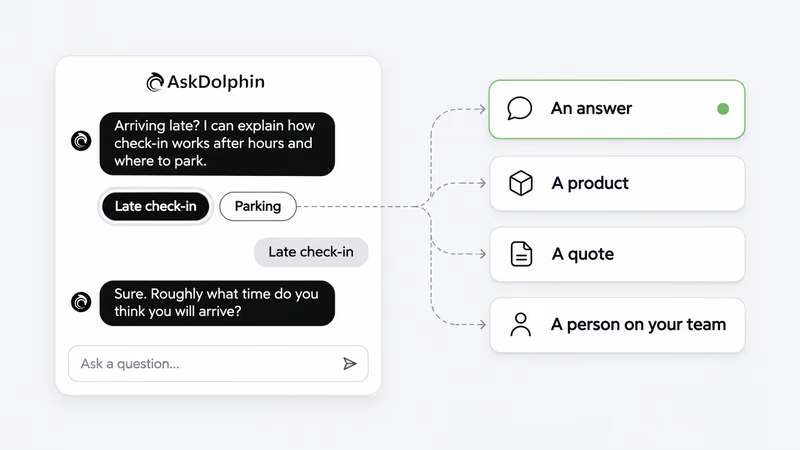
Each button leads to that visitor's next step: an answer, a product, a quote or a person on your team.
Here's how that looks in three businesses.
Try it free with AI sessions for your own visitors. No card needed.
Bookings: one guest plans a family stay, the other is arriving late.
Planning a family stay? Tell me how many of you are coming, and I'll suggest a room.
Rooms for four people Is breakfast included?
Arriving late? I can explain how check-in works after hours and where to park.
Late check-in Parking
Quotes: one visitor needs help choosing, the other has a bigger project.
Not sure which package fits? Tell me about your project, and I'll point you to one.
Help me choose Get a quote
Planning a bigger project? I can arrange a callback with the team.
Arrange a callback See more work
Local services: one visitor needs a one-off deep clean, the other a weekly clean.
Need a deep clean? Tell me the size of your home, and I'll collect details for a quote.
Get a quote What's included?
Thinking about a regular clean? I can explain how weekly visits work.
How weekly visits work Talk to a person
Each button is made for that visitor.
Dolphin AI by AskDolphin answers from your pages, products and Q&As. It shows the product or service that fits what they need.
It collects contact details for your team to follow up. It can also arrange a callback or gather details for a quote.
It can add to the cart, change the cart and help at checkout. Payment always happens on your own checkout.
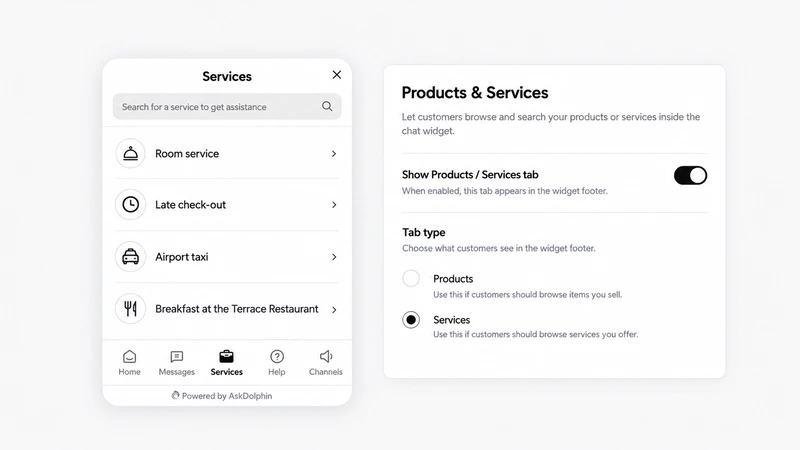
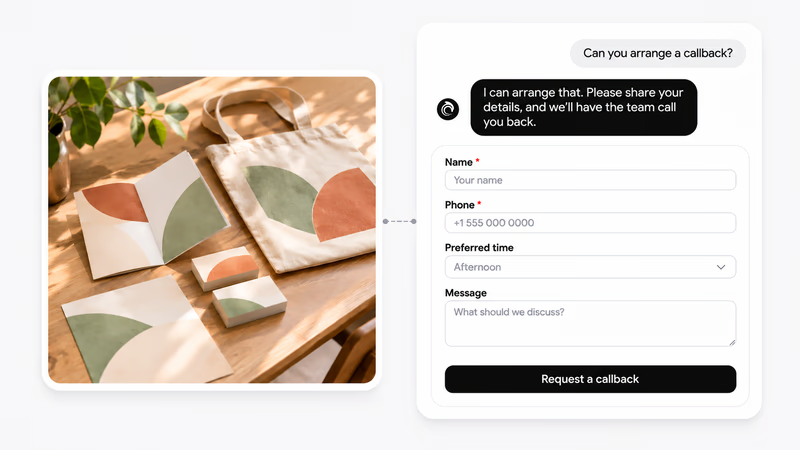
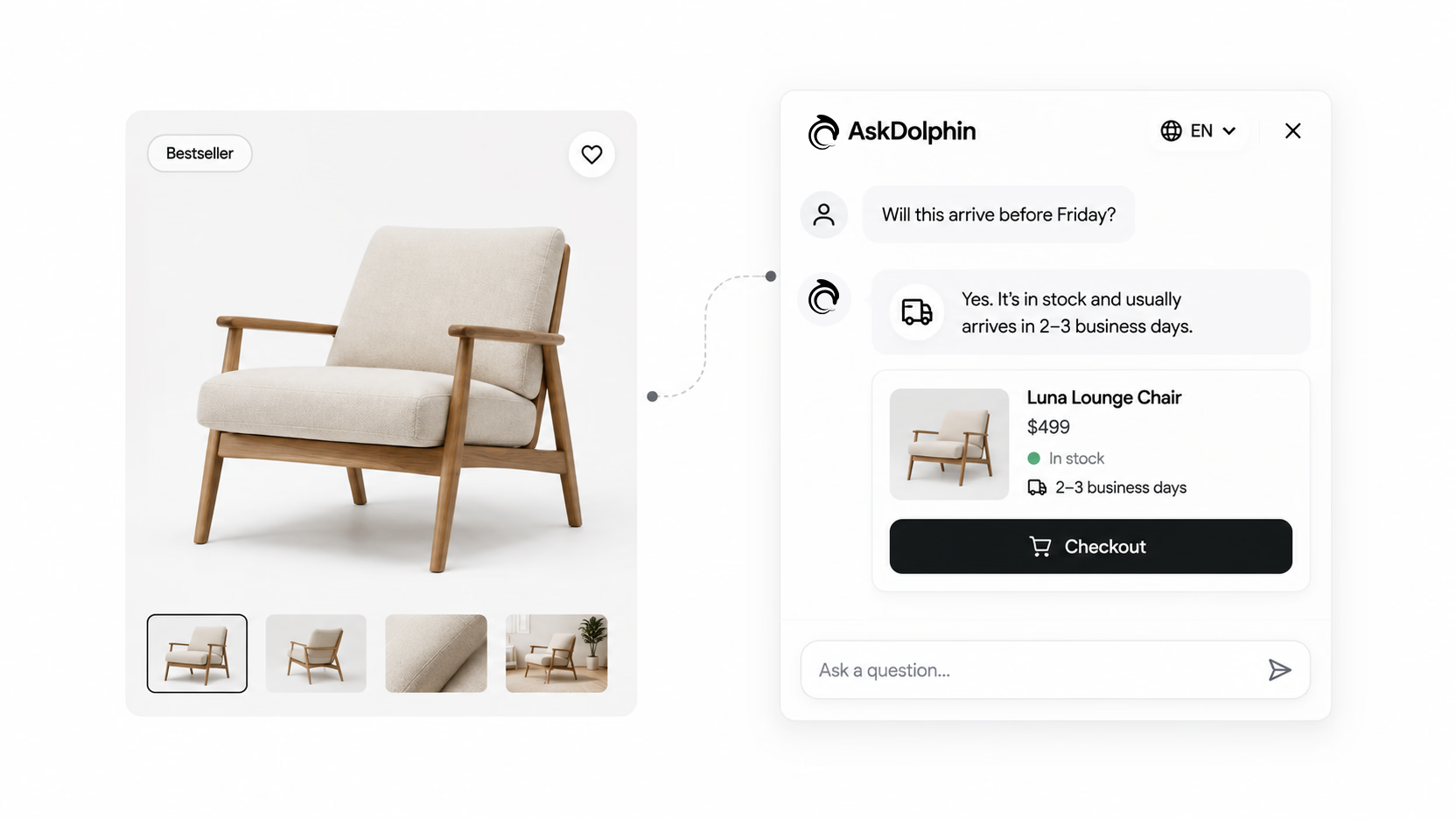
Stores, stays, studios and services.
Help shoppers choose, and on Shopify with Pro, add to the cart and help at checkout.
Answer room and arrival questions, and send guests to the right booking page.
Turn a portfolio visit into a lead, a callback or a quote request.
Point visitors to the right service and collect what you need for a quote.
Install it with the Shopify app, the Framer plugin or one short code snippet.
You decide when it speaks.
The shopper
Your team
The AI never approves a request by itself.
Assistive waits to be asked. Proactive may write first when a visit shows real interest.
Choose what share of visits it follows, and on which days, to control what you spend.
Your team can join any chat. Order changes wait in Action Review until a person approves.
Pick a tone or describe your own, and switch each action on or off.
And can step in at any time.
And choose which visits use them.
You pick a monthly pack of AI sessions. Each one is a visit recorded with consent.
It covers the visit's opening messages and reply buttons, at no extra cost.
Once a visitor chats, your plan works as usual. Nothing is counted twice.
Try it free with AI sessions and see real visitors become leads on your website.
AskDolphin's AI Sales Assistant reads each visitor's behavior on your website as it happens, works out what they're looking for, and writes them a personal message with reply buttons that start the right conversation. It works for online stores, hotels, freelancers, agencies and service businesses.
A typical chatbot waits for a question, or shows the same greeting to everyone on a page. AskDolphin's AI Sales Assistant writes a different message for each visitor, from what that visitor is doing. Two visitors on the same page get two different messages, each with its own reply buttons.
It looks at the page a visitor is on, the pages before it and their order, what they click and how long they stay. It also uses their device, their country and, on Shopify, their cart. Each visit gets a purchase-intent score from 0 to 100, with the reasons in plain words. Then it writes from your own products, services and answers, in your tone.
It's built not to. You choose whether it waits to be asked or writes first, its tone, and which visits it follows. It opens with one short, helpful message, and visitors can ignore it or ask for a person. By default, the chat shows visitors when the AI is answering.
AskDolphin records a visit only after the visitor accepts cookies. Checkout, payment, sign-in and account pages are never recorded, and form fields are masked. You choose how long recordings are kept. Personal opening messages work on visits recorded with consent.
Helping visitors who write first is included on Free and Pro. Personal opening messages are part of Advanced Visitor & Sales, an add-on for Pro that starts at $15 a month for 500 AI sessions. Pro starts at $19 a month. You can try it with 20 AI sessions in the 14-day Pro trial, and no card is needed.
Its opening messages and reply buttons cost nothing extra. One AI session is one visit we record with the visitor's consent, from the first page until they leave. That session covers them for the whole visit. Once a visitor starts chatting, your plan works as usual. If your team joins, it counts as one conversation. If only Dolphin AI answers, it uses Dolphin AI characters, since Dolphin AI is charged by what it writes. Nothing is counted twice.
Yes. On any website it can recommend products or services, take visitors to the right page, collect leads and hand over to your team. Callbacks and quote requests are part of Pro, and cart and checkout actions need a connected Shopify store. You install it with the Shopify app, the Framer plugin or one short code snippet.
Any business that gets website visitors and wants leads, bookings or sales. That includes online stores, hotels and stays, freelancers and agencies, and service businesses. List your services, and visitors can ask about them, get a recommendation and request a quote.
Yes. Anyone on your team can join a conversation at any time. Your team can watch a visit as it happens and read a short visitor brief. They can send a suggested opening as the AI or as themselves. Requests that change an order, such as a cancellation or a delivery change, wait in Action Review until a person approves them.
Try it free with AI sessions for your own visitors. No card needed.