


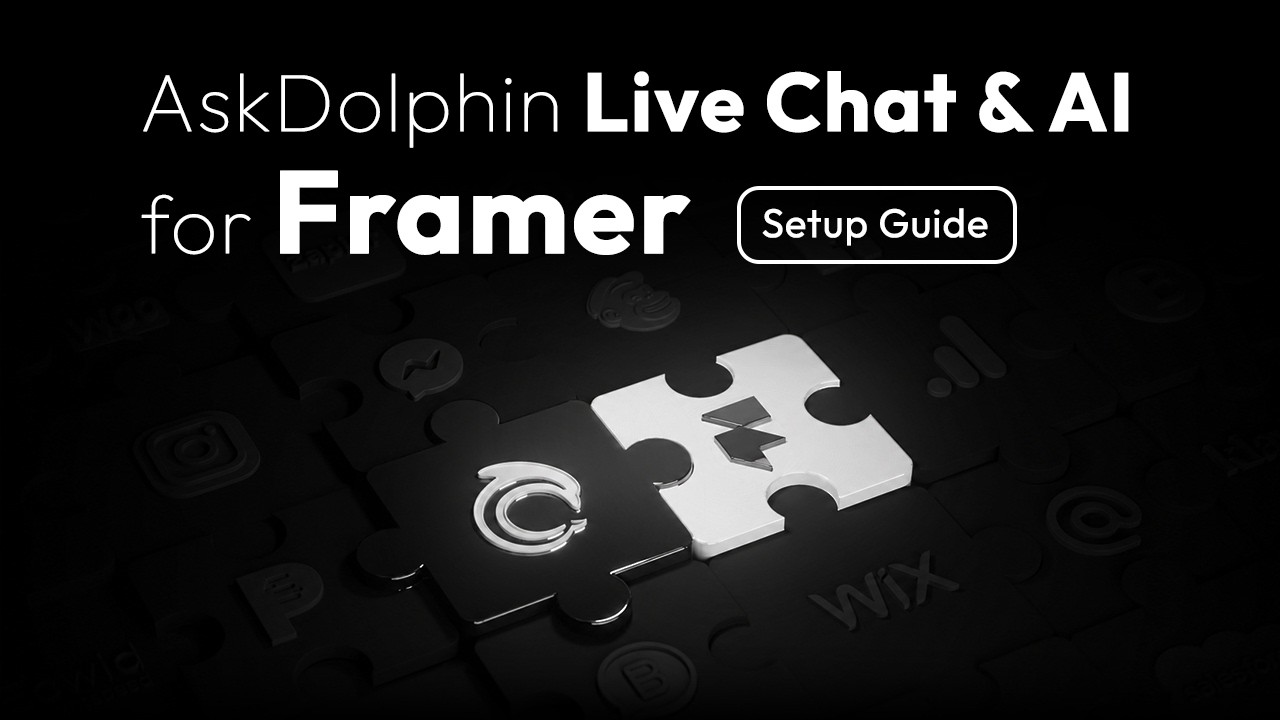
Help articles
Visitors can read your answers in the chat's Help tab, without writing to you.
AskDolphin is a free live chat plugin for Framer, with no code needed. Dolphin AI by AskDolphin can answer visitors, show your products or services and capture leads.
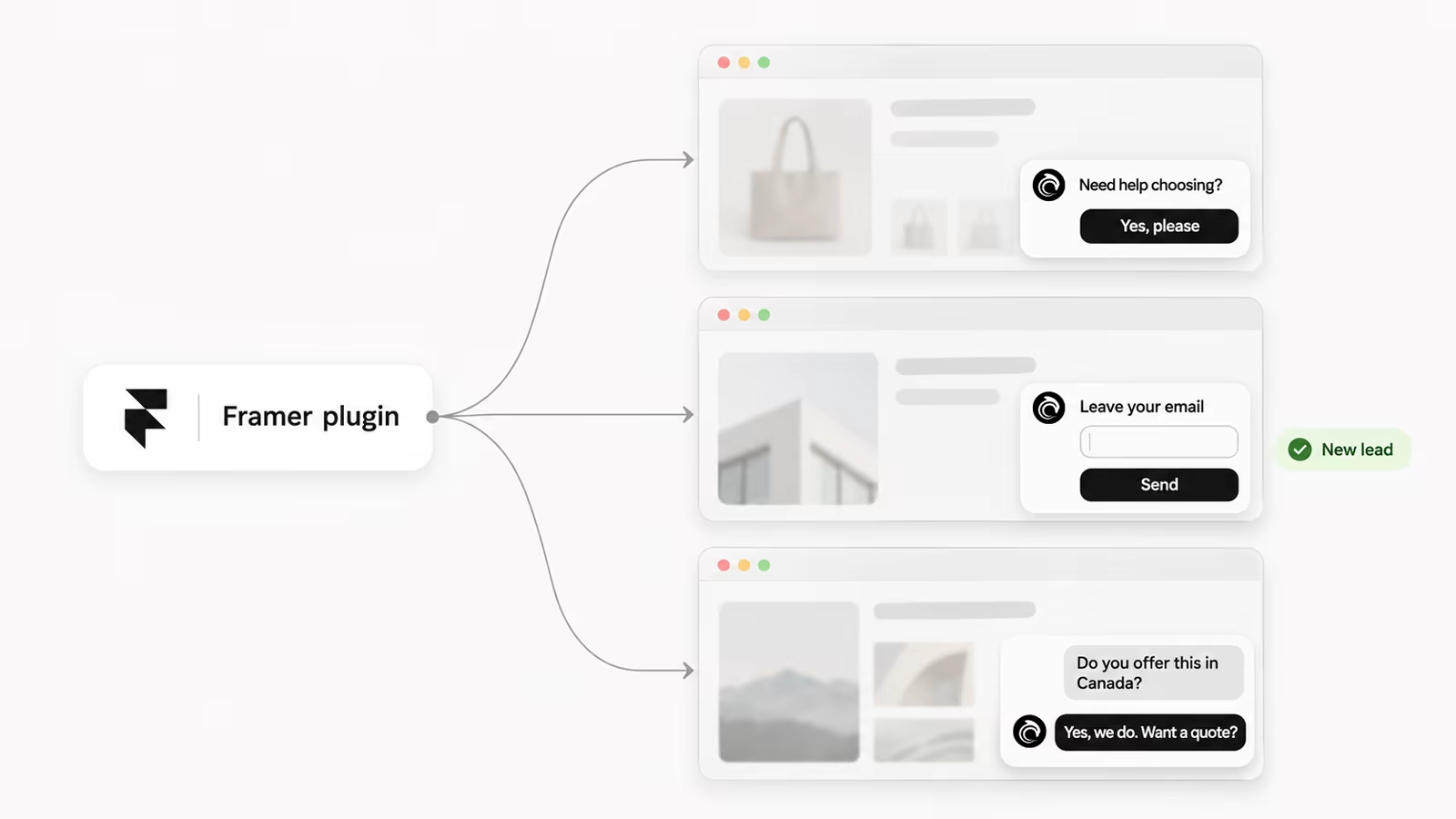
The whole setup is copy, paste and publish.
In AskDolphin, open Settings, then Channels, then Live Chat widget, and choose Connect to Framer.
Copy your Identify Code from AskDolphin. Paste it into the plugin and click Install Widget.
Publish your Framer site. The chat button now shows on your live site.
Your Framer site has its own look, and the chat should fit it. Set your colors, chat button and light or dark theme, then greet visitors in their own language.
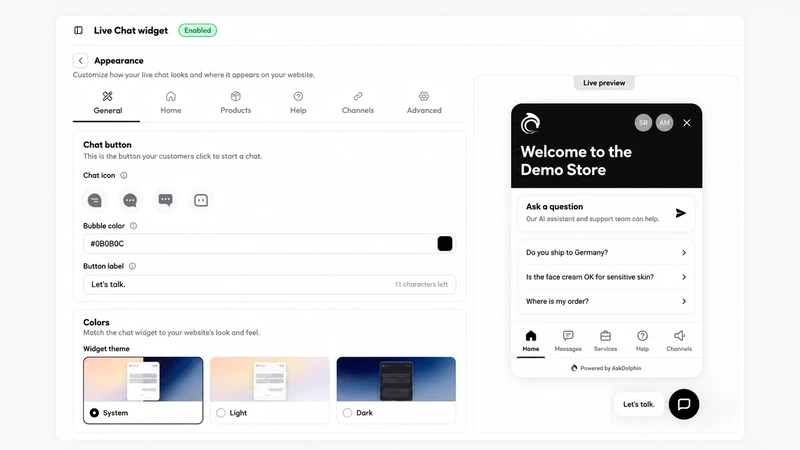
Choose your colors, the chat icon and where the button sits on every page of your site.
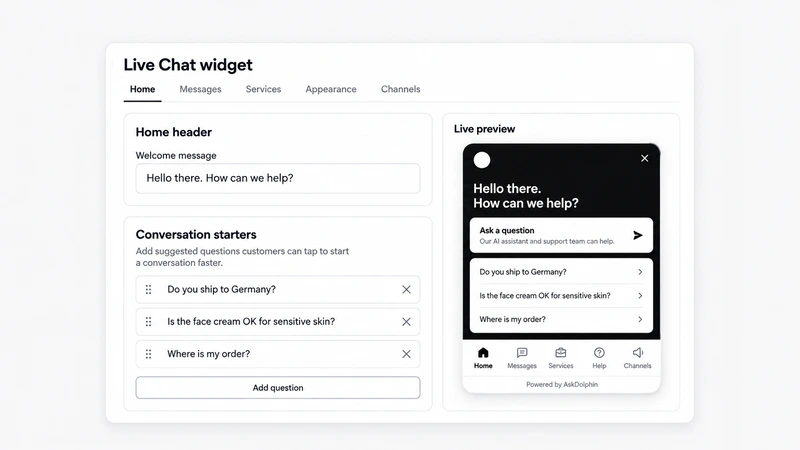
Show a welcome message, your logo and your team's photos to greet every visitor.
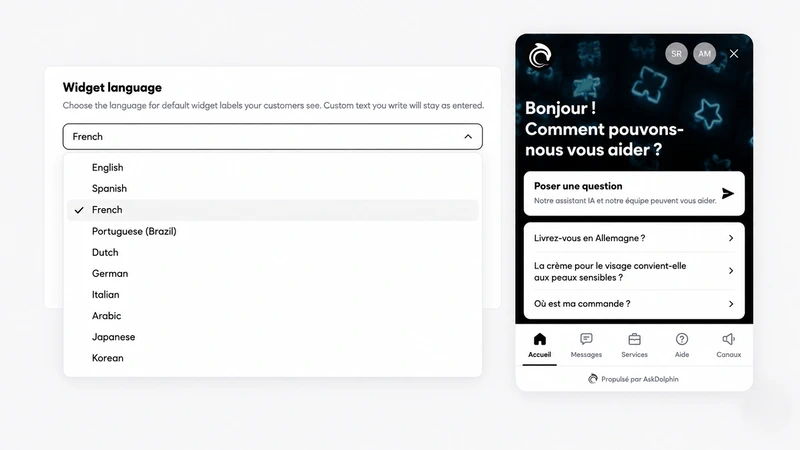
Show the chat's own labels in multiple languages, so visitors read it in theirs.
A chat window can do more than wait for a message. It can show your answers, your products and your other channels in one place.
Visitors can read your answers in the chat's Help tab, without writing to you.
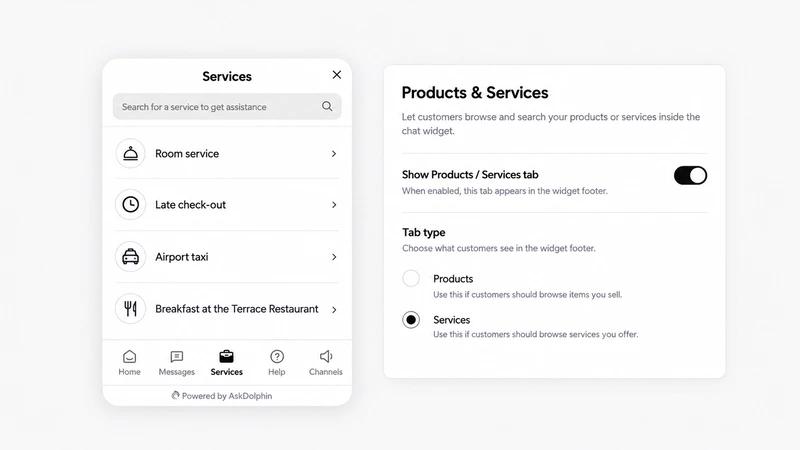
Show your catalog in the chat, with pictures and prices if you want them.
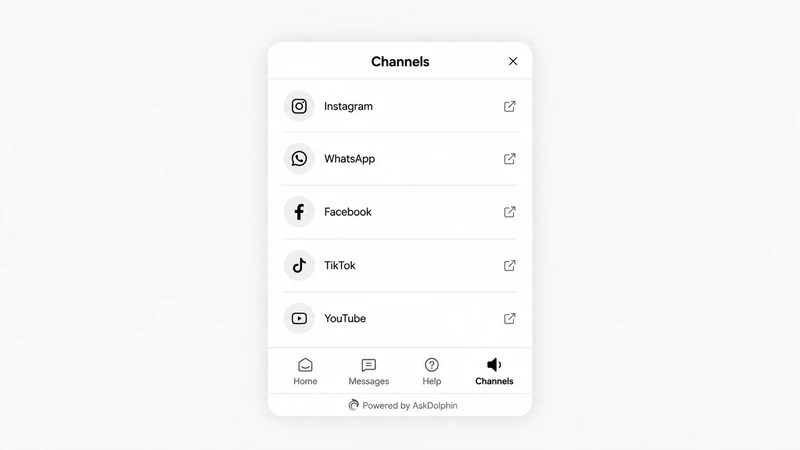
Add links to your Instagram, WhatsApp, TikTok and more in a Channels tab.
Dolphin AI by AskDolphin answers visitors from the information you give it, such as your website pages, your products and your help articles. You decide when it replies: always, or only when your team is offline. When a person should step in, your team can join the chat.
Chats from your Framer site land in the same inbox as your emails and Smart QR code chats. Your team can assign a chat, add a note and solve it, all in one place.
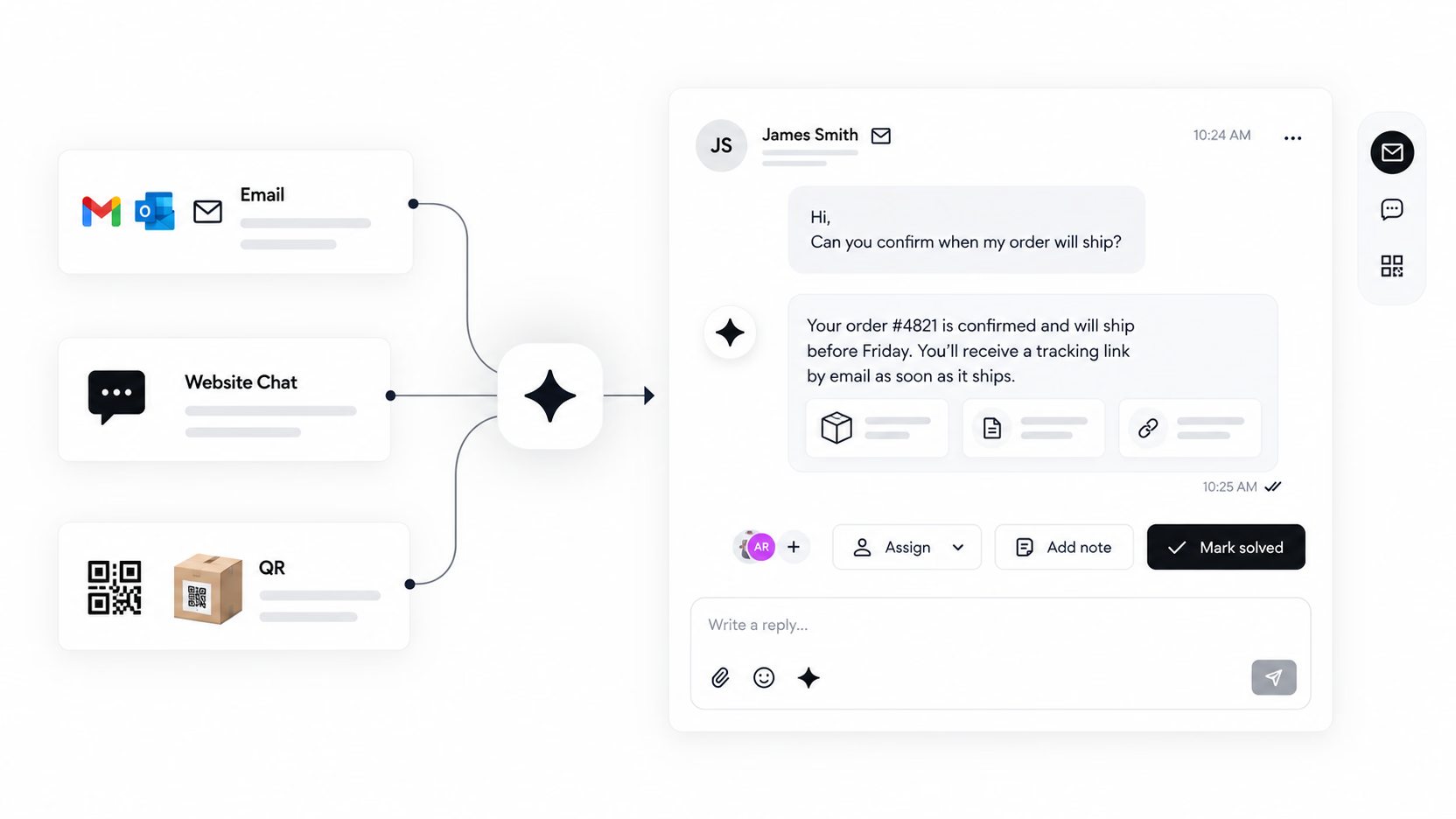
You pay for what Dolphin AI writes, not for each chat it solves, and you set your own monthly limit.
You pay for conversations, not for people. Every plan already includes team members.
A conversation counts only when someone on your team joins it. Chats that only Dolphin AI answers, spam and messages nobody answers are not counted.
Yes. AskDolphin's Framer plugin is free to install and works on every Framer plan, including Framer's free plan. AskDolphin's Free plan includes live chat for 50 conversations a month and 5,000 Dolphin AI characters to try.
Install the AskDolphin plugin from the Framer Marketplace, paste your Identify Code, click Install Widget and publish your site.
No. The plugin does the setup, and you only copy and paste one code.
Yes. Dolphin AI by AskDolphin answers from the information you give it and lets your team join the chat when needed. You can try it free with 5,000 characters, and after that it costs $0.50 per 1,000 characters, with a monthly limit you set.
Publish your Framer project. The chat appears on your live site only after you publish.
To hide it, turn off "Enable Live Chat widget" in AskDolphin. To remove it, open the plugin in Framer, click Remove Widget and publish again.
Install the plugin, paste one code and publish. No card is needed.
14 days, every feature.