





AskDolphin for WordPress: AI chatbot and live chat plugin
AskDolphin's free AI chatbot plugin for WordPress adds live chat to your site, and its Dolphin AI answers visitors from your own pages and posts.
AskDolphin's WooCommerce AI chatbot answers product questions, adds items to the cart and sends shoppers to your checkout, right inside the chat.
AskDolphin's WooCommerce AI chatbot answers product questions, adds items to the cart and sends shoppers to your checkout, right inside the chat. It comes with AskDolphin's free WordPress plugin: connect WooCommerce, approve read-only access, and AskDolphin answers from your live catalog. See how Dolphin AI by AskDolphin answers from your products.
A shopper who asks "Do you have this in medium?" is ready to buy. The best answer is the product itself, with a way to buy it, in the same chat. Dolphin AI by AskDolphin answers about prices, sizes, colors and stock with product cards, puts the item in the cart and opens your checkout, so the sale happens where the question was asked.
The WooCommerce setup guide walks through each step.
Yes. With AskDolphin connected to WooCommerce, Dolphin AI by AskDolphin can add products to the cart, change quantities or remove items, and it never adds sold-out options. Shoppers pay in your WooCommerce checkout.
Yes. AskDolphin's WordPress plugin is free, and selling WooCommerce products in chat is included on AskDolphin's Free plan, with 5,000 Dolphin AI characters to start. Pro adds a monthly AI amount.
No. AskDolphin gets read-only access, so it can see your products but can't change your store. Payment stays in your WooCommerce checkout.
AskDolphin's free AI chatbot plugin for WordPress adds live chat to your site, and its Dolphin AI answers visitors from your own pages and posts.
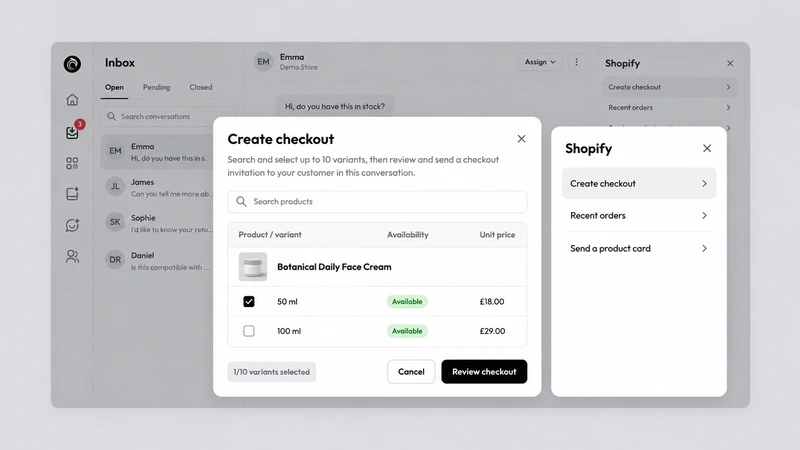
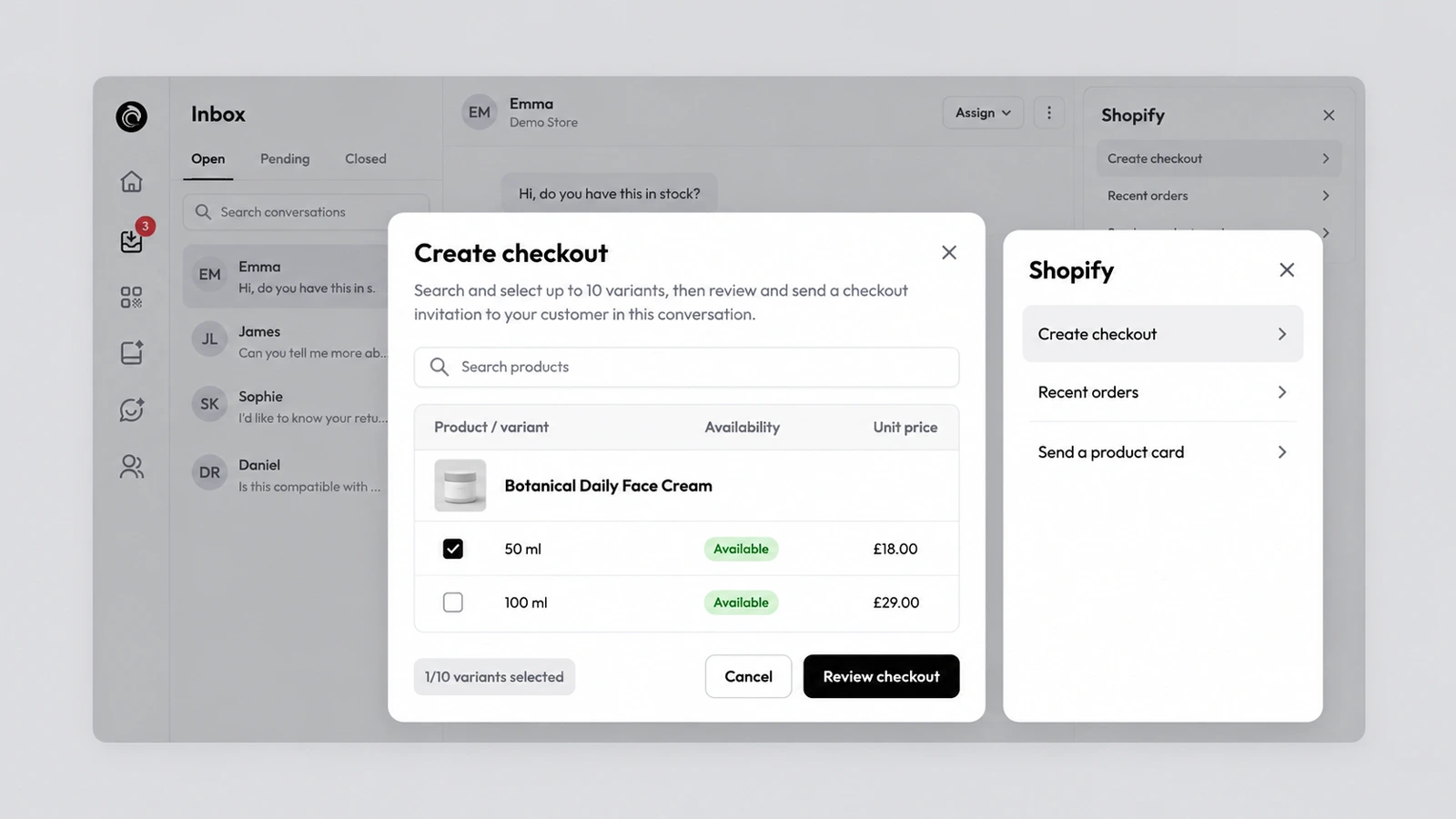
AskDolphin connects to your Shopify store so Dolphin AI can add or remove cart items and send a checkout link inside the chat.
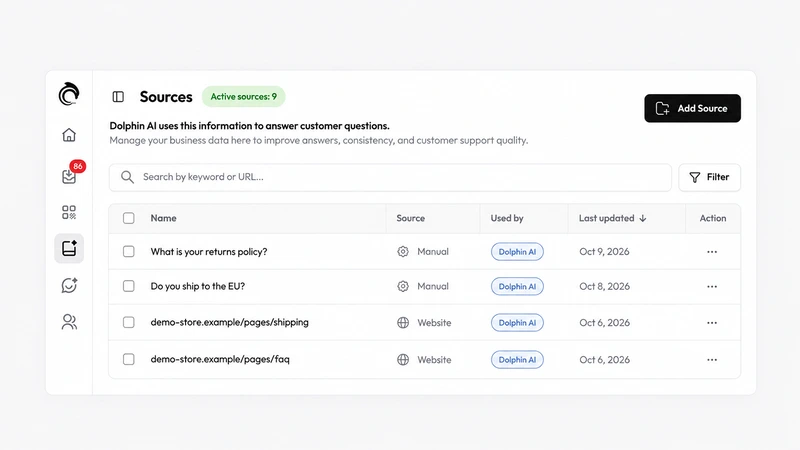
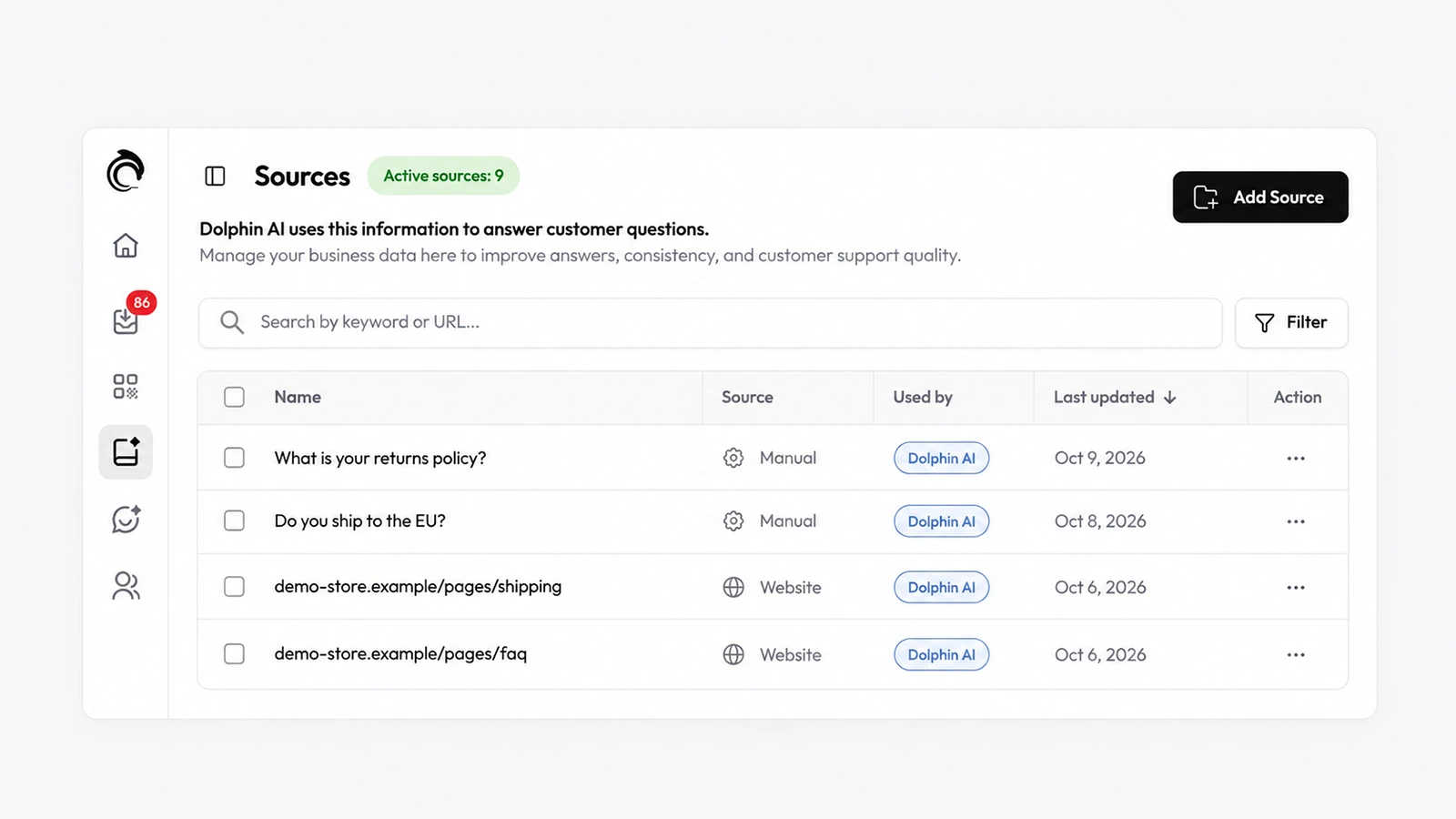
Dolphin AI, the assistant inside AskDolphin, now answers customers from the Data Sources you approve.
Install it in a minute. It starts working on your next visitor.
14 days, every feature.