


If you cannot log in to AskDolphin, click Forgot password? on the login page and we will email you a link to reset your password. If you have forgotten which email address your account uses, or you see a trial-ended message, the steps below explain what to do.
In this article, you’ll learn:
How to reset your forgotten password
Steps to recover your AskDolphin account email
What to do when you encounter the Trial Expired message
Resetting a Forgotten Password
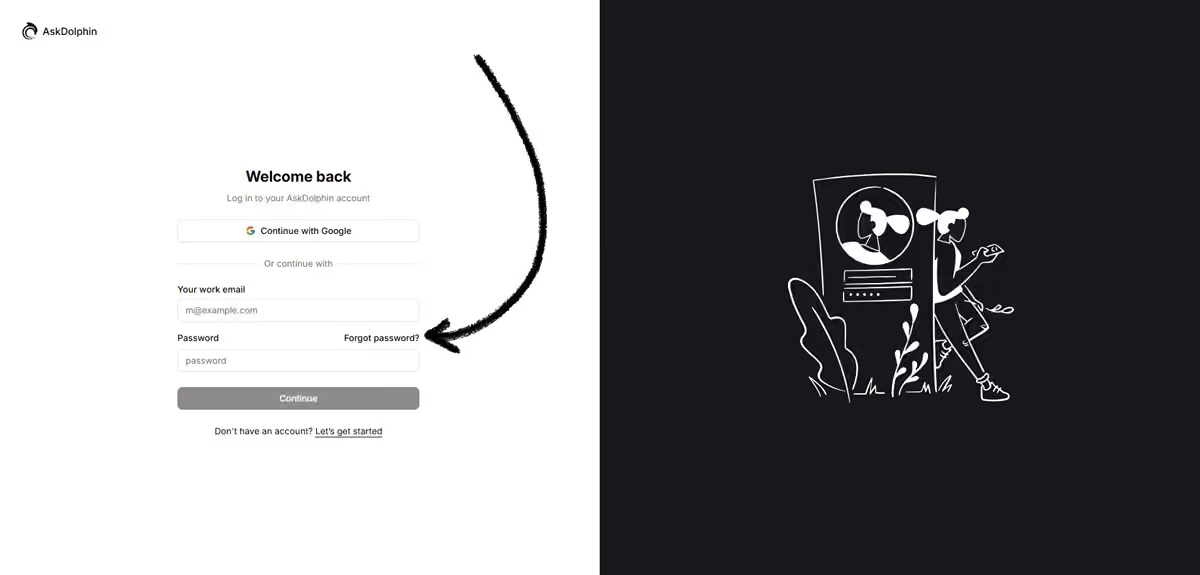
If you've forgotten your password for the AskDolphin admin panel, don't worry! You can easily reset it. Simply click on the Forgot password? link on the login page to access the password recovery option. Enter your registered email address, and we’ll send you a link to reset your password.
If you don't see the password reset email in your inbox, be sure to check your spam or junk folder. If the email still isn’t there, contact our support team through the chat on our www.askdolphin.com website or email us at support@askdolphin.com.
When reaching out, please provide the email address associated with your AskDolphin account. We’ll verify it in our database and, if valid, manually send you the reset link to regain access to your account.
Recovering Your Login Email Address
If you’ve forgotten your login email address as the Owner of your AskDolphin account, reach out to us via email or chat for assistance. After verifying your identity as the Project Owner, we’ll help you recover your account.
Contact us at support@askdolphin.com for direct support.
For Operators: If you’re not the account Owner, you’ll need to ask the Owner to create a new email address for you and add you as a new Operator. Unfortunately, Operators cannot create or modify their login email independently.
Accessing Your Panel After Trial Ends
If you’re unable to log in to your AskDolphin admin panel because you see the trial-ended message, your 14-day trial has finished and you need to choose a plan to continue.
Choose the plan that suits your business to get back into your AskDolphin panel. You can change your plan later by clicking the Upgrade button in the upper-right corner of your AskDolphin panel.