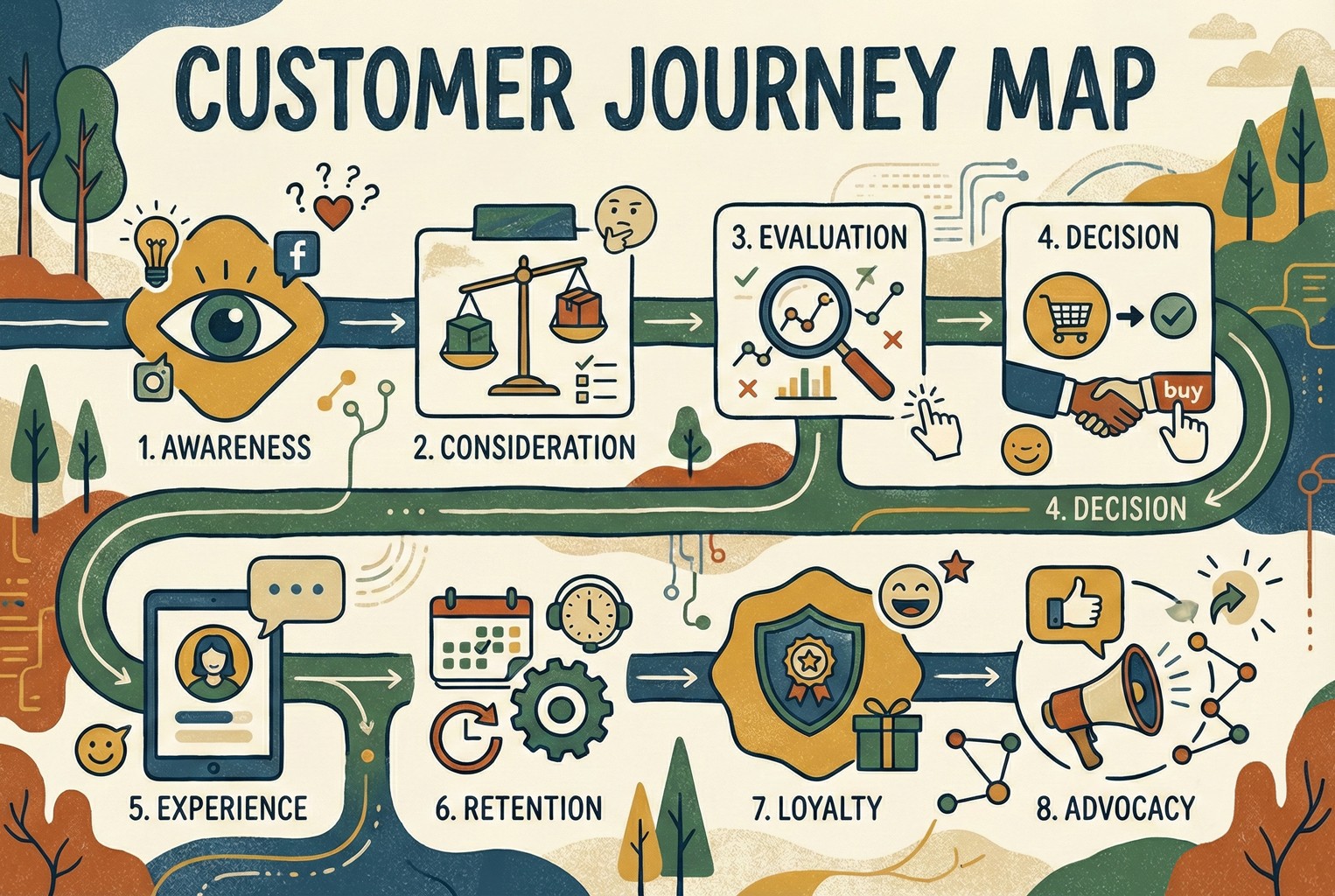
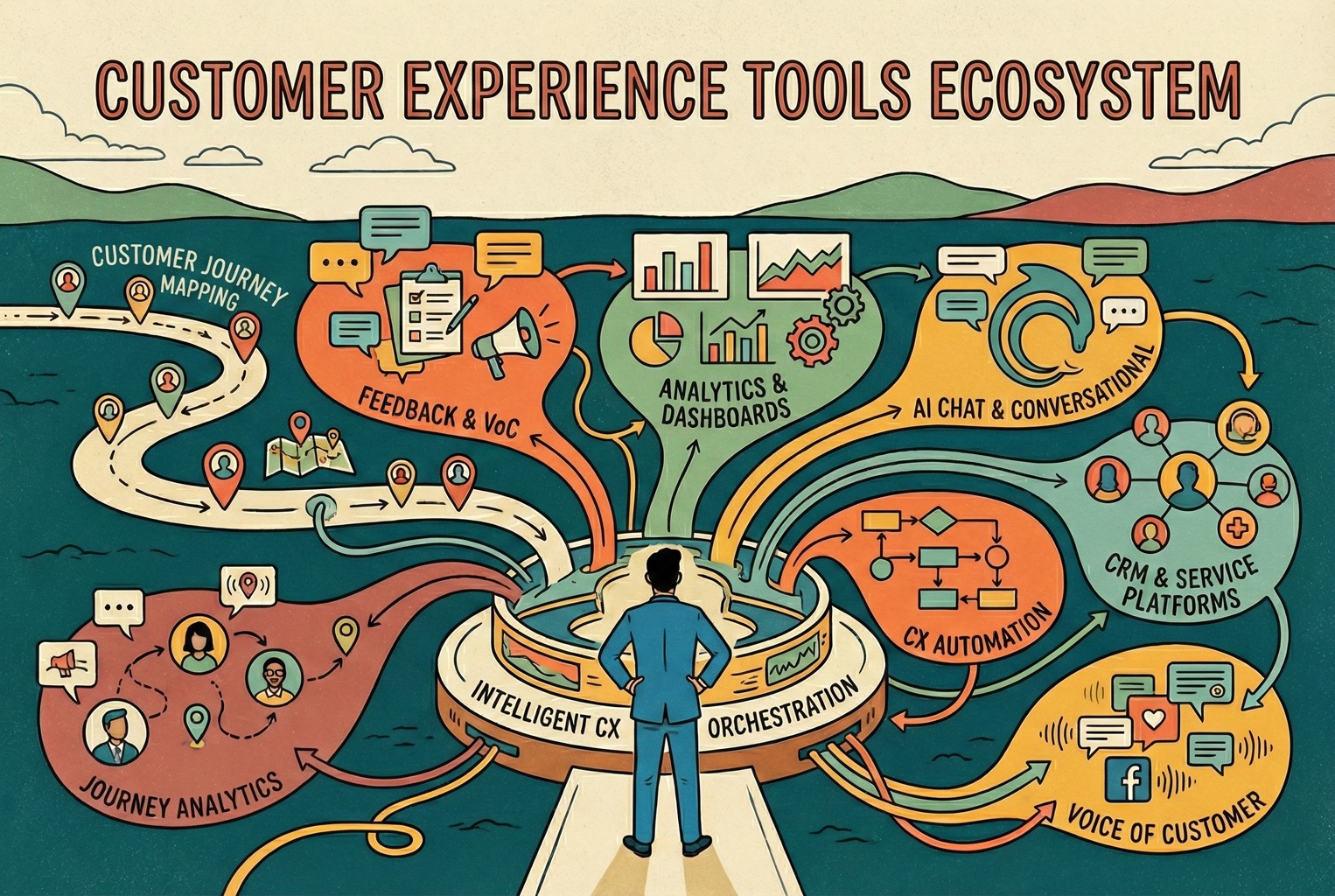
A Customer Journey Map is a visual framework that shows how people experience your brand across every touchpoint, from first discovery to ongoing advocacy.
It captures what customers think, feel, and do at each stage of interaction, helping you understand not just what happens but why.
By mapping the customer experience through key touchpoints, businesses can identify moments that inspire trust, create friction, or influence decision-making.
This holistic view connects digital and physical interactions into one continuous journey — a powerful tool for improving engagement, reducing churn, and building stronger relationships.
Why Customer Journey Mapping Matters
Customer Journey Mapping turns intuition into intelligence. It helps you:
See through the customer’s eyes: Understand needs and emotional triggers at every step.
Unite your teams: Marketing, product and support work from one shared truth, the customer’s story.
Spot friction before it hurts loyalty: Identify weak points that erode satisfaction and retention.
Turn empathy into action: Every emotion becomes a measurable moment that guides design and service.
Evolve your experience continuously: A map isn’t static, it flows with customer behaviour and expectations.
Inside the Customer Journey Map: Core Elements of CX Flow
A journey map is not just a diagram, it’s a framework for understanding how each interaction shapes emotion and decision.
Journey Stages: Define the key phases from Awareness to Advocacy.
Touchpoints: List the moments where customers meet your brand (digital, human, physical).
Relevant Teams: Assign ownership so marketing, sales and CX collaborate on each stage.
Pain Points & Opportunities: Identify barriers and moments to delight.
Customer Expectations: Document what customers believe should happen.
Customer Goals: Clarify what they want to achieve at that moment.
Actions & Behaviours: Record what customers actually do (search, read, buy).
Feelings & Emotions: Track emotional highs and lows that define memory.
Solutions: Turn insight into improvement through clear business responses.
AskDolphin Insight: A map that connects expectations, emotions and solutions is no longer a diagram, it’s a decision-making tool.
Mapping the Experience: Steps for Creating a Customer Journey Map
1. Set Clear Objectives and Define Purpose
Start with a defined goal: reduce churn, improve onboarding, increase conversion or raise NPS.
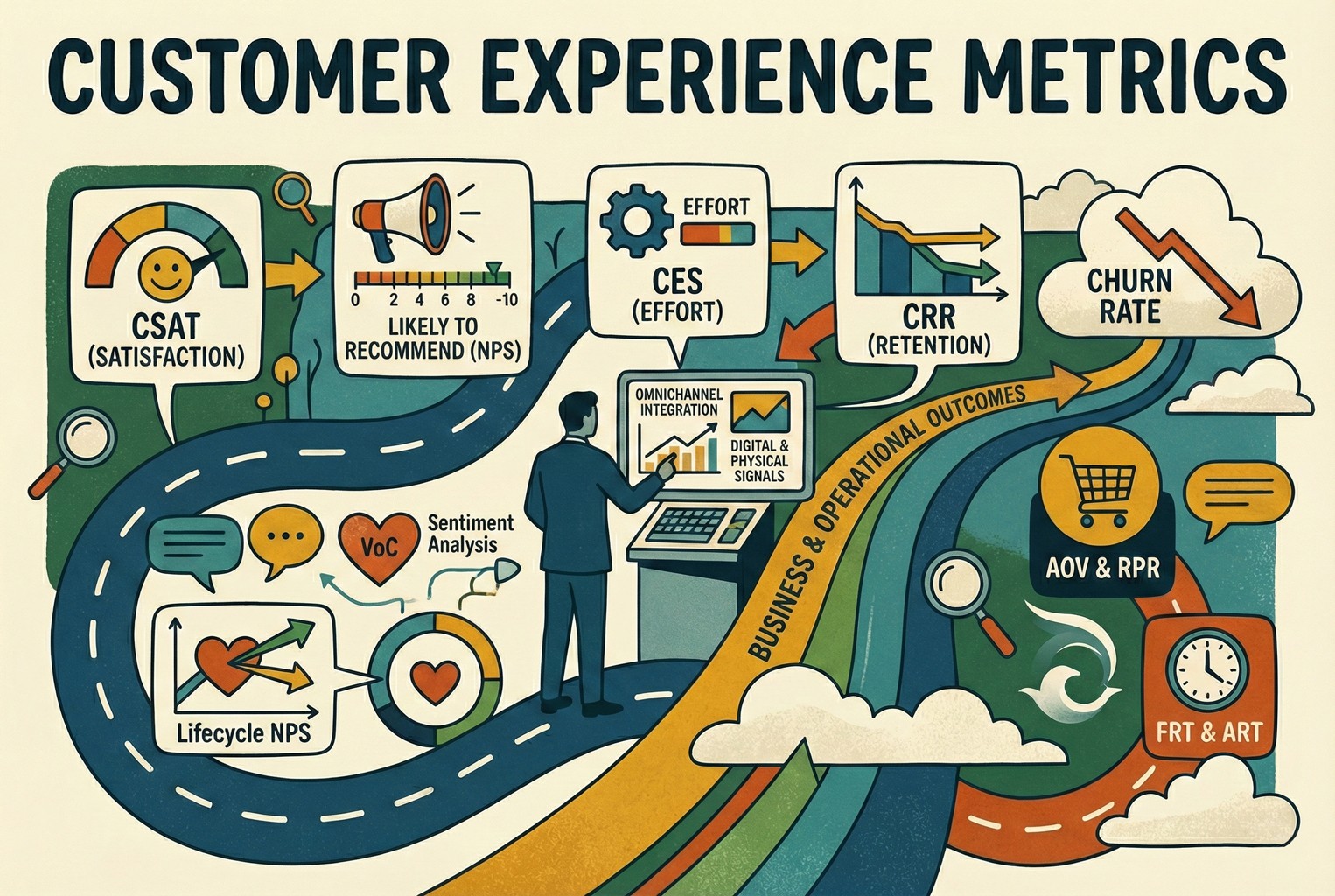
Clear objectives ensure your map ties customer insight to business outcomes and selects relevant metrics such as CSAT or retention rate.
2. Choose a Journey Mapping Framework That Fits
Select a structure that mirrors how your customers really move through discovery, purchase and loyalty.
The AskDolphin 8-Stage CX Flow System offers a consistent framework linking emotion, behaviour and action.
3. Create Customer Personas and Identify Goals
Build data-driven personas using research, analytics and feedback.
Define their goals at each stage so you can design experiences around real motives and expectations.
4. Map Key Touchpoints and Customer Interactions
List every touchpoint — ads, emails, store visits, chat sessions — and record the actions and emotions they trigger.
Highlight pain points and peak moments to see where experience flows or fails.
5. Align Teams, Data and Technology
Bring marketing, product and support together.
Audit your CRM, analytics and feedback tools to create a single customer view and close data gaps.
6. Walk the Customer Journey Yourself
Experience your own process from search to support.
An empathy walk reveals friction no report can capture: slow pages, confusing copy or missed moments of reassurance.
7. Analyse and Interpret the Data
Combine quantitative and qualitative insights: behavioural data, surveys, interviews.
Look for patterns between emotion and outcome to prioritise CX improvements.
8. Update and Optimise Continuously
Customer expectations change fast.
Review the map at least twice a year to track new touchpoints, technology and needs.
AskDolphin Insight:
Journey mapping is a continuous loop: observe, adapt, and improve to keep your brand in flow.
The Eight Stages of the AskDolphin Customer Journey
The AskDolphin CX Flow System moves through eight stages, from first awareness to lasting advocacy.
Each stage reflects a balance of human feeling and business focus: the touchpoints that shape emotion, the goals that guide behaviour, and the solutions that sustain connection.
1. Awareness
Journey Stage: The first spark of discovery.
Touchpoints: Ads, social media, search results, blog content.
Relevant Teams: Marketing.
Pain Points & Opportunities: Low visibility or mixed messaging can dull curiosity; distinctive storytelling can turn recognition into intrigue.
Customer Expectations: Discover meaningful, relevant brands that feel authentic.
Customer Goals: Identify needs or interests worth exploring.
Actions & Behaviours: Scrolls, searches, reads.
Feelings & Emotions: Curious, lightly engaged, open to influence.
Solutions: Strengthen omnichannel presence and maintain consistent, authentic brand voice.
2. Consideration
Journey Stage: The customer compares and researches.
Touchpoints: Website, reviews, social proof, educational content.
Relevant Teams: Marketing & Sales.
Pain Points & Opportunities: Confusing value messages can breed doubt; transparent comparisons and real testimonials build confidence.
Customer Expectations: Honest, clear, easy-to-understand information.
Customer Goals: Evaluate whether your offer fits their needs.
Actions & Behaviours: Researching, reading, watching, asking.
Feelings & Emotions: Interested but cautious.
Solutions: Provide straightforward value propositions, clear pricing, and credible social proof.
3. Evaluation
Journey Stage: Testing trust and suitability.
Touchpoints: Demos, free trials, live chat, consultations.
Relevant Teams: Sales & CX.
Pain Points & Opportunities: Generic responses reduce faith, personalised guidance and tangible results reassure.
Customer Expectations: To see genuine proof and responsive communication.
Customer Goals: Validate their decision before purchase.
Actions & Behaviours: Testing, comparing, questioning.
Feelings & Emotions: Hopeful yet uncertain.
Solutions: Offer tailored demos, data-backed stories, and human reassurance.
4. Decision (Purchase)
Journey Stage: Commitment moment.
Touchpoints: Checkout, in-store, confirmation emails, payment gateways.
Relevant Teams: E-commerce & Operations.
Pain Points & Opportunities: Hidden costs or friction cause hesitation; smooth, transparent processes create relief and momentum.
Customer Expectations: Seamless, safe, and trustworthy transactions.
Customer Goals: Complete purchase confidently.
Actions & Behaviours: Adds to cart, reviews details, confirms payment.
Feelings & Emotions: Excited but slightly anxious.
Solutions: Streamline checkout flow, remove surprises, and offer real-time reassurance.
5. Experience (Use)
Journey Stage: Living the promise.
Touchpoints: Onboarding emails, product interface, help centre, in-app guides.
Relevant Teams: Product & CX.
Pain Points & Opportunities: Complex setup can frustrate; clear guidance creates delight.
Customer Expectations: Simple, intuitive first use.
Customer Goals: Get value quickly and feel supported.
Actions & Behaviours: Logging in, exploring features, seeking help.
Feelings & Emotions: Curious, occasionally unsure.
Solutions: Provide interactive onboarding, contextual help, and early success moments.
6. Retention
Journey Stage: Sustaining the relationship.
Touchpoints: Renewal notices, update emails, customer support, surveys.
Relevant Teams: CX & Support.
Pain Points & Opportunities: Reactive service causes drift; proactive engagement strengthens commitment.
Customer Expectations: Reliable support and ongoing value.
Customer Goals: Continue using the product with ease.
Actions & Behaviours: Routine use, occasional support requests.
Feelings & Emotions: Comfortable or quietly frustrated.
Solutions: Introduce predictive care, regular check-ins, and personalised tips.
7. Loyalty
Journey Stage: Emotional connection forms.
Touchpoints: Community spaces, newsletters, loyalty programmes, events.
Relevant Teams: CRM & Marketing.
Pain Points & Opportunities: Generic engagement weakens attachment; exclusive recognition fuels pride.
Customer Expectations: To feel valued and part of something.
Customer Goals: Strengthen their relationship with the brand.
Actions & Behaviours: Re-purchasing, participating, sharing.
Feelings & Emotions: Proud, trusting, occasionally detached.
Solutions: Offer personalised rewards, insider access, and emotional recognition.
8. Advocacy
Journey Stage: Turning satisfaction into voice.
Touchpoints: Reviews, referrals, social media mentions, testimonials.
Relevant Teams: Marketing & Community Management.
Pain Points & Opportunities: Ignored advocates lose energy; acknowledgment inspires evangelism.
Customer Expectations: Recognition and appreciation.
Customer Goals: Share experiences that feel meaningful.
Actions & Behaviours: Posting, recommending, reviewing.
Feelings & Emotions: Proud, validated, or occasionally overlooked.
Solutions: Reward advocacy, highlight customer stories, and maintain open dialogue.
AskDolphin Insight
Every stage is a flow point where emotion meets execution.
By mapping not only what customers do but how they feel — and pairing each moment with a clear business response — organisations create journeys that move smoothly, resonate deeply, and evolve continuously.
Types of Customer Journey Maps
Current State Map: Shows how customers interact today, ideal for spotting friction.
Day-in-the-Life Map: Captures needs beyond your brand to find new opportunities.
Future State Map: Visualises the experience you want to create next.
Service Blueprint: Adds the behind-the-scenes systems that support CX.
CX Happens
One broken link can undo months of marketing; one kind reply can restore trust in seconds.
Journey maps show where experience breaks and how to repair it.
Flow Forward
When you see what customers expect and feel what they experience, you design flow, not friction.
AskDolphin turns insight into connection, with systems that listen and respond.